com.harryaskham.tyler · 0.2 · Swift · macOS 26 · WebKit
Tyler
A browser that tiles pages the way tmux tiles terminals. Every window is one tree of tabs, splits and more tabs, to any depth; every leaf is a native WebKit view that survives being moved, zoomed or tabbed away. A Control-A leader drives it from the keyboard.
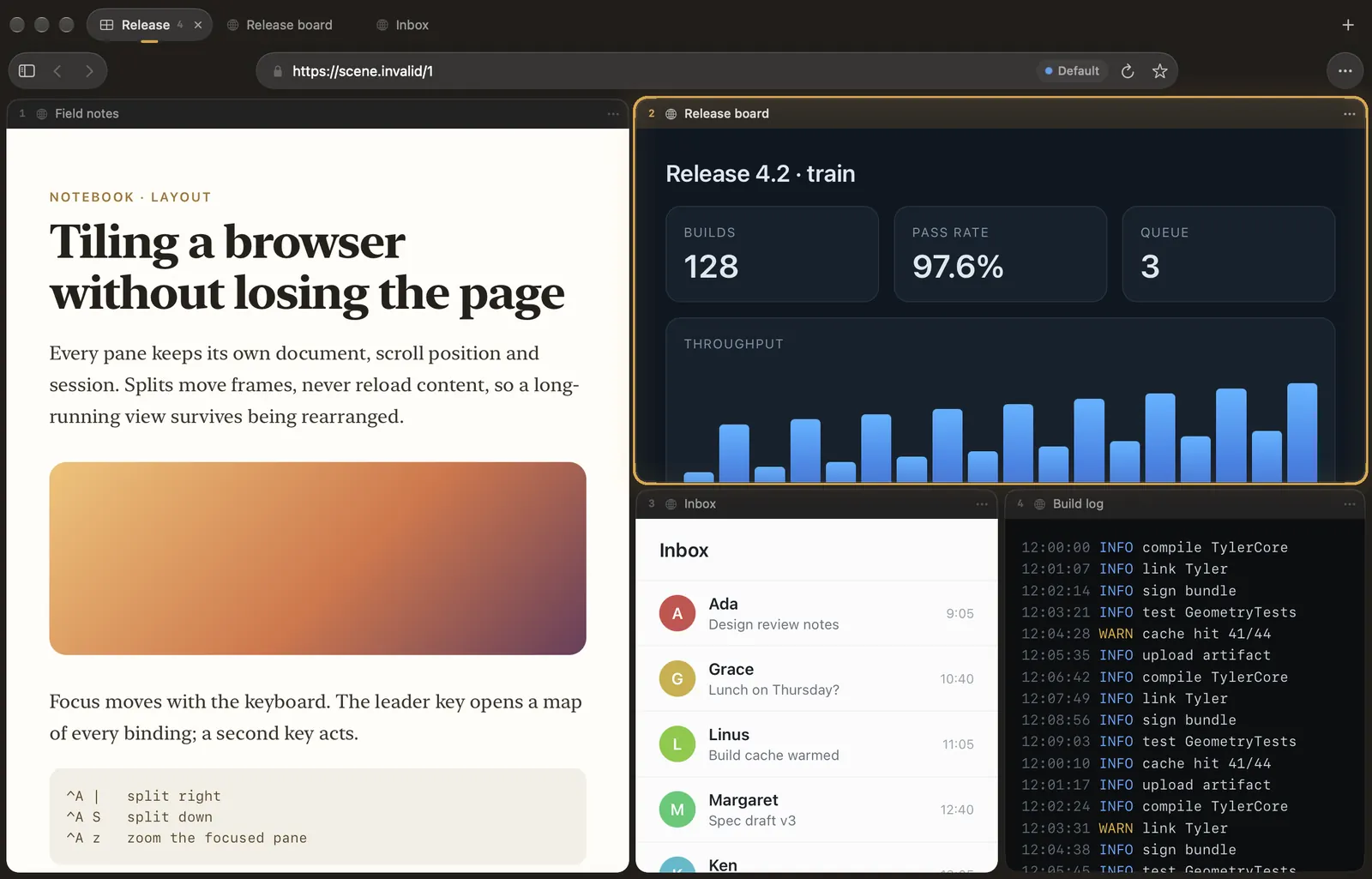
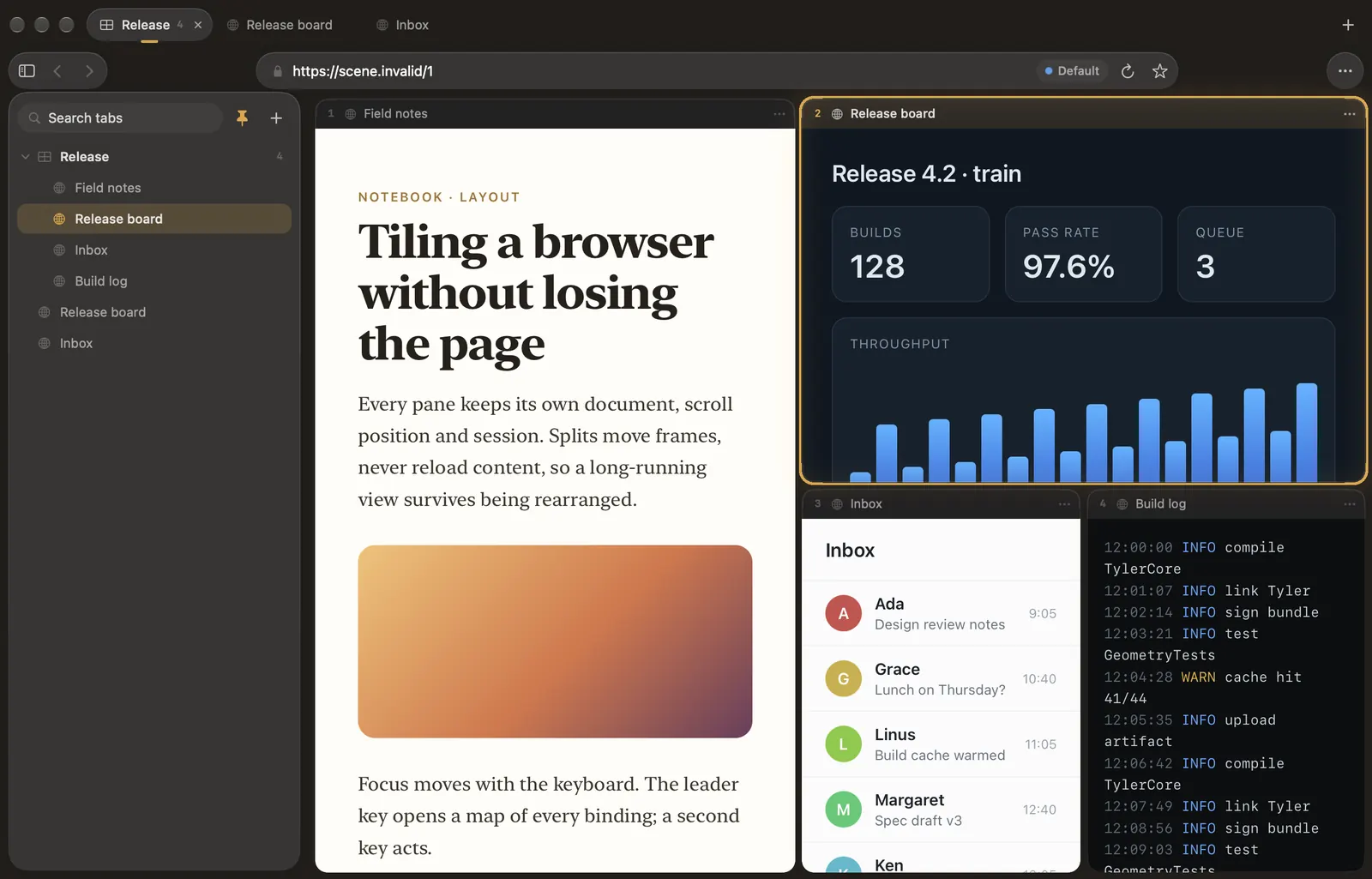
Tabs inside splits inside tabs
A split's child can be a single page or a group of tabs with its own strip, and each of those tabs can split again. Layout presets rearrange the active tab as a grid, columns, rows, a main pane beside a stack, or a spiral; dividers drag, and ⌃a = evens them out.
Panes keep a stable identity, so none of this reloads a page. ⌃a z zooms the focused pane edge to edge with no chrome at all, and the address field opens over it rather than pushing it down.
Driven from the keyboard
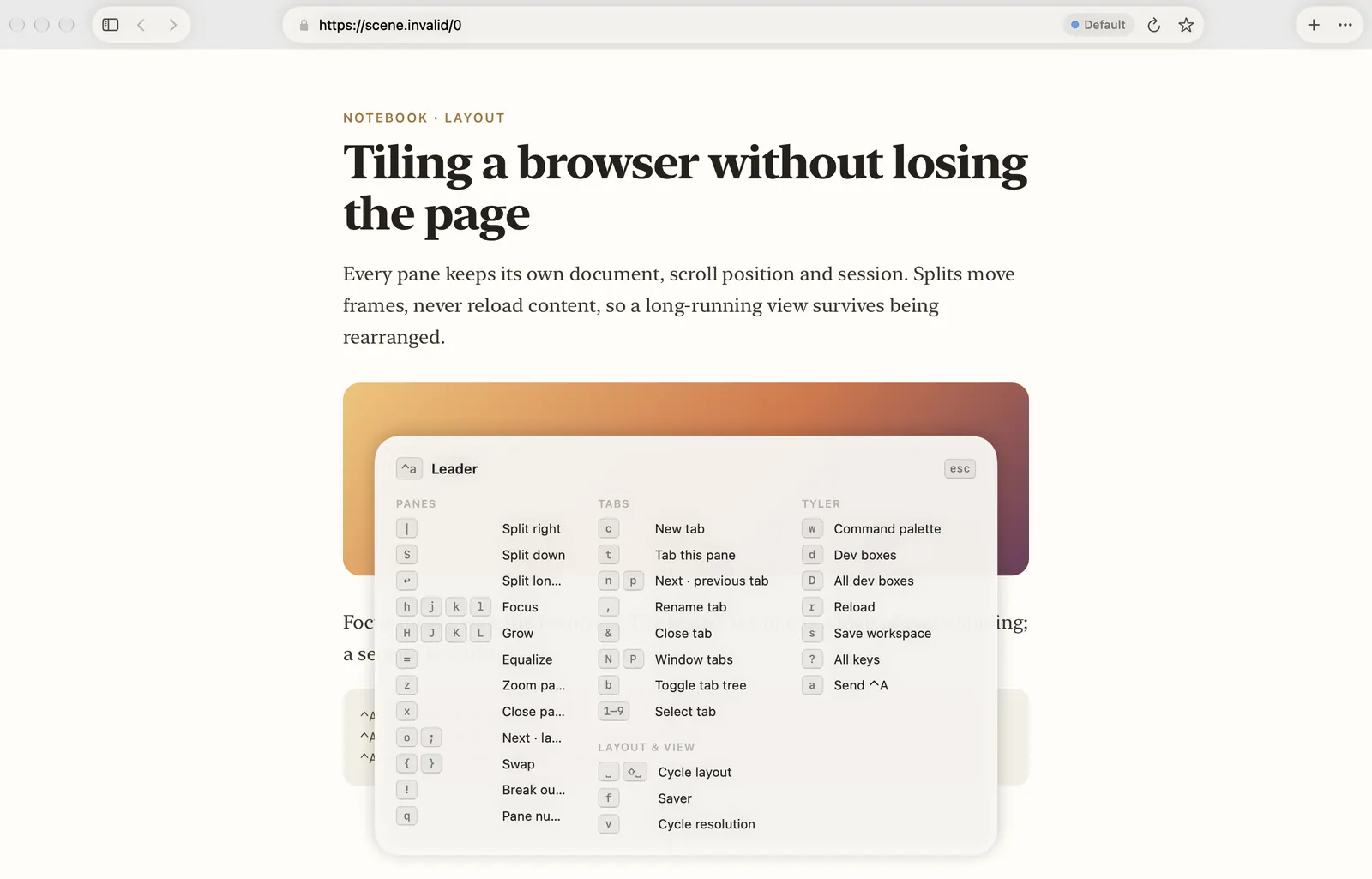
| ⌃a | · ⌃a S | Split right · split down |
| ⌃a hjkl | Move focus; HJKL grows the pane |
| ⌃a ␣ | Next layout preset |
| ⌃a z | Zoom the pane, chrome-free |
| ⌃a a | Send a real Control-A to the page |
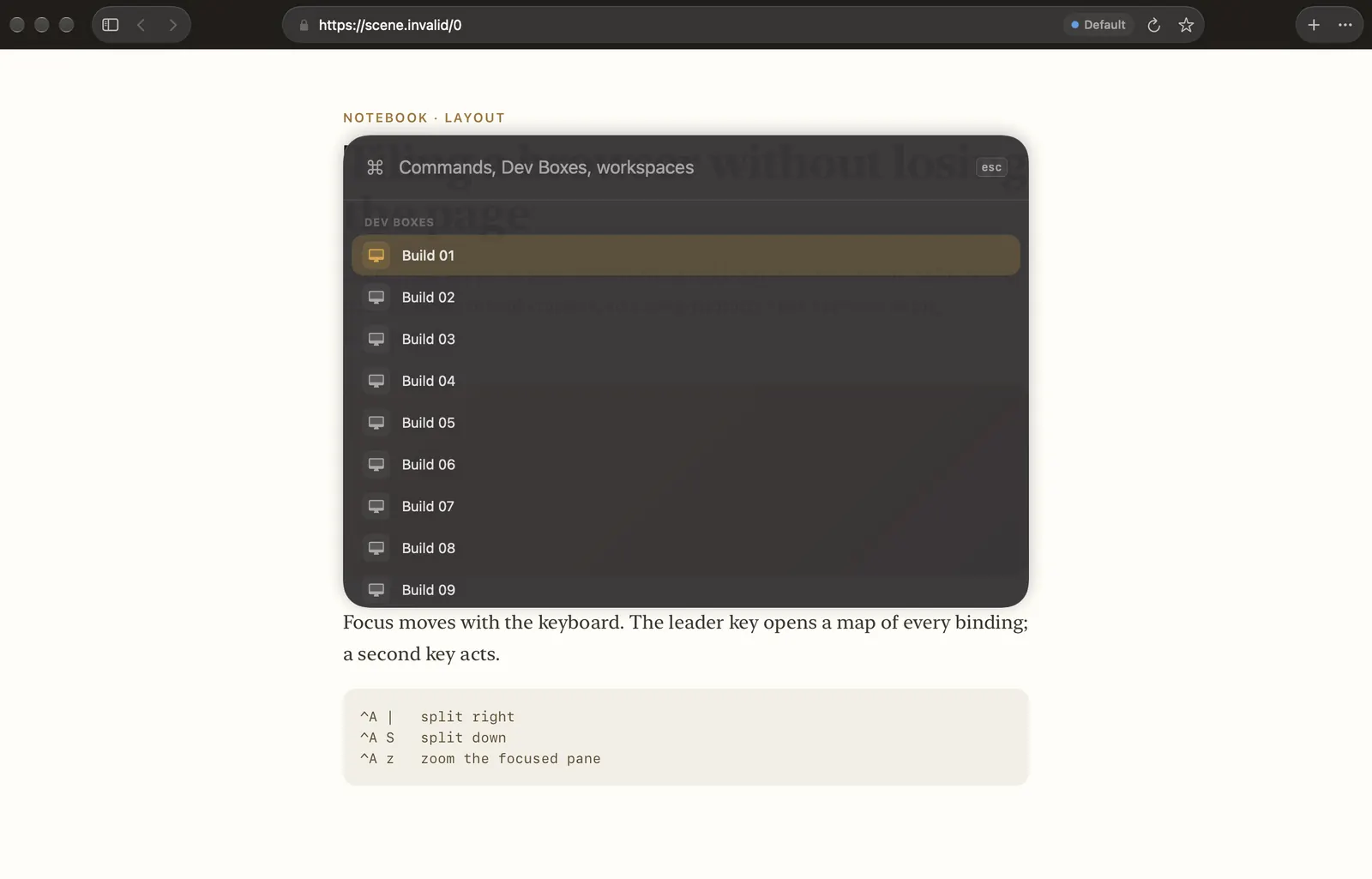
| ⌘K · ⌘L · ⇧⌘L | Commands · address · tab tree |
| ⌃⇥ · ⌘1…⌘9 | Cycle tabs · pick a window tab |
What a pane can be
- Its own resolution. A pane can lay out at its tile's size, a fixed size, a capped short edge or a scale factor, and resizes in place without reloading.
- Its own profile. Named profiles keep separate cookies and storage, so two panes can be signed in to the same site as different people.
- Frozen when hidden. A resource saver can stop rendering panes you are not looking at and resume them on focus.
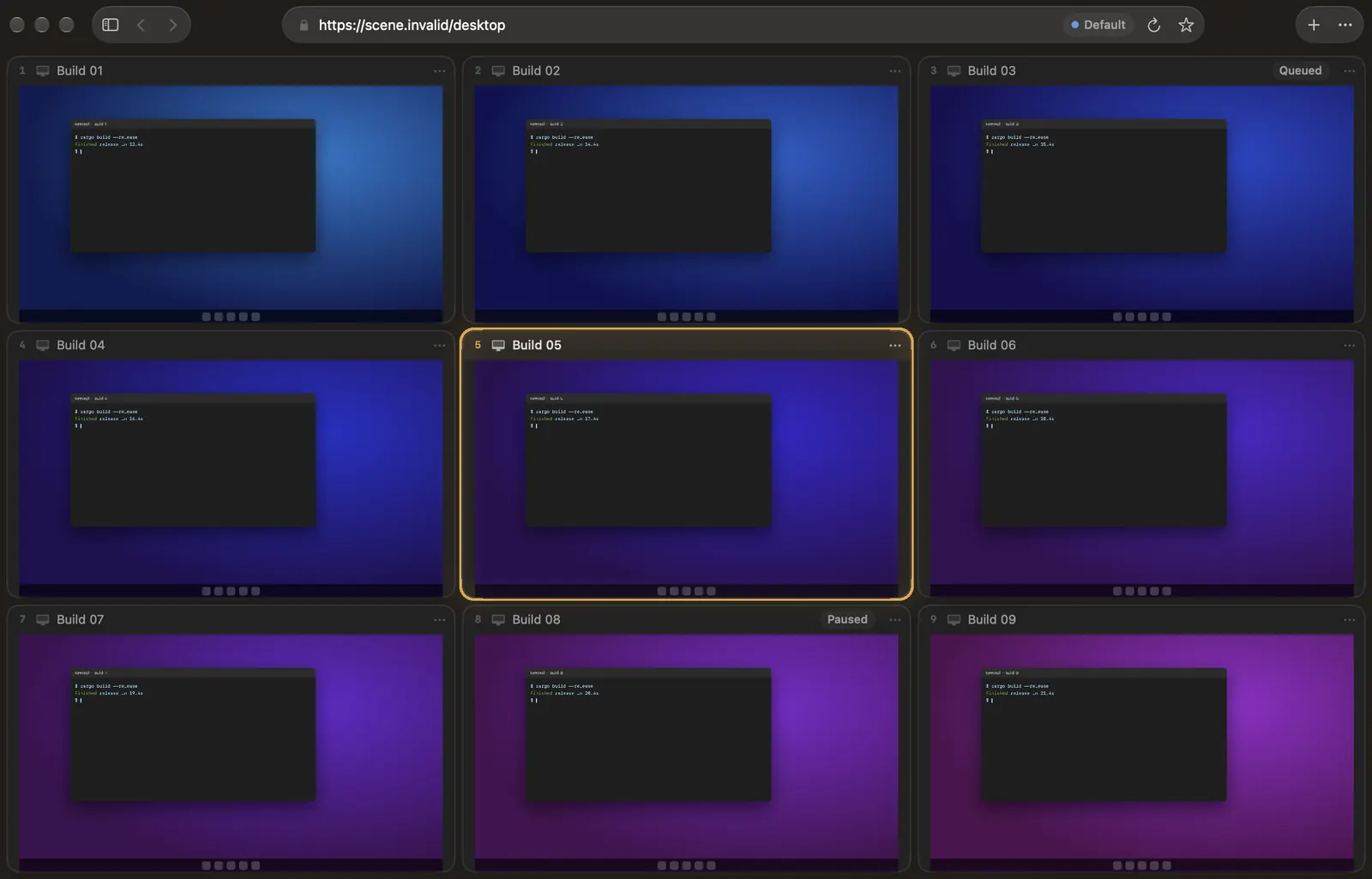
- A remote desktop. Windows App web-client desktops open as panes; a whole registry of them can open as one grid.
- Saved. A tab's layout saves as a workspace and reopens in any window.
- Native. Share, Copy Link, Handoff, a Dock menu and Services, as in any Mac app.
One theme for everything
Accent, tint, glass (Clear, Liquid or Solid), backdrop, light or dark, density, corner radius and the focus style live in one theme in Tyler's settings file, with nine presets. Reduce Transparency switches the glass to solid surfaces, and Reduce Motion stops the halo's glide.
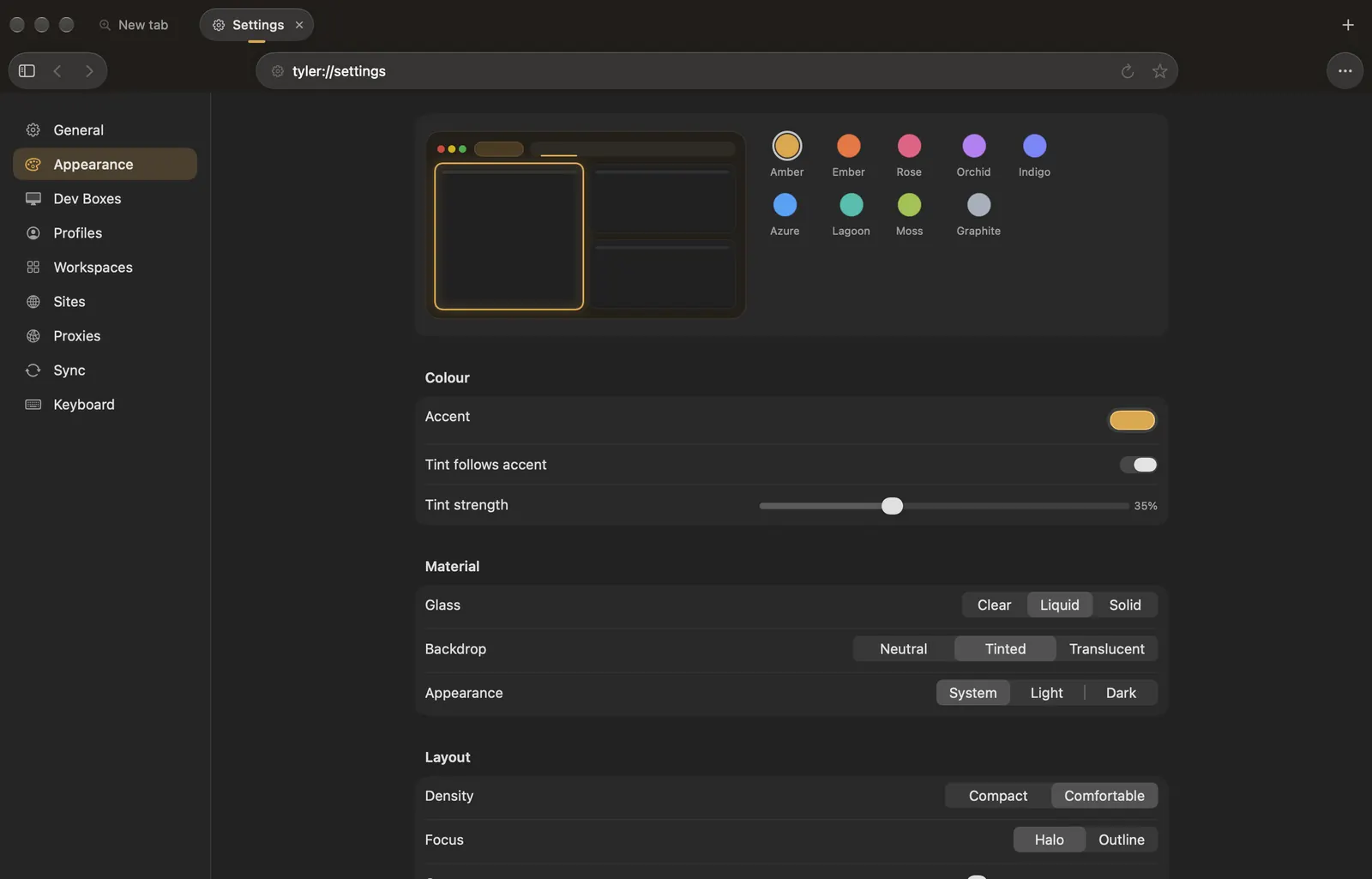
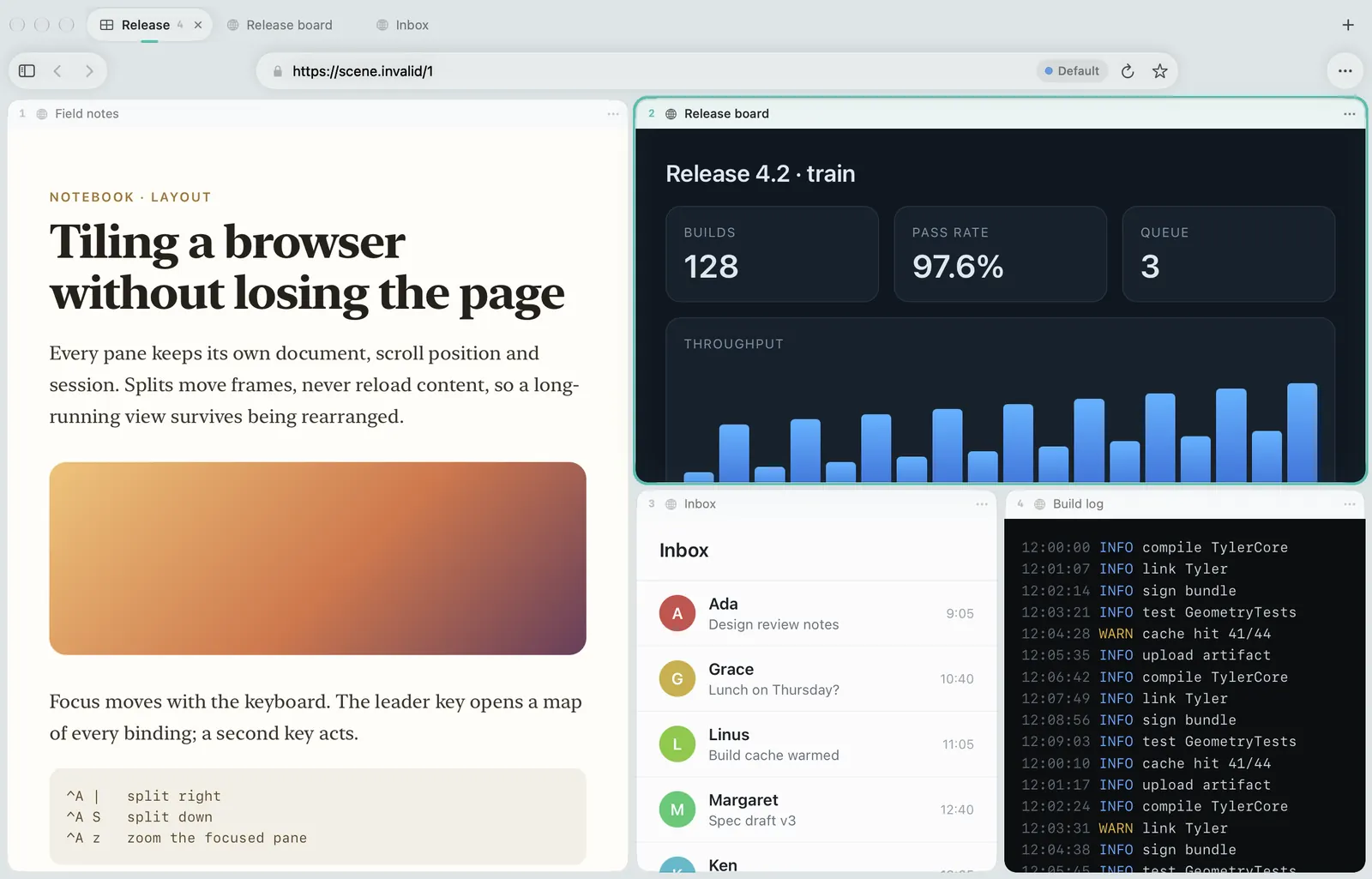
These screenshots are Tyler's own offscreen renders of synthetic pages. Offscreen capture cannot draw Liquid Glass, so glass appears as a flat translucent fill.