sdk & bindings
Native text, real graphics
The SDK keeps what terminals do well, crisp native text in a cell grid, and adds what they cannot: glass and paper surfaces, rounded borders, chips, images and motion, drawn as Kitty graphics underneath the text. The same renderer is reachable from C, TypeScript, Python, the shell and declarative app manifests.
kittui-sdk
kittui-sdk owns render assets and terminal graphics, and nothing else. Your application keeps its state, input handling, navigation, configuration and commands. Widgets are ordinary Ratatui widgets; the SDK places graphics around and beneath them:
use kittui_sdk::{prelude::*, Panel, Theme, Tui}; fn main() -> Result<(), Box<dyn std::error::Error>> { let mut tui = Tui::builder().theme(Theme::quiet_dark()).open()?; tui.draw(|frame| { let body = frame.panel("jobs", frame.area(), Panel::new().title("Jobs")); frame.render_widget(Paragraph::new("Build complete"), body.inner()); })?; // your event loop: redraw on change, read input with tui.poll() let receipt = tui.close()?; assert_eq!(receipt.session.images, 0); // the receipt is taken after cleanup Ok(())}Graphics delivery is transactional. Preparing a frame changes nothing on the terminal; only a complete write and flush counts as delivered, and failed or partial output stays owned so it can be cleaned up or retried. Closing restores the terminal's modes on normal, error, signal and panic paths, and returns a receipt taken after cleanup. CPU rendering, memory-only assets and reduced motion are the defaults; disk caching and animation are explicit choices.
The studio
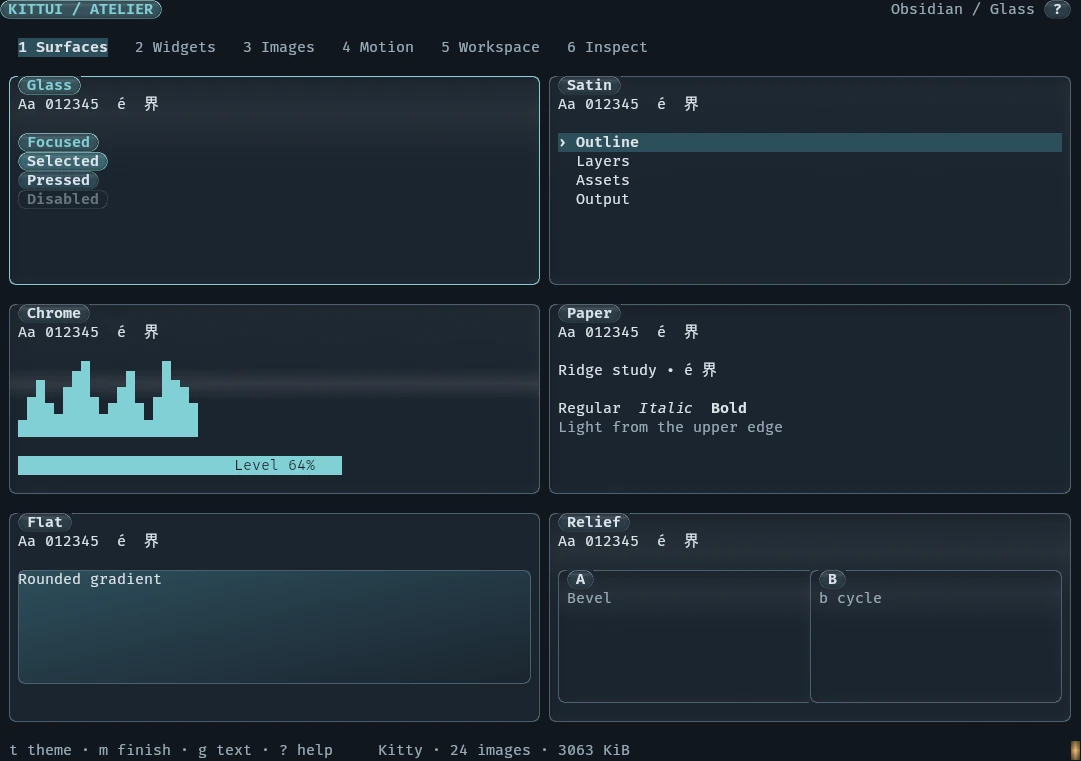
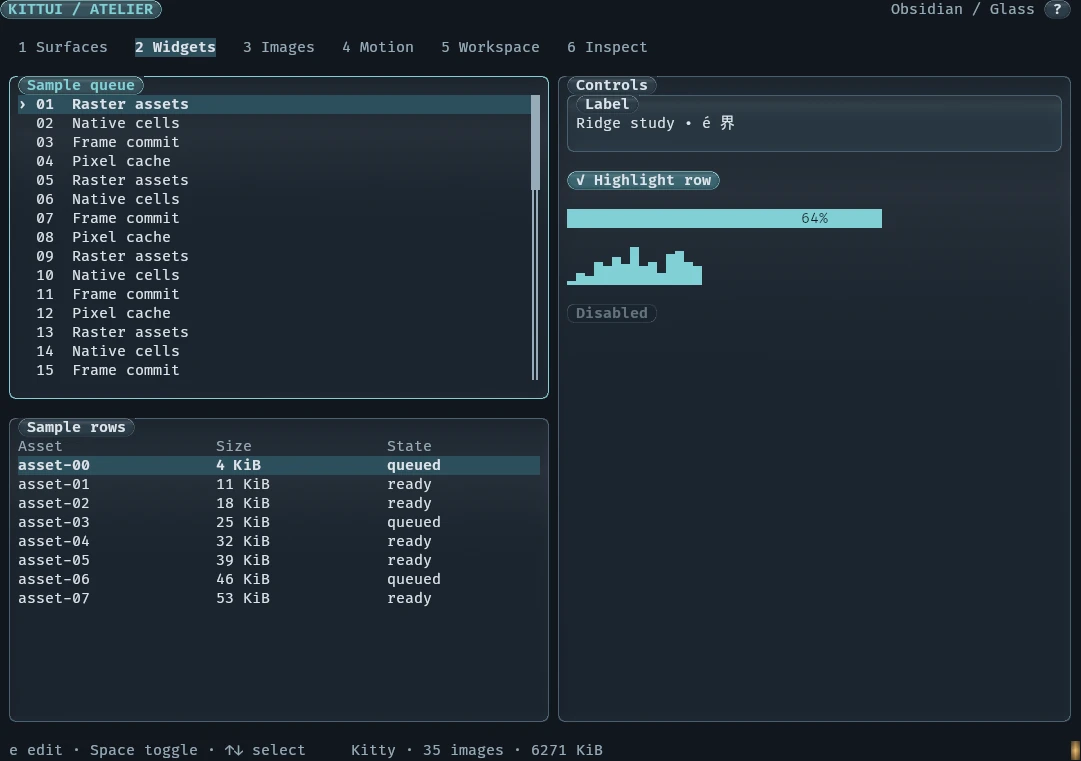
nix run .#kittui-showcase opens a six-page studio that exercises the whole SDK, with no window manager, terminal emulator or browser dependency:
| Page | Exercises |
|---|---|
| Surfaces | Glass, satin, chrome, paper and flat finishes; every control state; gradients, title gaps, joined borders, relief |
| Widgets | Lists and tables with independent selection, scrollbars, checkbox, label editor, gauge, sparkline |
| Images | RGBA, PNG and JPEG; contain and cover; masks, clips and blends; optional WGSL shaders |
| Motion | Native terminal loops, quantised procedural phases, reduced-motion posters |
| Workspace | A split tree with focus, divider dragging, view stacks, Markdown and fullscreen |
| Inspect | Capabilities, geometry, resources, budgets, timings and recoverable failures |
Measured, not promised
The studio package meets its three latency targets on a GPU-backed headless test machine, measured as the 95th percentile of one complete run of 40 launches and 120 key presses:
| Measure | p95 |
|---|---|
| Cold start to first pixels | 137.350 ms |
| Key press to updated pixels | 15.416 ms |
| Warm redraw | 0.777 ms |
That is one dataset, not a guarantee for every machine. The project's validation ledger also keeps the earlier software-rendered runs that missed the key-press target.
Declarative apps
Small terminal apps can be written as a manifest instead of a program: state, a view tree of widgets, and event handlers with Rhai expressions. kittui app new scaffolds one with a test plan:
apiVersion: kittui.app/v1name: counterstate: clicks: 0view: kind: column children: - { id: counter, kind: status, bindings: { text: '`clicked ${state.clicks} time(s)`' } } - id: bump kind: button properties: { label: Click me } on: { click: [ { kind: update, properties: { path: clicks, expression: state.clicks + 1 } } ] } 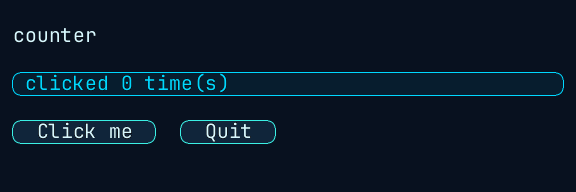
kittui app render draws text and graphics to a PNG with no terminal.kittui app validate counter/app.yamlvalid: counter/app.yaml — app=counter widgets=6 commands=0 sources=0kittui app test counter/app.yaml --plan counter/app.test.rhai # 5 of 5 assertions pass: click, state, text, no diagnostics, exit Apps run live in a terminal or in a deterministic headless loop, compile to a .kapp bundle or a self-contained executable, register under a name, and can be driven by action plans that record every frame for review.
Inline components
kittui inline chip, badge, segment, divider and row draw one-line graphics for shell prompts and tmux status lines, with plain-text fallbacks. They can animate, and the animation keeps running in the terminal after kittui exits. kittui inline examples prints copy-and-paste prompt configurations.
The C ABI
libkittui_ffi (.so, .dylib, .dll) exposes the renderer to any language through 18 functions that take and return JSON:
| Functions | Do |
|---|---|
kittui_runtime_new, _new_config, _configure, _free | Own a runtime and its cache |
kittui_render_json, kittui_render_many_json | Scene to PNG bytes, or a manifest of many |
kittui_place_json, _at, kittui_place_many_json, _at | Place scenes, singly or in batches |
kittui_place_many_json_channels | Return upload, placement and placeholder output on separate channels, for hosts that write them differently |
kittui_unplace, kittui_probe_json | Remove a placement; probe the terminal |
kittui_abi_version, _check, kittui_last_error, kittui_bytes_free, kittui_string_free | Versioning, errors and memory |
The ABI is versioned by major and minor number, and callers can check the major version they need at load time.
Bindings
- TypeScript
bindings/tswraps the library withkoffi, with no build step, including render-many and channelled batch placement.- Python
bindings/pythonwraps it withctypes;python3 -m kittui --find-libraryshows which library it found.- Ratatui
ratakittuidecorates widgets and manages graphics lifecycles for existing Ratatui apps that do not adopt the full SDK.- MCP
kittui mcpserves kittui's tools to agents over MCP stdio.