nlir — natural-language IR
nlir transpiles a terse, sigil-laden
shorthand into fluent English. The
shorthand is an intermediate representation: it is tokenised,
parsed into a DAG using a config-defined grammar, and
evaluated over a small stack machine with a
tiny type system, where each operator is realised
either deterministically (mechanical string/number
expansion) or via an LLM call (a structured text
transformation).
Typically invoked from a coding agent's prompt window:
nlir -e '#^-1' # "the subject of the last assistant message"The engine ships only a tiny set of builtins (stack
/ context / indexing / assignment / arithmetic / coercion / list
plumbing). Everything else — the operator vocabulary, their fixity /
priority / arity / types, the models, the prompts, the coercions, the
tests — lives in ~/.config/nlir/config.yaml. The
binary is a small VM; the language is config.
See SPEC.md for the full
normative contract; this README is the usage-oriented tour.
Showreel
Terse shorthand in, fluent English out. A few of the moves
(deterministic outputs are exact; LLM outputs are real
claude-sonnet-5 captures):
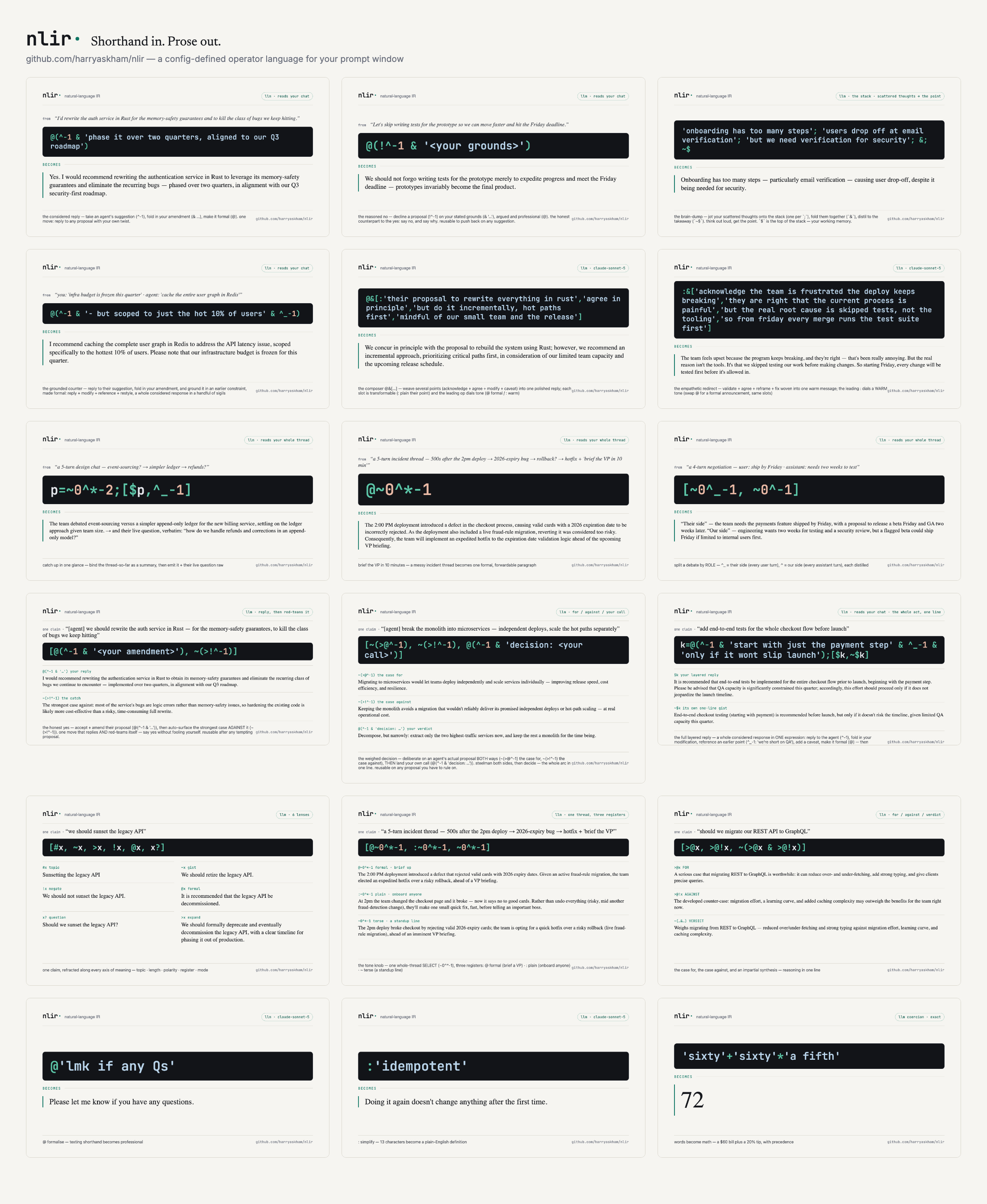
One claim, refracted along every axis of meaning —
[#x, ~x, >x, !x, @x, x?]:
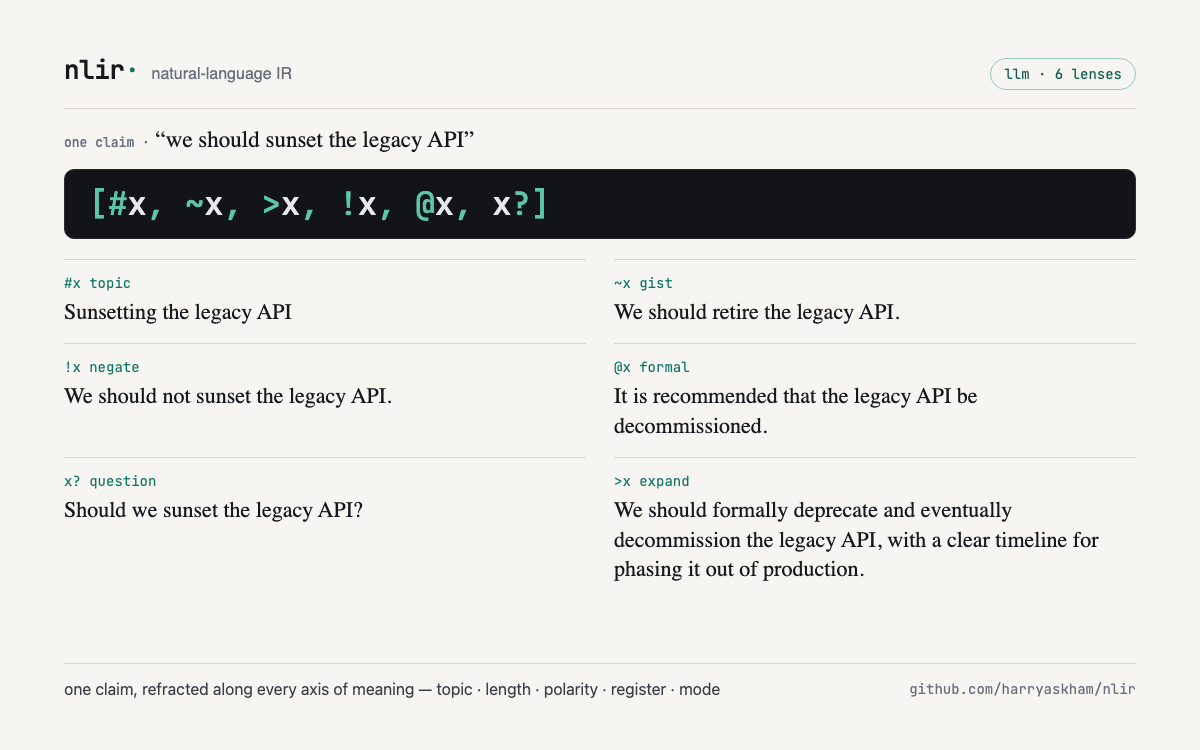
A whole layered reply in ONE expression — answer the agent,
fold in your modification, reference an earlier point, add a caveat,
restyle it formal, then addendum a reflection on your own summary. Six
communicative moves, a handful of sigils, reading your live chat
(^-1 their last message, ^_-1 an earlier one,
$k/~$k your draft and its own gist):
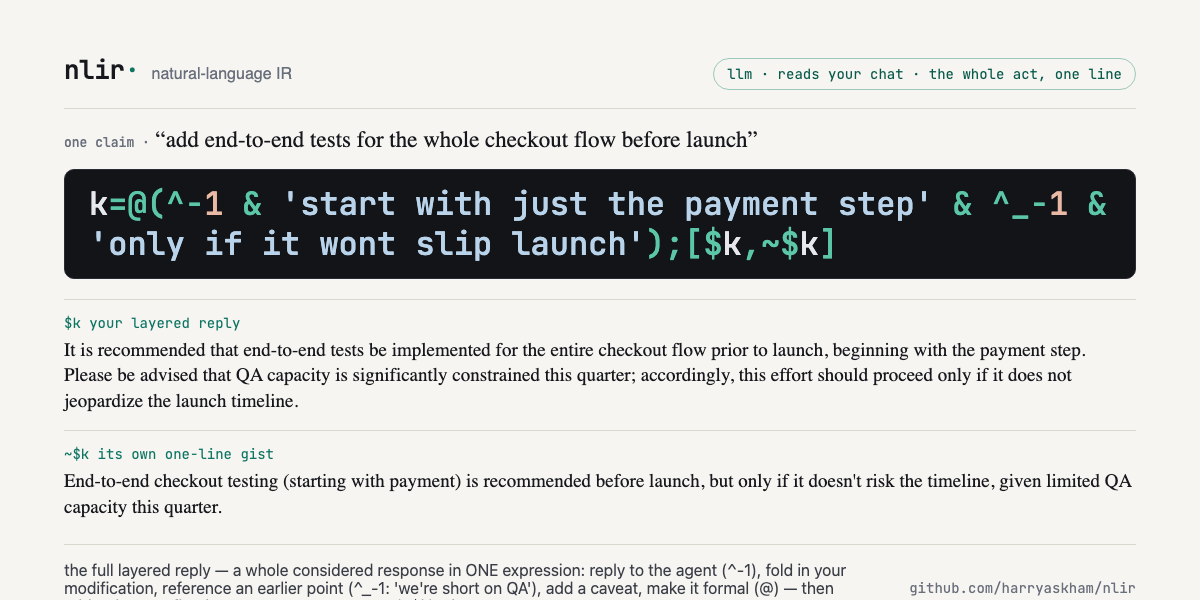
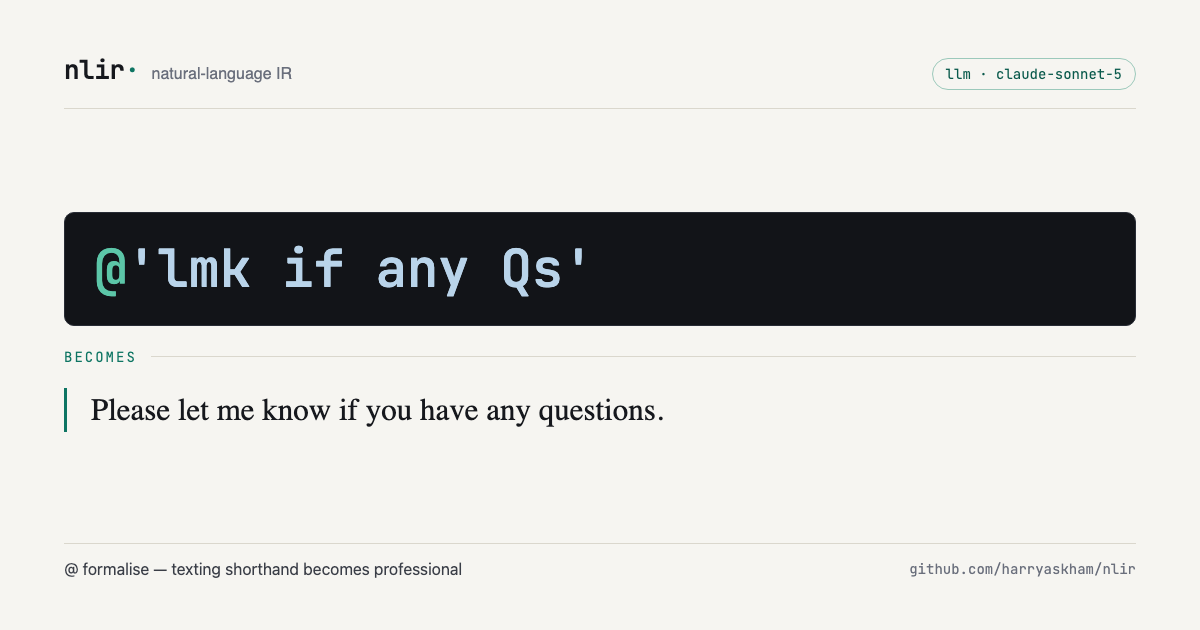 |
 |
@'lmk if any Qs' → a polished professional line |
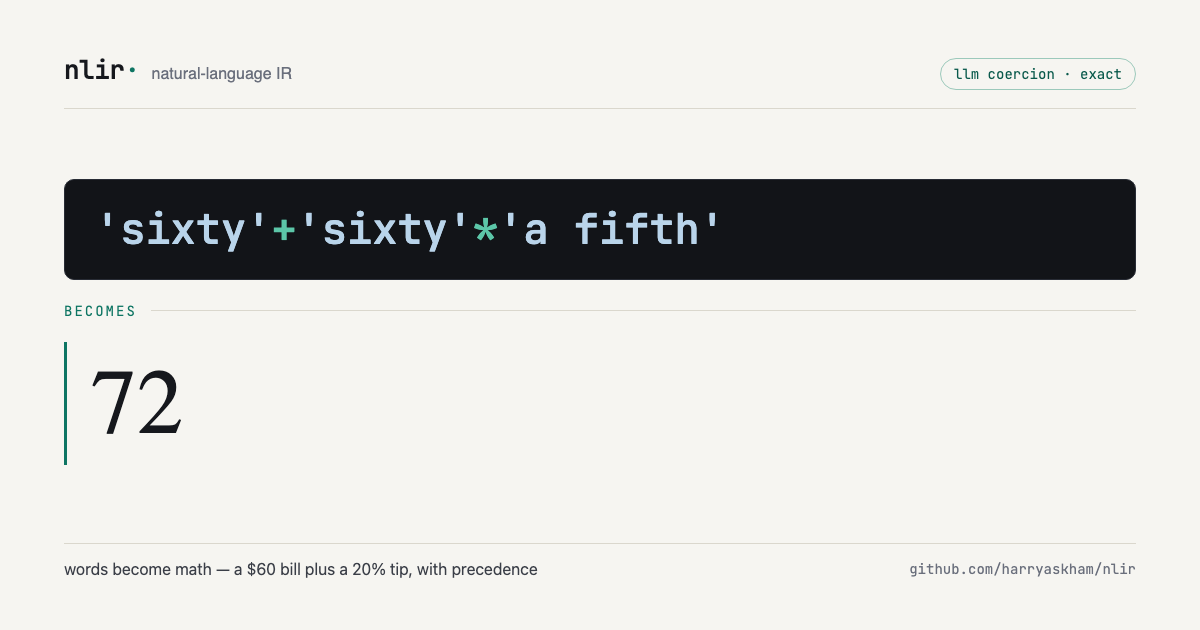
'sixty'+'sixty'*'a fifth' → 72 (a $60 bill
+ a 20% tip) |
 |
 |
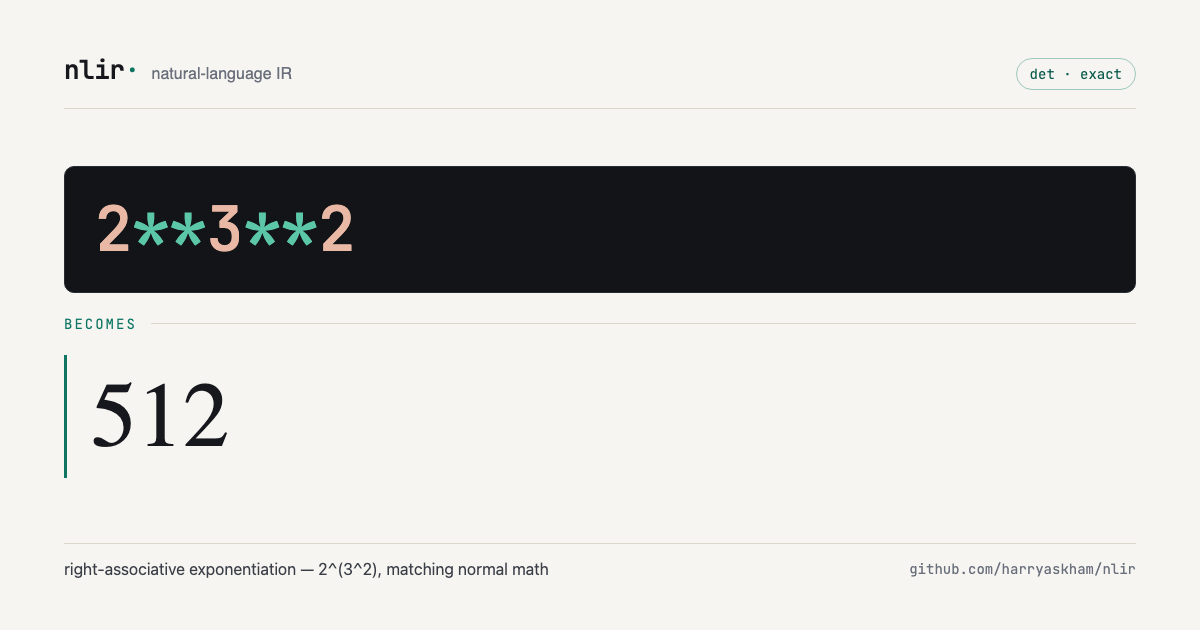
2**3**2 → 512 (exponentiation, done
right) |
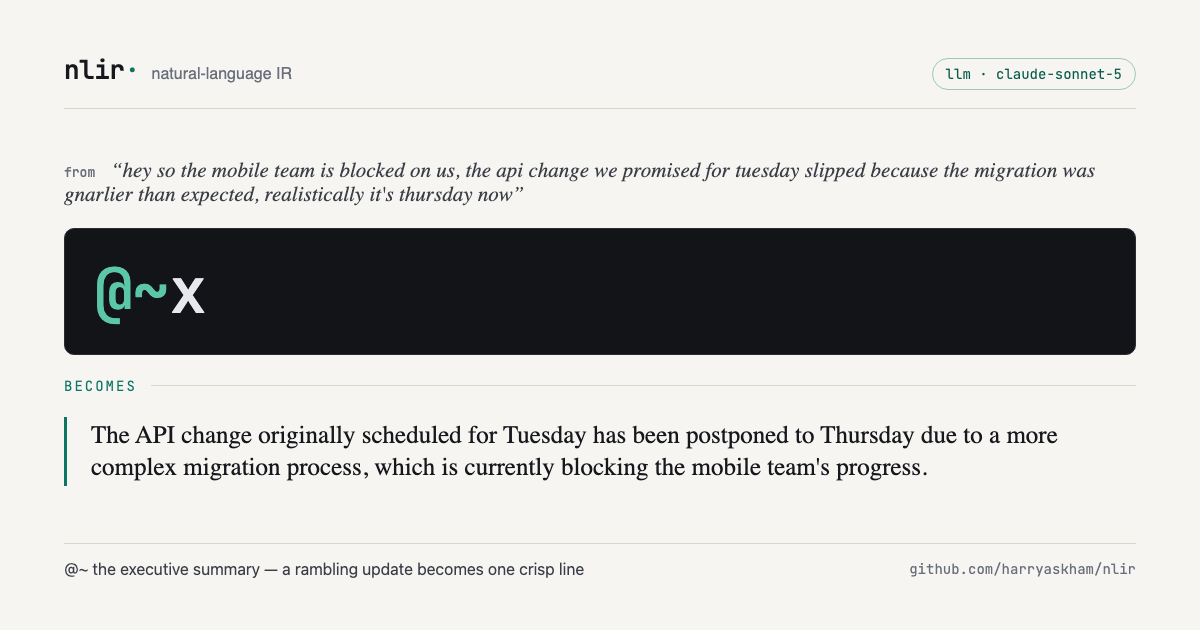
@~x → a rambling update becomes one crisp line |
 |
 |
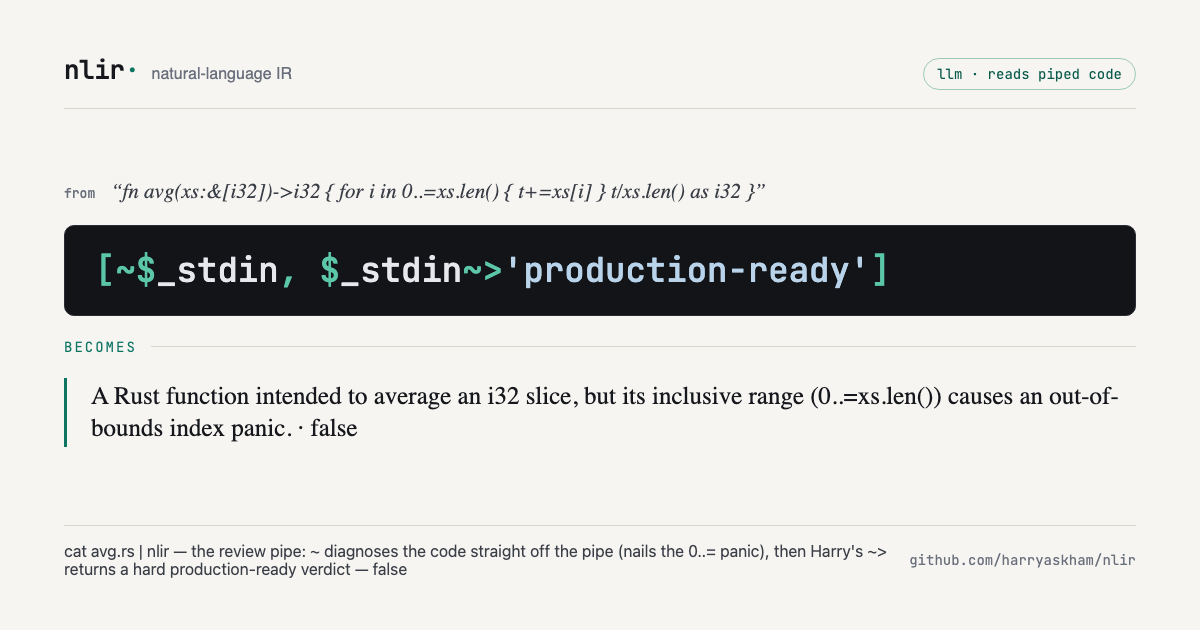
cat foo.rs | nlir -e '[~$_stdin, $_stdin~>"production-ready"]'
→ a code diagnosis + a hard verdict |
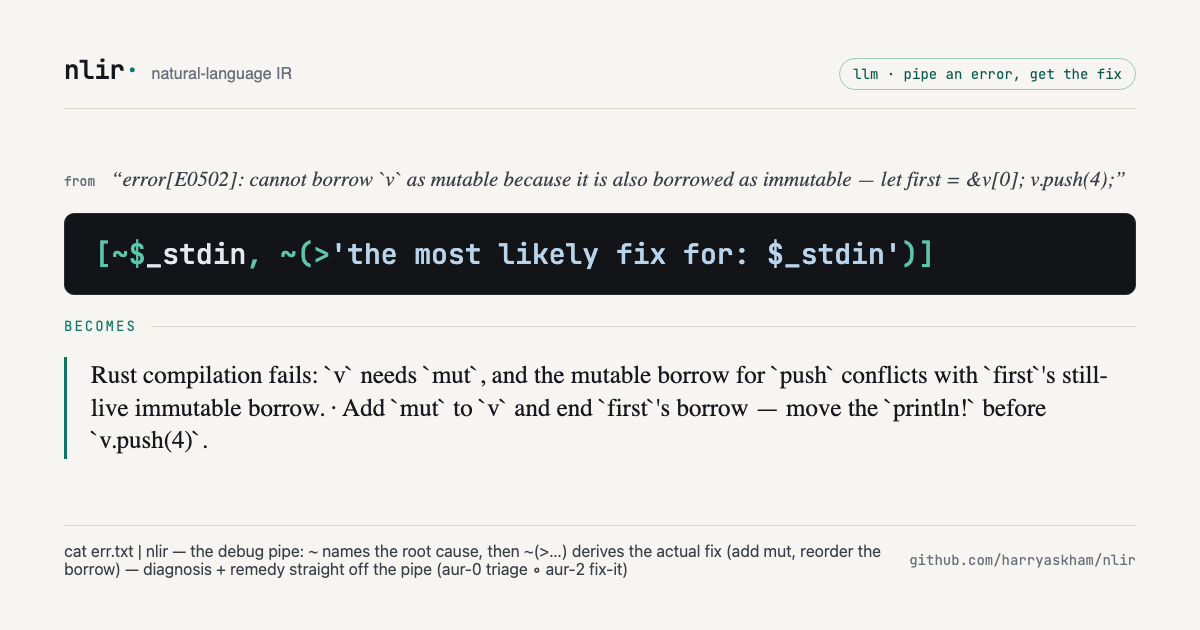
cat err.txt | nlir -e '[~$_stdin, ~(>"fix for: $_stdin")]'
→ the root cause + the actual fix |
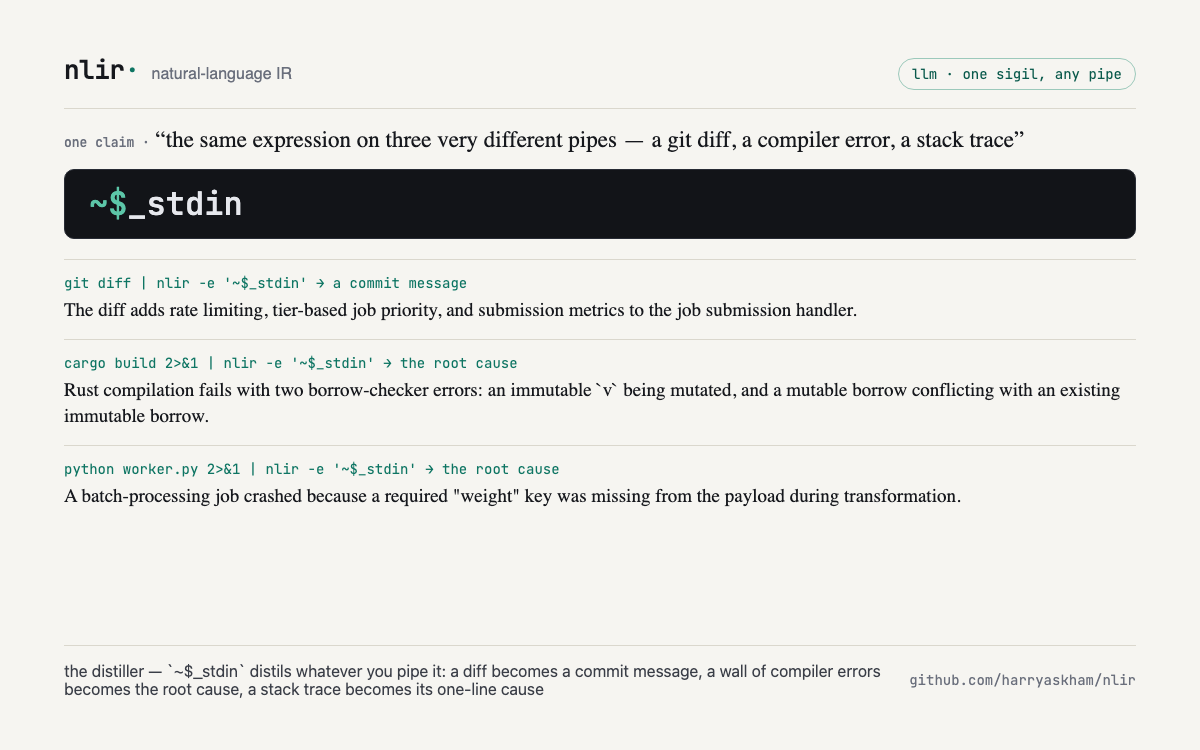
The smart pipe distils whatever you feed it — a git diff, a compiler error, or a stack trace — all through one sigil:
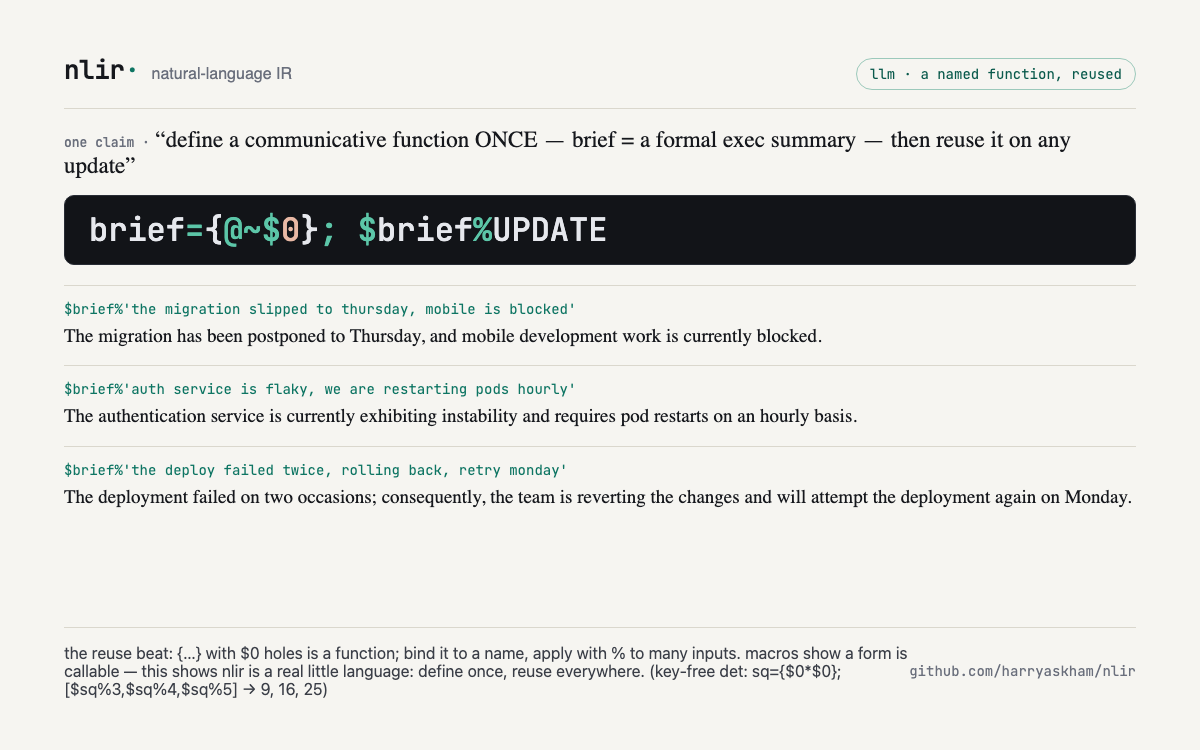
And with quoted forms, nlir is now programmable — quote an
expression with numbered holes ($0, $1) to
make a function, bind it to a name, and reuse it on any input:
Why nlir, not a prompt?
The moves above shine — but a chatbot can draft prose too. What a plain prompt can't do cleanly is nlir's signature: mix exact computation with fuzzy judgment, reach a precise semantic target in a few sigils, and do it mid-pipe.
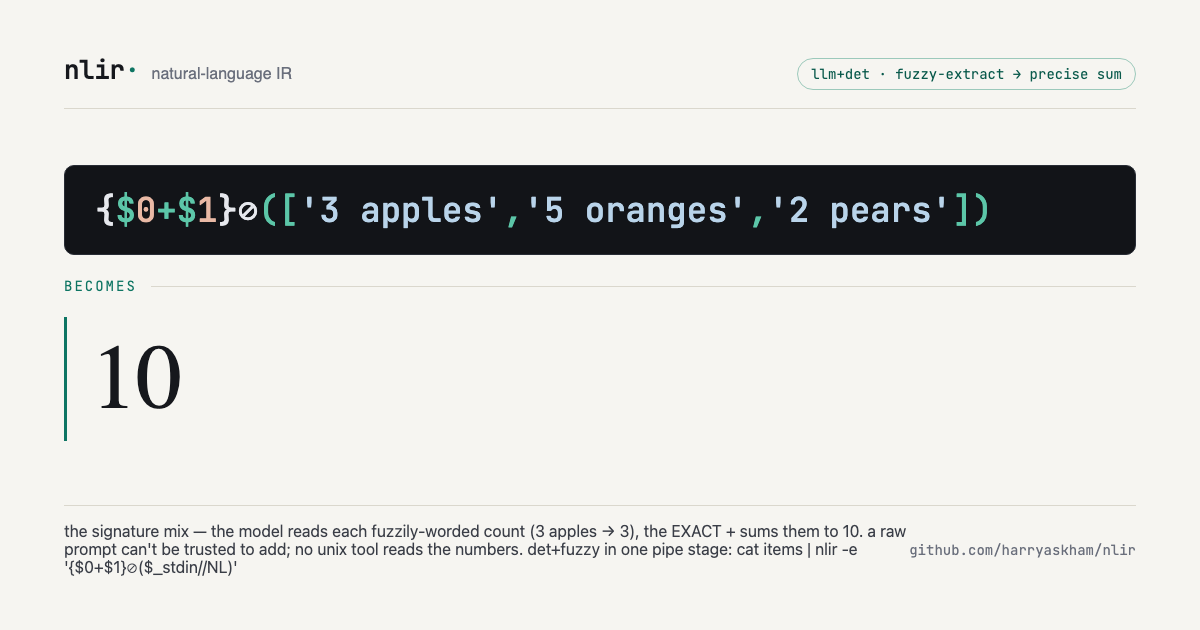
{$0+$1}⊘(['3 apples','5 oranges','2 pears']) →
10. The model fuzzy-reads each count; the exact
+ sums them. No single tool does "sum these fuzzily-worded
lines," and a raw prompt can't be trusted to add. As a pipe stage:
cat items | nlir -e '{$0+$1}⊘($_stdin//"\n")'.
Its sibling counts instead of sums — ~> judges each
line, the exact + totals the trues:
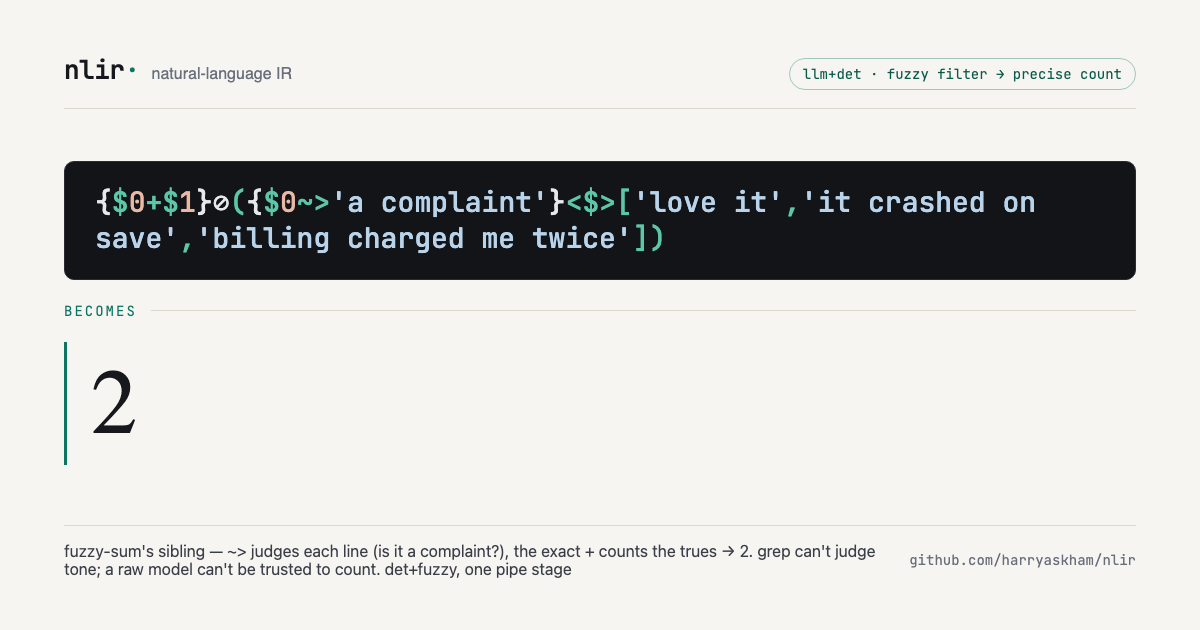
{$0+$1}⊘({$0~>'a complaint'}<$>['love it','it crashed on save','billing charged me twice'])
→ 2. grep can't judge tone; a raw model can't be trusted to
count. Together the two are what neither a pipe filter nor a prompt does
alone.
And routing decides on a fuzzy test — the same expression forks two ways by mode:
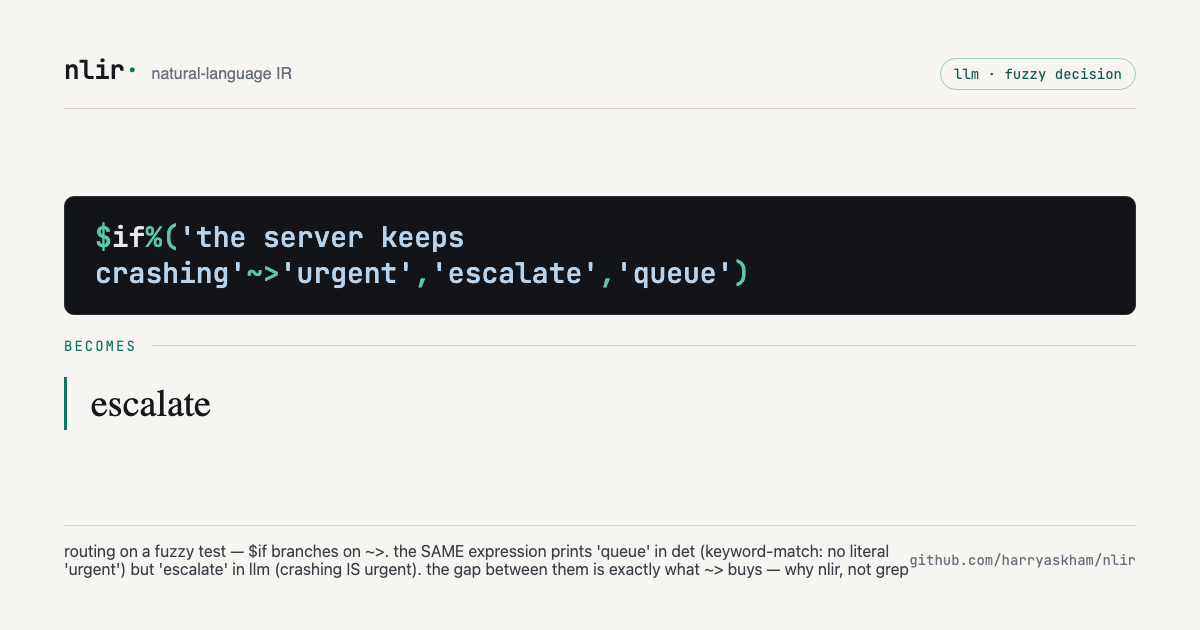
$if%('the server keeps crashing'~>'urgent','escalate','queue')
→ escalate in llm (crashing is urgent) but
queue in det (no literal "urgent" to keyword-match). The
gap between the two outputs is exactly what the fuzzy ~>
buys — why nlir, not grep.
The .↔︎.. duality —
structural access (exact, offline) vs
semantic access (the LLM twin) — reaches the same
target two ways:
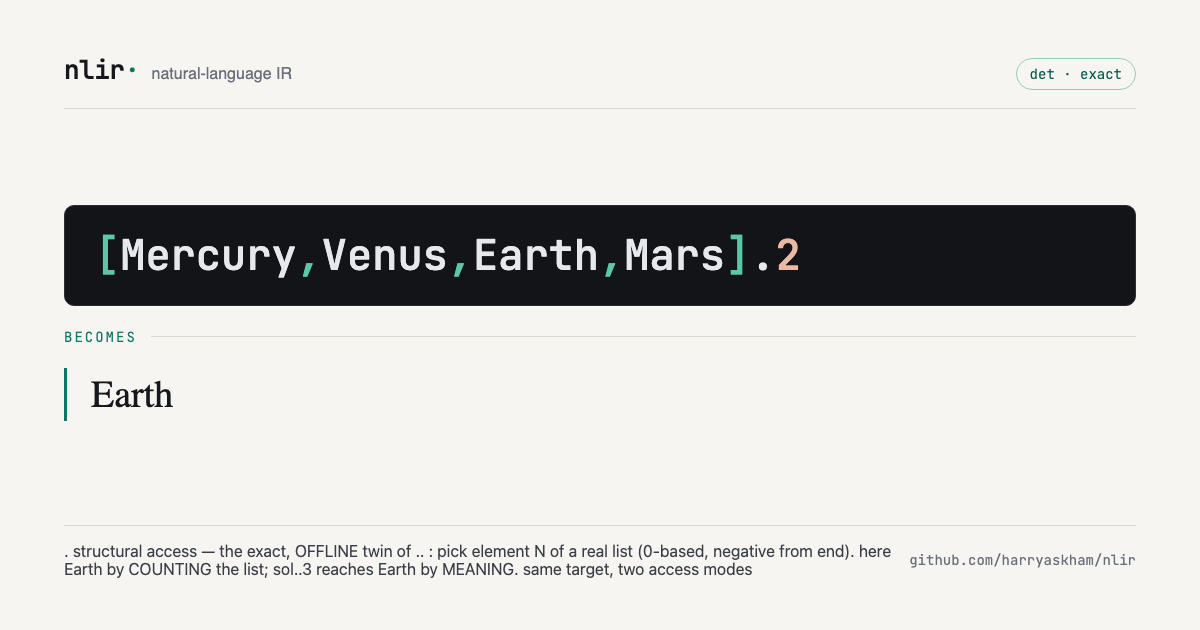 |
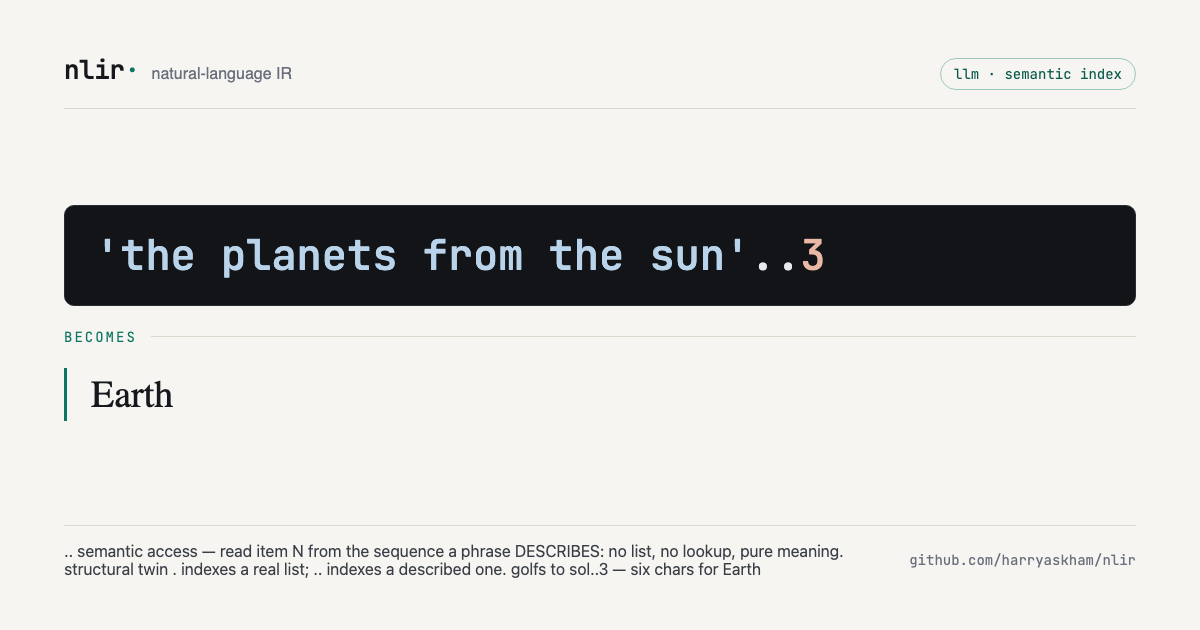 |
[Mercury,Venus,Earth,Mars].2 → Earth —
count a real list |
'the planets from the sun'..3 → Earth —
index a described one (golfs to sol..3, six
chars) |
And the sharpest dogfood — the golf judge is itself nlir.
=> regenerates a target, ~> scores
whether the output means the same:
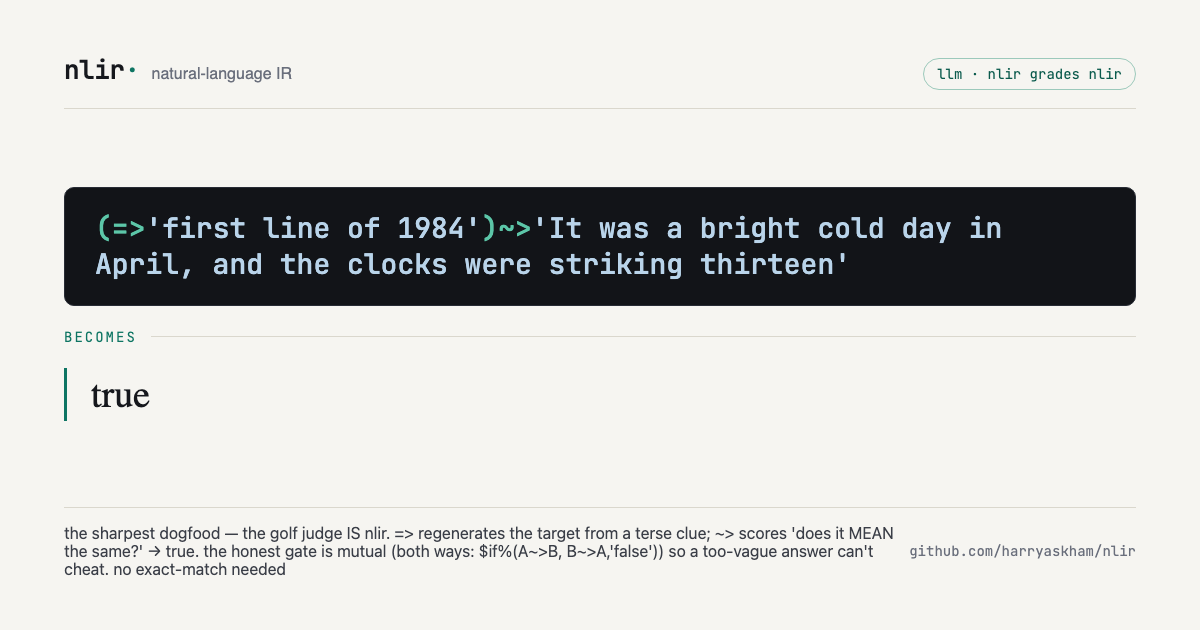
(=>'first line of 1984')~>'It was a bright cold day in April, and the clocks were striking thirteen'
→ true. The honest gate is mutual —
$if%((sol)~>T, T~>(sol), 'false') — so a too-vague
output can't cheat. nlir grading nlir, no exact-match needed.
But that famous 1984 target is a judge demonstration, not a compression metric: pretraining already contains the sentence. A short lookup key measures the target's fame, not how much information nlir carries. The honest comparison separates four regimes:
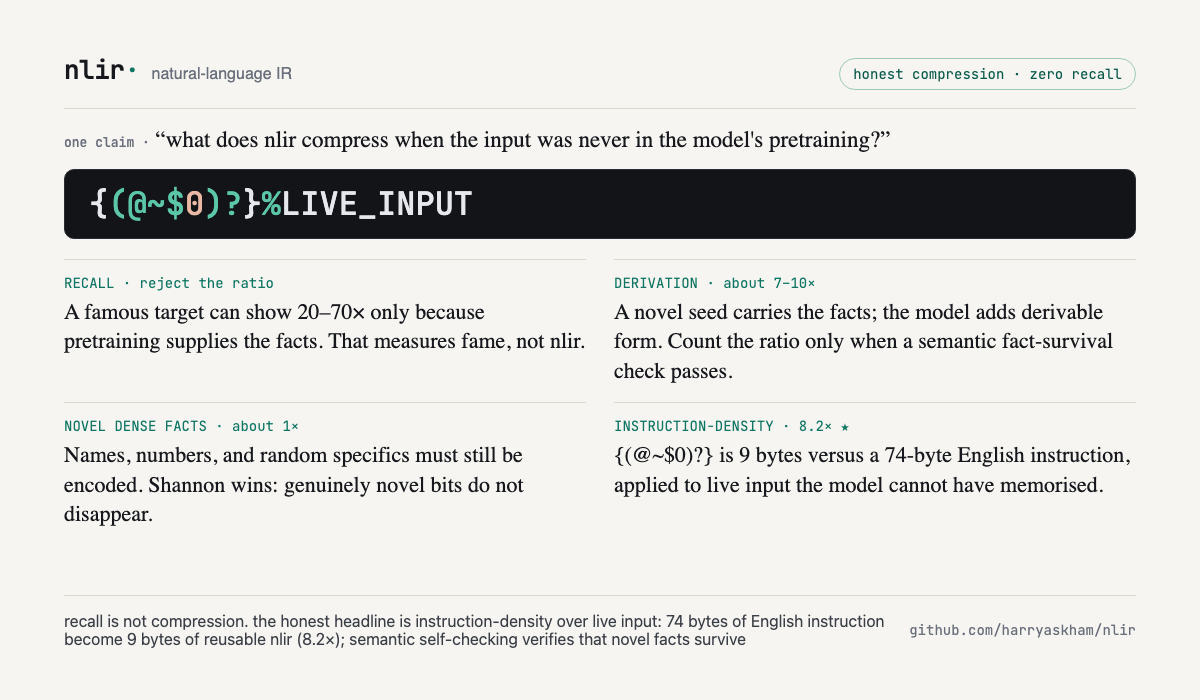
- Recall can look like 20–70× because the model supplies memorised facts. Reject that ratio.
- Derivation from a novel seed is typically about
7–10×: the seed carries the facts and the model adds form. Count it only
when a semantic
~>fact-survival check passes. - Novel dense facts approach 1×. Names, numbers, and random bits still have to be encoded.
- Instruction-density is the honest headline:
{(@~$0)?}is 9 bytes encoding the same transform as “rephrase this professionally and turn it into a single clarifying question” (74 bytes) — 8.2×, applied to live input the model cannot have memorised.
Run the proof with examples/move-msm0-honest-golf.sh.
It computes the 8.2× ratio offline, then uses nlir itself to
semantically check that a novel fact survives expansion — avoiding false
failures from harmless formatting changes such as 1340 →
1,340.
And parts compose into a pyramid — name a thought-unit once, reuse it in a train:
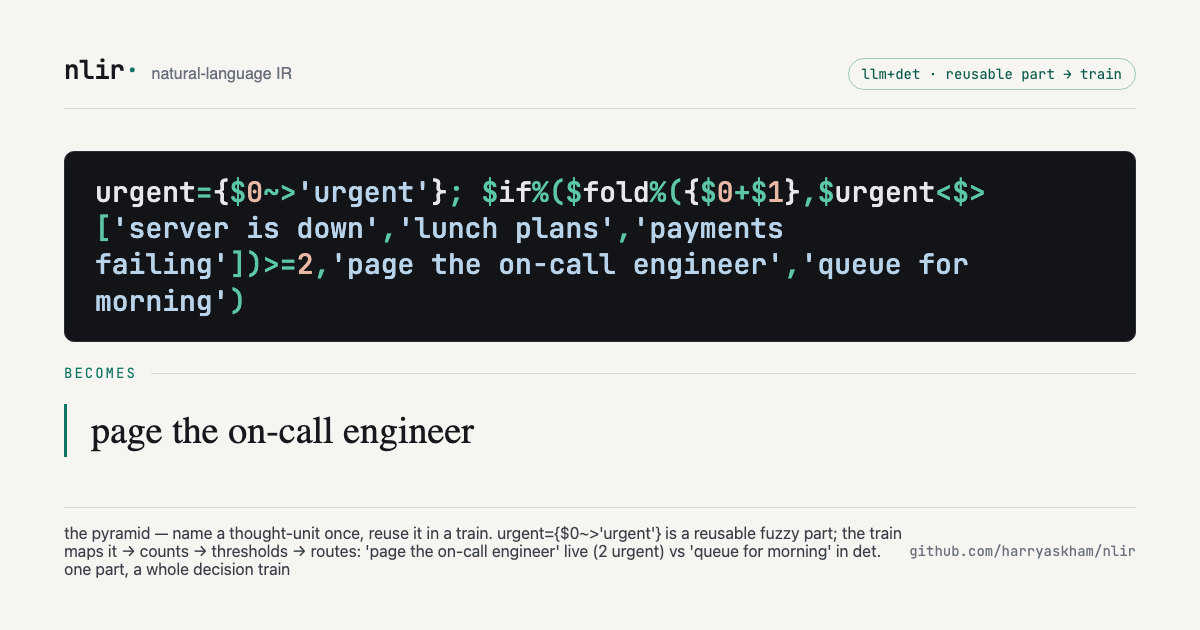
urgent={$0~>'urgent'}; $if%($fold%({$0+$1},$urgent<$>['server is down','lunch plans','payments failing'])>=2,'page the on-call engineer','queue for morning')
→ page the on-call engineer live (2 urgent) but
queue for morning in det. One reusable part
(urgent) drives map → count → threshold → route — build a
part once, and every later train is cheaper.
At the peak, a train checks its own work — generate, then verify it means what you asked:
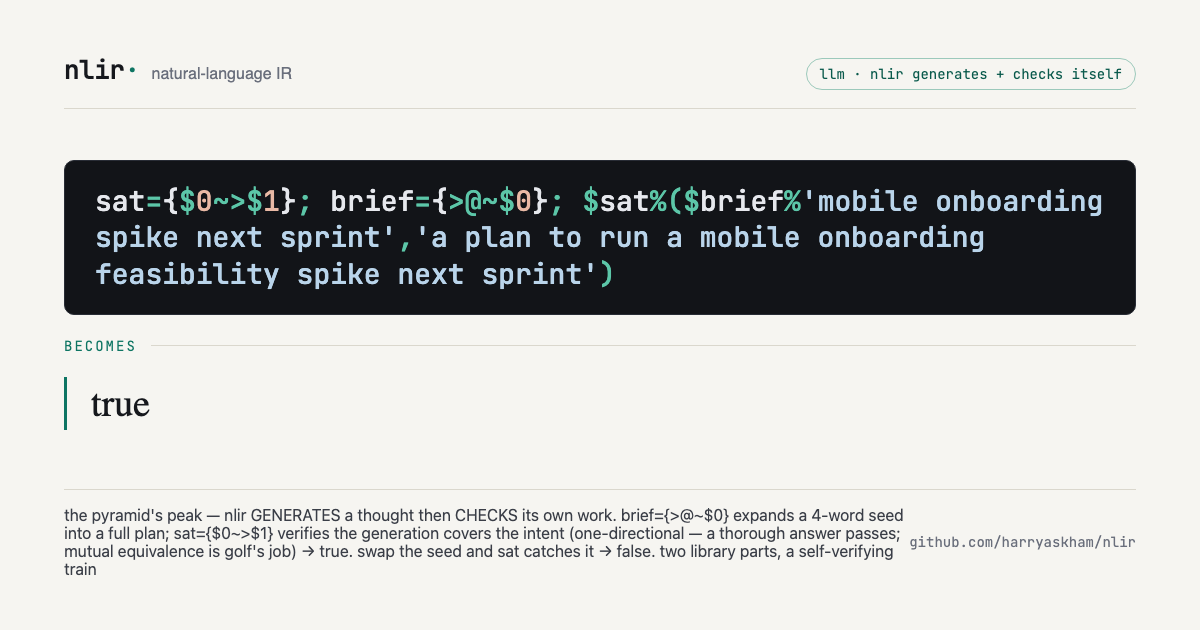
sat={$0~>$1}; brief={>@~$0}; $sat%($brief%'mobile onboarding spike next sprint','a plan to run a mobile onboarding feasibility spike next sprint')
→ true — brief expands the terse seed into a
full plan, then sat checks the generation covers
the intent (one-directional, so a thorough answer passes; mutual
equivalence is golf's job). Swap the seed and sat catches
the mismatch → false. Two reusable parts compose into a
self-verifying generative train.
The vocabulary of concept-level moves grows the same way — and composes:
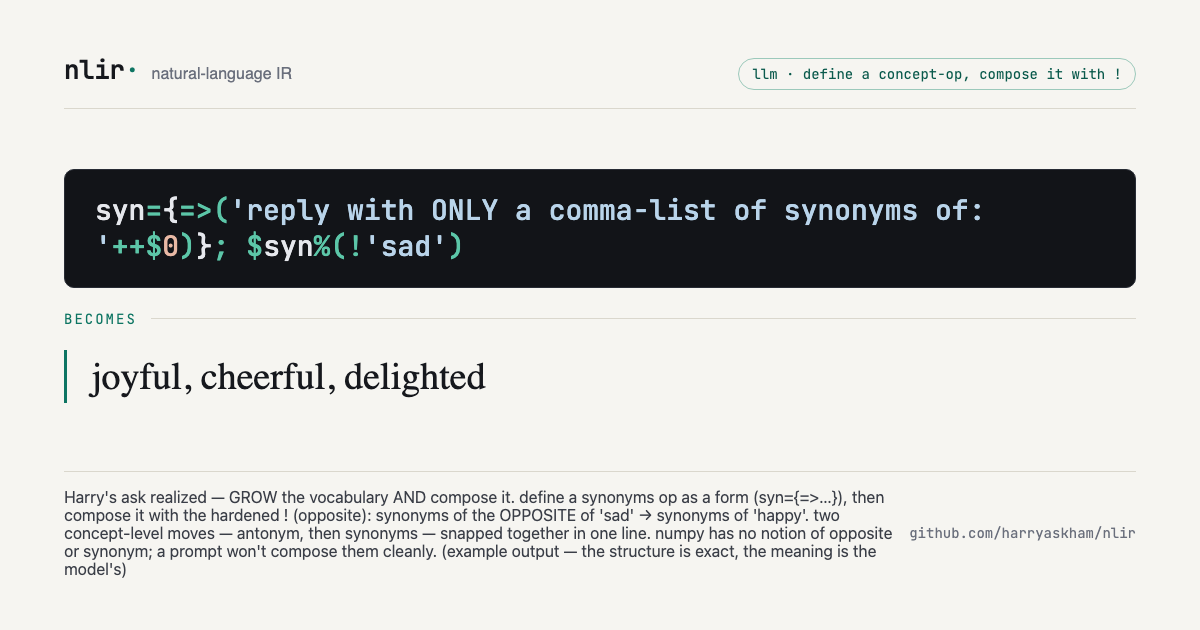
syn={=>('reply with ONLY a comma-list of synonyms of: '++$0)}; $syn%(!'sad')
→ joyful, cheerful, delighted — define a synonyms
op as a form, then compose it with the hardened !
(opposite): synonyms of the opposite of "sad" →
synonyms of "happy". Two concept moves — antonym, then synonyms — in one
line. numpy has no notion of opposite or synonym; a prompt won't compose
them cleanly. (Example output — the structure is exact, the meaning is
the model's.)
The full set lives in showcase/. Regenerate or add cards
with scripts/build-showcase.py
(headless-chromium HTML→PNG at the 1200×630 social/OG size; pass
--scale 2 for retina):
python3 scripts/build-showcase.py --out showcaseThe language of thought
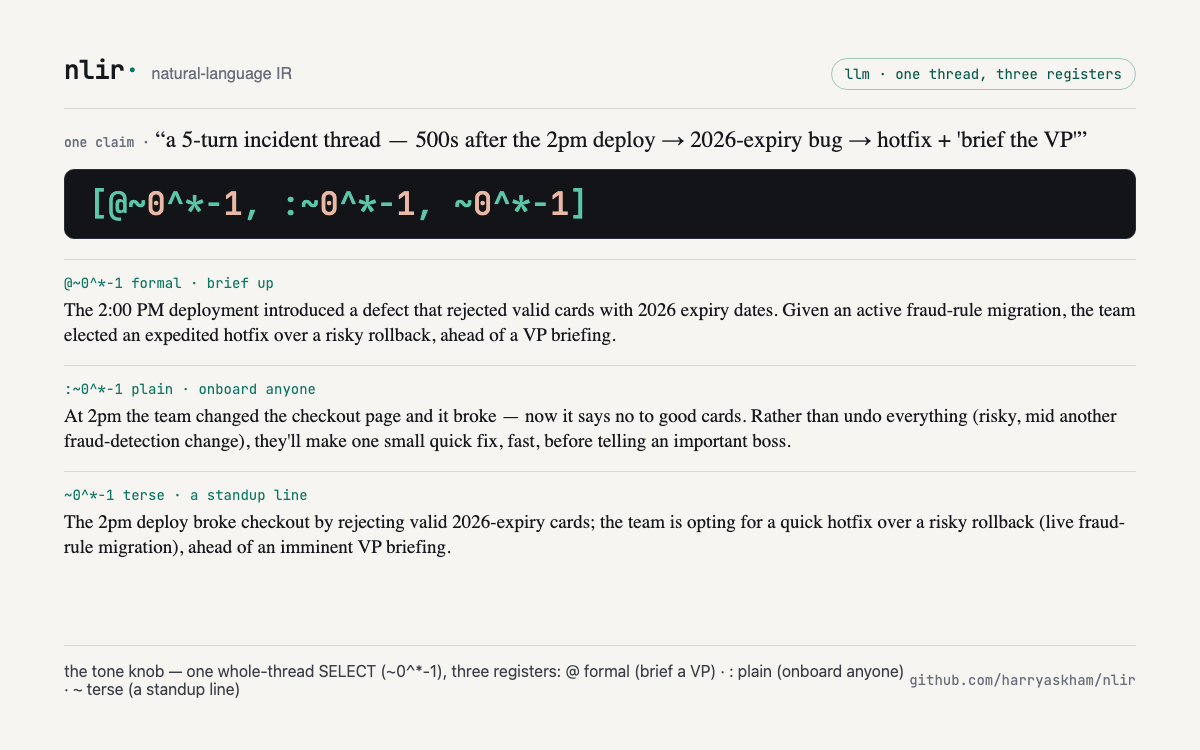
nlir is small enough to speak back. Learn a handful of moves and you can express rich, real intent — reply to a suggestion with your amendment, close a debate with a decision, decline something on your grounds and offer an alternative — in a few sigils, right inside your chat with an agent.
Every move is the same shape:
COMPOSE(TRANSFORM(SELECT)) —
select a slice of the conversation,
transform it, and optionally compose
several into one. Three dials steer it:
- tone —
@formal ·:plain ·~terse - role —
^_what you said ·^what the agent said (^*either ·^/system) - time —
^-1the last turn ·0^*-1the whole thread ·^_0the first
A few moves to start with:
| move | say it | what it does |
|---|---|---|
| considered reply | @(^-1 & 'but scope it to mobile first') |
reply to an agent's suggestion, folding in your amendment, made formal |
| reasoned no | @(!^-1 & 'it doubles our on-call') |
decline a proposal, on your grounds, professionally |
| decisive close | @(~0^*-1 & 'decision: ship Friday') |
end a whole debate with your call, grounded in what was said |
| brain-dump | 'too many steps'; 'users drop off'; &; ~$ |
jot scattered thoughts, fold them, get the one takeaway |
| theme-finder | #['login broken', 'OAuth 500s', 'reset fails'] |
fold a pile of items down to the one category they share |
The full phrasebook — every move, its shape, and a copy-paste
template, across all four lanes — lives in examples/phrasebook.md.
And three ways to learn it live:
nlir help prints every operator — sigil,
name, and what it does — derived straight from your config;
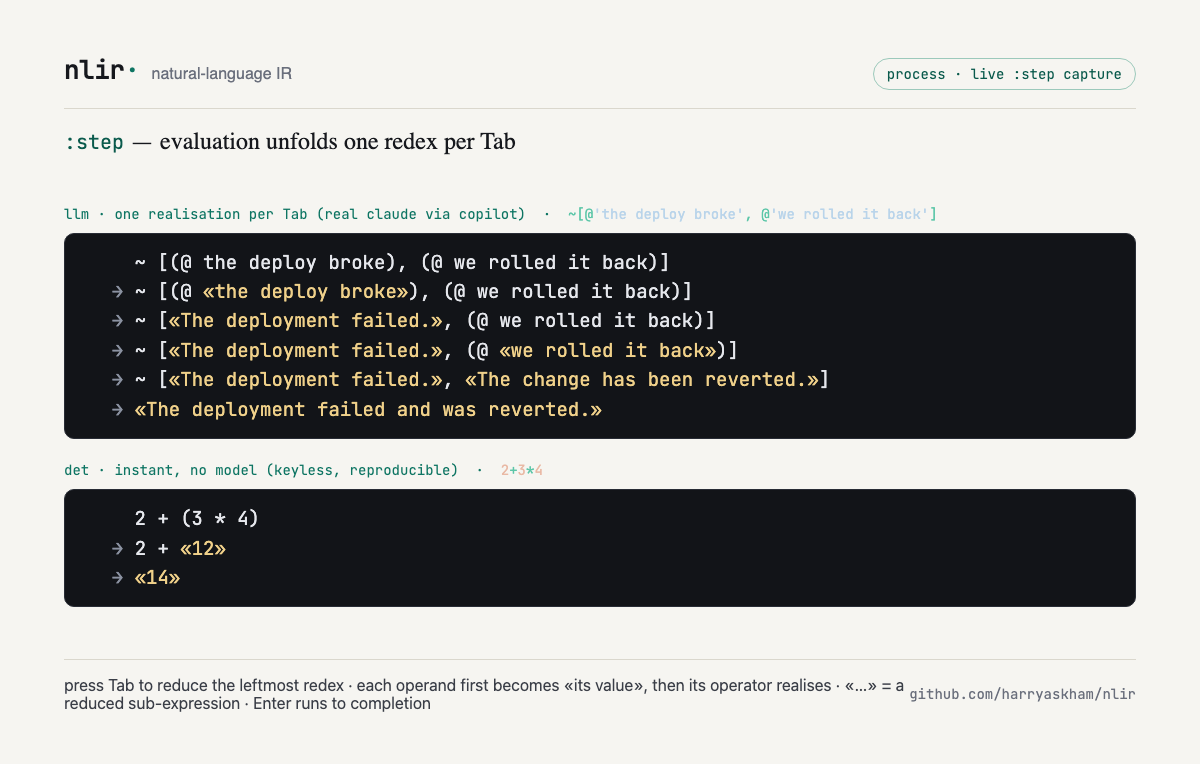
nlir step '<expr>' (or
:step <expr> in the repl, pressing
Tab to advance) walks an expression through evaluation one reduction at
a time, so you can watch the sigils unfold into English step by step;
and nlir show '<expr>' draws the
expression's computational dataflow graph — every value
and operation a node, with variable bindings resolved into edges — as
SVG, a PNG (--png), an animated PNG of the reduction
(--save-animation), or live in a kitty terminal
(--kitty / --animate). It uses the same
renderer as the in-browser workspace, so the terminal and the web draw
byte-identical graphs.
Mental model
EXPR ──tokenise──▶ tokens ──parse──▶ DAG ──schedule/eval──▶ English
(grammar from config) (stack machine; types + coercion; per-op det|llm; parallel)- An expression is a sequence of statements separated
by
;. - Evaluating a statement yields a typed value and pushes it onto the stack.
- Operators combine values; each declares the types it needs, and operands are coerced to those types first (deterministically, or via an LLM coercion).
- Given no operands, an operator pops from the stack.
- The parse is a DAG: independent subtrees can run concurrently.
- The program result is the final statement's value → stdout.
Install / build
nlir is a Rust CLI built on the harryaskham CLI stack
(mcp-cli, updatable-cli,
feedback-cli). On Linux, build with the system Rust
toolchain (no nix dev shell required — glibc provides
iconv):
cargo build --release # binary at target/release/nlirOn macOS, the flake dev shell provides libiconv:
nix develop --command cargo build --releaseThe ecosystem crate dependencies are public and fetched over https, so no tokens or SSH keys are needed to build.
Quick start
On first run, nlir writes a starter config to
~/.config/nlir/config.yaml (the shipped config.example.yaml) if
none exists, then evaluates your expression:
# Deterministic mode needs no API key — the numeric / template / join / command
# operators run locally:
nlir --mode det -e '1+2+3'      # "6"
nlir --mode det -e 'a&b&c'      # "a and b and c"   (via the `and` operator's join)
nlir --mode det -e '!(a&b)'     # "not (a and b)"   (parens preserved)

# LLM mode calls the configured models (set ANTHROPIC_API_KEY for the `haiku`
# model in the example config):
nlir -e '#^-1'                  # extract the subject of the last assistant message
The config is the language
~/.config/nlir/config.yaml defines everything. The
shipped example config has these sections (see config.example.yaml for
the full, validated file):
| Section | What it defines |
|---|---|
defaults |
default mode (det/llm),
model, parallelism |
models |
named model backends — anthropic_messages (direct HTTP)
or command (subprocess) |
prompts |
reusable prompt fragments exposed as ${NLIR_*} env
vars |
operators |
the operator vocabulary: op sigil, arity,
fixity, priority, operand/result
types, and a realisation (template /
join / command / reduce for
det, or model + prompt for
llm) |
types |
coercion targets — how to interpret text as number /
bool / … (deterministic parse first, LLM fallback) |
context |
the context.json store, _messages role
views (^), and system-key defaults (_sep,
_cache) |
sessions |
how to read external session files (e.g. a Pi session) as context |
tests |
nlir test cases:
{ mode, expr, expected } |
A minimal operator, for example:
operators:
  and: { op: "&", arity: ">0", fixity: mixfix, join: " and ", model: sonnet,
         prompt: "Combine the <text> items with an \"and\" connective ...\n\n%" }
  add: { op: "+", arity: ">0", fixity: mixfix, operands: number, result: number, reduce: add }
& joins its operands with " and " in
det mode, or asks the sonnet model to combine
them in llm mode. + is always deterministic
(reduce: add).
Modes
det(no network): realise viacommand:/reduce:/template:/join:only.llm: string transformations go tomodel:+prompt:;command/reduceand coercion math stay deterministic regardless of mode.
Default from defaults.mode; override per run with
--mode det|llm.
Types & coercion
Every value is one of string (default),
number, bool, or list. Before an
operator runs, each operand is coerced to the required type:
- already that type → used as-is;
- deterministic parse —
"1"↔︎1,number/bool/list→string(lists join with_sep),"true"→bool; - else an LLM coercion — "interpret this text as a
value of type T" with a
{result: T}schema, configured per type undertypes:. This turns a vague"ten to twenty"into15.
A coercion that cannot produce the target type is a loud error;
list → number is always an error.
Forms & application — the programmable core
A {…} form is a quoted expression:
{2+3} yields the expression as data
({(2 + 3)}), not its value — quoting is
inert. Forms are first-class values: bind one to a
name, pass it around, and apply it with %,
binding arguments positionally to the holes $0,
$1, …:
nlir -e '{2+3}'               # → {(2 + 3)}   (a form — code as data, not run)
nlir -e '{$0+1}%5'            # → 6           (apply a form to an argument)
nlir -e '{$0+$1}%(2,3)'       # → 5           (tuple args; %(2,3) ≡ %[2,3])
nlir -e 'sq={$0*$0};$sq%5'    # → 25          (a named lambda: bind, then apply)
nlir -e '({$0+1}_3)%5'        # → 8           (do-N-times: compose a form N times)
The argument frame is hygienic — a form's
$0 is its argument, not whatever is on the run stack
(9;{$0}%7 → 7). Application binds tighter than
, (pass a tuple with %(a,b)) and tighter than
_ (parenthesise the compose: ({form}_N)%x).
Do-N is bounded to 64 applications: larger runtime-built compositions
fail cleanly before allocating a deep AST, and an independent
evaluator-depth guard protects every recursive path. A
macro is just a form whose body is a transform, applied
to text, so the same quote+apply machinery gives you reusable moves.
Together — quoted forms, application, named lambdas/macros, and
do-N-times — these are the programmable layer map/fold over forms builds
on.
Build something with them: the cookbook is a worked catalogue of multi-layer programs — named functions, composition, nesting, and do-N chains — every deterministic output verified end-to-end.
Data trees — specs, configs and datasets as native values
Load a JSON or YAML file as a native value and navigate it with the
same operators: objects are dicts, arrays are lists, all the way down.
Program files (-f) hold libraries of named forms;
-- lines are comments.
cd site/spec-lab
nlir --bind spec=toy-spec.json -e '$len%($keys%$spec.nodes)'                      # → 10
nlir --bind spec=toy-spec.json -f spec.nlir -f profile.nlir -e '$packet%"CR V 2.2"'   # one rule, resolved
nlir --mode det -e 'orders=[{who=ada, total=12.5},{who=bo, total=40}];
                    $join%({$0.who}↦($filter%({$0.total>=10}, $orders)), ", ")'   # → ada, bo
$keys $get $join
$flat $zip $json
$match $sub and friends do the exact
structural work; =>, ~, ≈ and
the other model operators do the semantic work; a nested form reads its
enclosing form's arguments as $$0. The spec lab runs this in the
browser: a spec tree projected into prose and parsed back exactly, with
edits to the prose turned into the spec changes they imply.
The composable core — adverbs, trains, basics
Forms unlock a small composable core: a handful of primitives that compose into real programs (APL/J-style), rather than a built-in function for every task.
The adverb family — higher-order builtins applied
with %, taking a form and a list (lists render
separator-joined; shown here as […] for clarity):
nlir -e '$map%({$0*$0},[1,2,3])'                     # [1,4,9]      transform each
nlir -e '$fold%({$0+$1},[1,2,3,4])'                  # → 10         reduce
nlir -e '$scan%({$0+$1},[1,2,3,4])'                  # [1,3,6,10]   running fold
nlir -e '$filter%({$0>=5},[3,7,2,9])'                # [7,9]        keep-if
Basics — $if (branch),
$nth (index; negatives count from the end),
$sort, and comparison == != <= >=
(deterministic, → Bool):
nlir -e '$sort%[3,1,2]'                               # [1,2,3]
nlir -e '$nth%(-1,$sort%[3,1,2])'                     # → 3          max, composed from sort+index
nlir -e '$if%(3<=5,"yes","no")'                       # → yes
nlir -e '$fold%({$0+$1},$map%({$0>=5},[3,7,2,9]))'   # → 2          count how many ≥5, no loop
Trains — a parenthesised group of operators
(no operands) is a tacit (point-free) composition, no
$0 spelled: an all-prefix group composes (atop),
and a prefix–infix–prefix group is a fork — two lenses
on one input:
nlir -e "(~ @)%'hey can u take a look thx'"           # atop: distil∘formal → a polished ask
nlir -e "(# & ~)%'the login page is broken'"         # fork: subject & gist, in one pass
Mix in the LLM lenses and the core becomes a language for
algorithms on meaning:
$if%('prod is down'~>'an incident','page on-call','all clear')
routes by an AI judgment with deterministic control flow. And because a
bare operator pulls its input from the stack, nlir is
pipeline-native —
echo "the login page is broken" | nlir -e '~' summarises
the piped text, | nlir -e '#' gives its subject,
| nlir -e '?' turns it into a question: a Unix filter for
meaning, not just numbers. See composable-core.md for the
full design.
CLI surface
nlir -e 'EXPR' [--quiet] [--mode det|llm] [--model haiku] [--parallelism N] [--dry-run]

# context read (precedence: --context-file › --session-file › NLIR_CONTEXT env › default file)
nlir … --context-file PATH
nlir … --session-file PATH        # e.g. a Pi session: roles kept, tool calls dropped

# context write (immediate; set = key replacement)
nlir set KEY VALUE
nlir set '{"k":"v","_messages":[…]}'
nlir get KEY
nlir append-message [--role user] "text"

# interactive REPL (one expr per submission; trailing `\` continues; :cmd == nlir cmd)
# on a TTY: command history (persisted to ~/.config/nlir/repl_history.txt), arrow-key
# line editing (Ctrl-A/Ctrl-E, ↑/↓ history), Ctrl-C cancels a line, Ctrl-D exits.
nlir repl [--context-file F] [--raw]

# computational dataflow graph (the AST with variable bindings resolved into edges)
nlir show 'EXPR'                          # print the graph as SVG (in a kitty terminal: the image)
nlir show 'EXPR' --png g.png              # rasterise the graph to a PNG
nlir show 'EXPR' --frames DIR             # one graph SVG per evaluation step
nlir show 'EXPR' --save-animation g.apng  # animated PNG of the step-by-step reduction
nlir show 'EXPR' --kitty                  # force the in-terminal kitty display (e.g. through tmux)
nlir show 'EXPR' --animate --kitty        # live kitty animation of the reduction

# plumbing
nlir parse 'EXPR'     # tokenise / inspect the parse
nlir test             # run the config `tests:` cases
nlir mcp stdio        # expose the surface as an MCP server (mcp-cli)
nlir self-update …    # updatable-cli
nlir feedback …       # feedback-cli
Worked examples
These are the deterministic tests: from the example
config (run with nlir test):
| Expression | Result |
|---|---|
1+2+3 |
6 |
(1+1)**3 |
8 |
a&b&c |
a and b and c |
!(a&b) |
not (a and b) |
'one two' |
one two |
_sep=\ ;[a,b] |
a b |
k=foo;$k |
foo |
^-1 (with _messages) |
the last assistant message |
Sessions
Expressions can read prior conversation from _messages:
^-1 is the last message (the assistant channel), and
$name reads a context key. Point nlir at an existing
transcript with --session-file (a Pi session's roles are
kept and tool-call turns dropped), or accumulate turns yourself with
append-message.
scripts/pi-dropin.sh is a Pi drop-in filter over a
shared context: a line beginning with | is expanded as an
nlir expression, and every other turn is appended to
_messages, so later | expansions can read the
conversation.
printf '%s\n' 'the answer is 42' '|^-1' \
  | NLIR=./target/debug/nlir scripts/pi-dropin.sh --role assistant
# → the answer is 42        (the `|^-1` expression read the appended turn)
Pi package
nlir ships a pi package so you can expand nlir shorthand inline while chatting. Install it into pi:
{ "packages": ["git:github.com/harryaskham/nlir"] }(in ~/.pi/agent/settings.json) or
pi install git:github.com/harryaskham/nlir. It requires the
nlir binary on your PATH (build/install separately; set
$NLIR to override the path).
|EXPR— prefix a message with|and the rest is expanded as an nlir expression before it reaches the model:|1+2*3→7,|a&b&c→a and b and c,|@'the meeting is at 3'→ a formal rewrite (llm mode)./nlir EXPR— preview an expansion inline without sending it.
The expression evaluates against your
~/.config/nlir/config.yaml (det or llm mode per your
defaults). The extension is extensions/nlir.js.
Development
cargo test --all                      # unit + integration tests
cargo clippy --all-targets -- -D warnings
cargo fmt --all --check
CI (.github/workflows/ci.yml) runs fmt, clippy
(deny-warnings), build, and test on every push/PR; a v* tag
triggers .github/workflows/release.yml to build and publish
per-target binaries. Both use the system Rust toolchain.
.github/workflows/pages.yml builds the docs site
(scripts/build-docs.sh renders this README +
SPEC.md to HTML with pandoc) and publishes it to GitHub
Pages on push to main. Build it locally with
scripts/build-docs.sh ./site.