Read Aloud 0.2.1 · Chrome Manifest V3 · plain JavaScript
Read Aloud
Read Aloud is a Chrome extension that reads web pages aloud through a speech endpoint you configure: Azure Speech directly, with SSML, or any OpenAI-compatible speech API. Select a paragraph or let it find the article; it highlights the text as it reads, starts speaking after the first few sentences, and keeps going when you close the popup.
Load it unpacked from chrome/extensions/read-aloud (chrome://extensions → Developer mode → Load unpacked); there is no build step and no store listing.
Permissions
The extension asks for nothing ambient: no access to any site until you act, then only to the tab you acted on, and network access only to the one endpoint origin you approve when you save its settings. Text extraction is injected on demand; the reading itself happens in the extension's own worker and an offscreen audio document.
Choosing the text
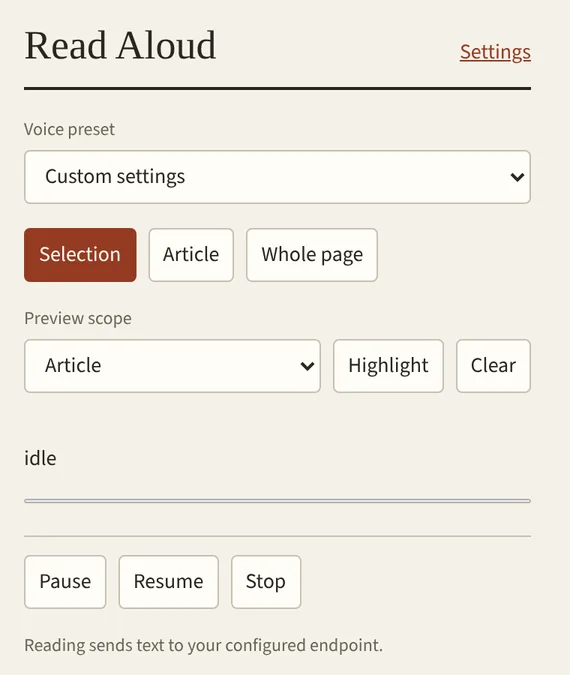
Selection reads the browser's own selected ranges, never the element around them. Article prefers article, main and ARIA landmarks; Whole page takes visible body text outside them. Both skip navigation, forms, hidden ancestors, page chrome and anything you are editing. Preview scope → Highlight shows exactly what would be read, its character count and the first 600 characters, without sending anything.
Highlights are CSS Custom Highlights on the exact text ranges, so they never alter the page, and Clear or Stop removes only the extension's own, leaving your selection intact. A reading is limited to 100,000 characters.
Streaming
A page is too long to synthesise at once, and waiting for all of it would mean silence. Read Aloud splits the text at paragraph, sentence and word boundaries, synthesises a short first chunk so the voice starts quickly, and stays exactly one chunk ahead from then on.
Both chunk sizes are configurable, 100–1200 characters for the first and 200–3000 for the rest, and splitting is lossless: the chunks concatenate back to the original text. Requests time out after 30 seconds, audio is capped at 8 MiB per chunk, results that arrive after a Stop are never played, and nothing is retried automatically, because every request may be billed.
Endpoints and voices
Azure Speech, direct
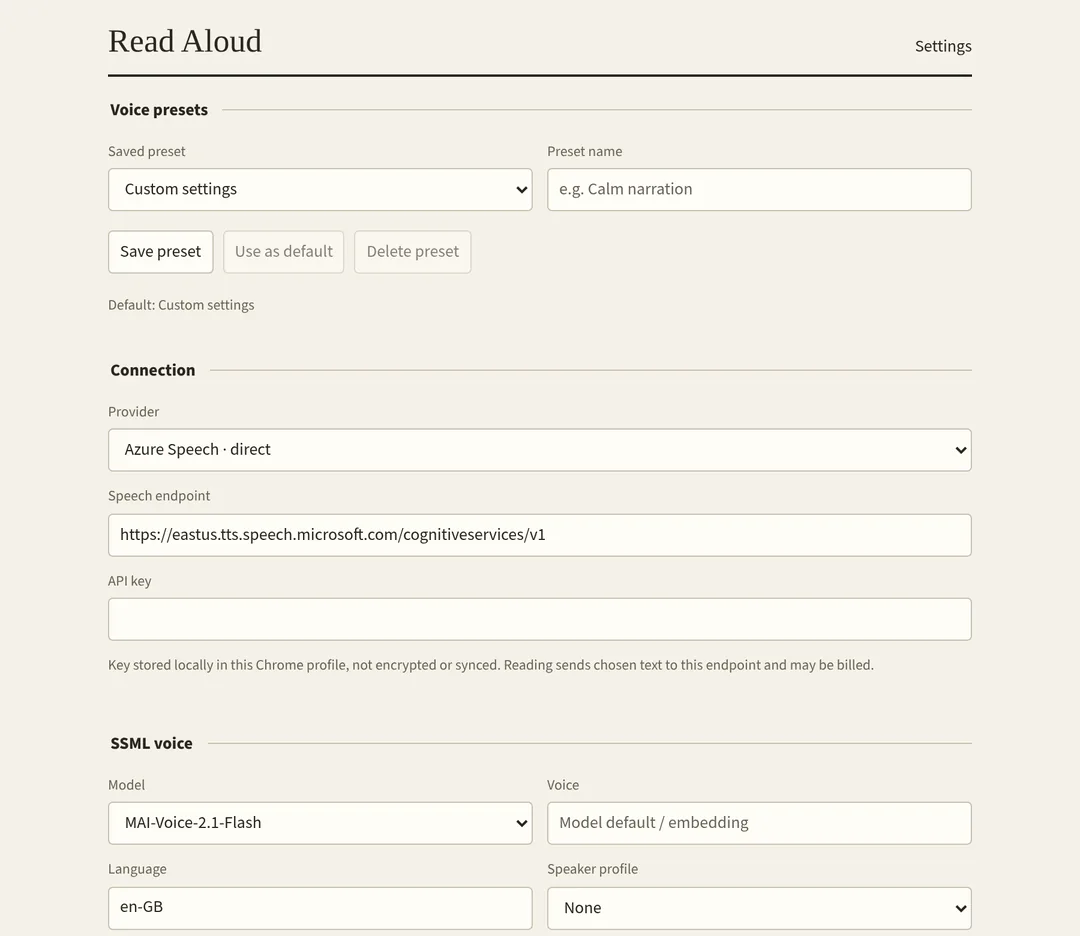
The text is escaped into SSML by the extension's own builder, the same kind of document the ssml CLI writes, with model, voice or speaker embedding, language, speed, pitch, volume, emotion, degree and role. The voice name is used exactly as given.
OpenAI-compatible
Plain text, a speed and, if you want, natural-language instructions such as "warm, calm and a little excited" to an origin, a /v1 URL or a full speech URL, with an optional Bearer key. Switching provider clears the unsaved key and endpoint rather than reusing credentials with another service.
Presets and a shortcut
Up to 30 named presets hold a voice and its delivery, never an endpoint or a key. One is the default, used by the popup, the menu and a keyboard shortcut you map yourself, which reads the selection or falls back to the article, the page or nothing.
Diagnostics without your text
Settings keep the latest 200 events across restarts: HTTP status, provider, chunk index, sizes, timings, playback gaps, failure categories and recognised request IDs, copyable as JSON for correlating a 502 with a gateway's logs. Keys, page text, titles, URLs and response bodies are never recorded.