cursive · Rust + Ratatui · Kitty graphics · MCP · a Pi extension
Cursive
Cursive is a handwriting canvas for the terminal. You write with a mouse, or a pen that your terminal reports as a mouse, on a canvas you can pan in any direction; press Enter and Pi transcribes what you wrote to stdout. It works over SSH from a phone, docks inside Pi as a prompt editor, and doubles as a whiteboard that you and an agent edit together.
cursive | pbcopy               # handwriting → explicit OCR → clean stdout
cursive canvas plan            # a persistent, shared board
cursive history                # reopen saved writings
cursive mcp stdio              # the same command core, for agents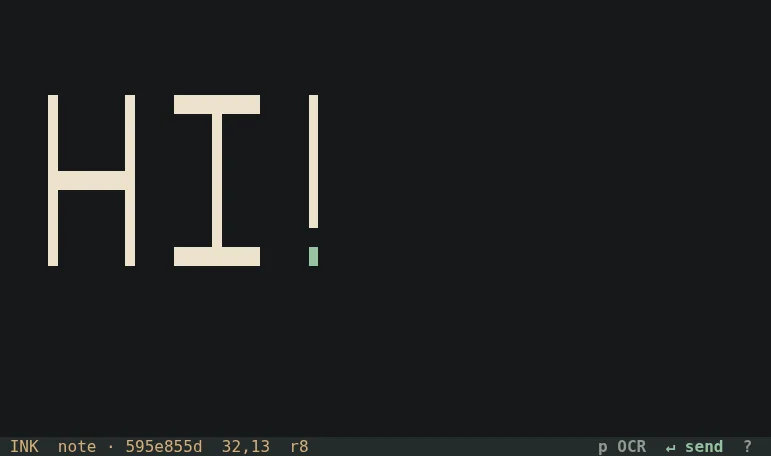
In a pipeline
The interface talks to /dev/tty, not stdout, so cursive can sit in the middle of a pipeline. Only an explicit submit writes anything to stdout: one transcript and a newline, never partial OCR. Close without submitting and stdout stays empty; your drawing is saved either way.
Left drag inks, right drag erases, the wheel pans. Vim keys move a keyboard pen, b e L r f pick ink, eraser, line and rectangles, i places a typed label, v selects, and u/Ctrl-R undo and redo your edits. Coordinates run to a billion cells in each direction without allocating them.
Recognition is always explicit
Nothing is recognised at startup or because someone else edited the board. Preview (p), yank to your clipboard over SSH (y, via OSC 52) and submit are the only actions that send ink to Pi, as a cropped image or a spatial text grid, and Pi runs in a private temporary directory with no session, tools, extensions or project context, under a deadline. A result carries the revision it read, so a stale transcript can never become a current submission. The offline mode doesn't pretend:
cursive --ocr text ocr plan
cursive: text mode only supports visible typed text; choose pi-image, pi-grid or command to recognize handwriting
A whiteboard for you and an agent
Every board is a document with its own SQLite database. The terminal UI, the Pi dock, the CLI and the MCP server are all clients of the same typed command core, so an agent's annotation appears in your open view as soon as it lands, and your strokes are in the agent's next read. It is deliberately not a network service or a CRDT: everyone works on one host and one account, over SSH if need be, and actor IDs are for attribution and undo, not authentication.
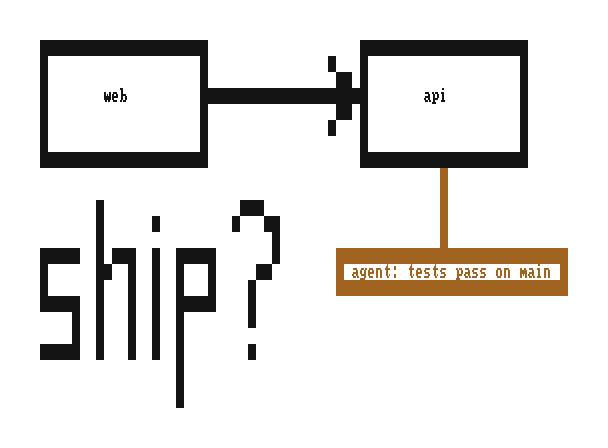
cursive draw by two actors and exported by Cursive's own renderer at 8×16 pixels per cell, the image Pi would receive. Your ink is black; the agent's is the accent.Boards hold strokes, typed text, lines, rectangles, images, code blocks (including Mermaid diagrams laid out on the canvas and Bash blocks that run only when you explicitly run them) and controls such as choices and signoffs. Everything is bounded and exhaustion is explicit: 10,000 objects and 32 images per document, 100,000 events, 1 MiB pages. History is never deleted to make room.
Pictures over SSH
Images are imported as immutable, content-addressed PNGs and drawn with the Kitty graphics protocol. Cursive streams the image bytes themselves, never a path on the terminal's machine, in quiet chunks paced to the connection, so pictures work over SSH and through tmux passthrough. It deletes only the images it placed, never the terminal's.
The recommended mode places images with Unicode placeholders, combining marks that carry each cell's source row and column, so images pan, clip and sit under ink and erasure cell by cell. Compatibility modes use real placements, and with graphics off, OCR and PNG export still receive the real image.
Inside Pi
/cursive opens the same writing field inside Pi and appends the transcription to your prompt draft for review; /cursive send sends it. /canvas docks a shared board beside the conversation, opens it in a split or a new tab of Herdr or tmux, and can make the board the assistant's way of answering. The package ships the cursive-planner skill, which teaches an agent to plan with architecture drawings, evidence, code blocks and signoff controls on a board.