com.harryaskham.flotilla · Kotlin · protocol version 1
Flotilla
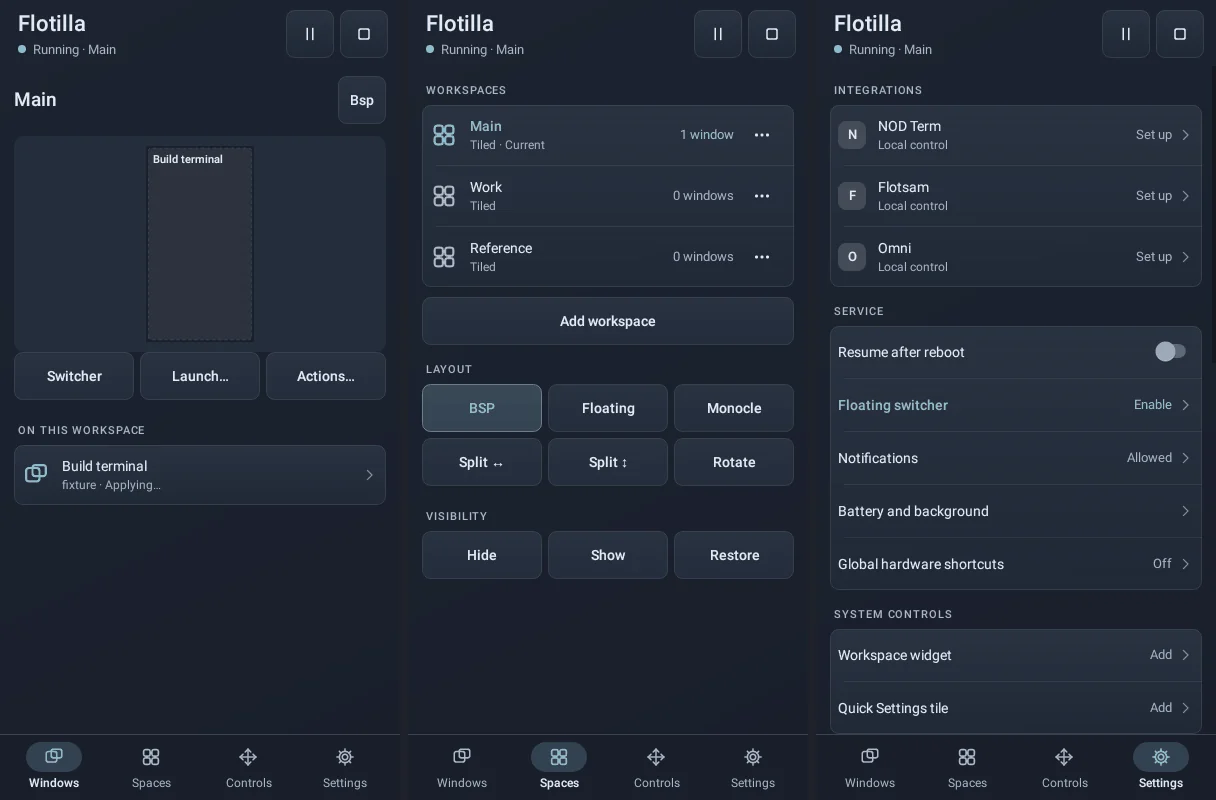
A window manager for Android's floating windows, which other apps opt into. Flotilla keeps tiling and floating layouts, named workspaces, focus, visibility and window style in one persistent service. Each participating app keeps its own windows, sessions, rendering and keyboard input, and applies what Flotilla asks of them.
Cooperation, not control
Android gives no app control of another app's windows, so Flotilla works with apps that choose to join. NOD Term, Flotsam, the Omni keyboard, PulseServer, X11 Droid and Waylandroid can all join, through the shared flotilla-api client. Each app picks one coordinator, which can be its own local window handling, Sandbox or Flotilla, and stopping or revoking Flotilla hands control back to the app.
Joining needs the user's approval in Flotilla, separately for window control, commands and keyboard presentation, and an approval is tied to the installed app and its signing identity. Requests are bounded (8 KiB each, 32 windows per app), and a request that is never acknowledged is reported as an error rather than assumed to have worked.
What the protocol cannot do
The protocol carries no text input, shell commands, screen capture or arbitrary intents. Launch recipes show how far that goes: when you add a recipe, the app's own approval screen stores the real thing (NOD Term keeps the command, Flotsam the URL) and Flotilla only stores an opaque reference to it.
Layouts and workspaces
- BSP keeps a stable split tree, with resizing at the nearest split, directional swaps, rotate and balance. Minimising a window keeps the tree's ratios.
- Floating moves and resizes windows directionally, with edge and corner snapping.
- Monocle and fullscreen are reversible views over the same windows.
- Workspaces are named and persistent; pinned windows appear on every workspace, and windows from an app that has disconnected stay listed as offline.
- The keyboard's space is left free: tiles fit the largest rectangle around the visible keyboard, which Flotilla never moves.
- Impossible layouts, where a window's minimum size cannot fit, fall back to floating bounds and say so.
The whole configuration (workspaces, bindings, recipes, Omni keys) is a YAML file, editable in the app with a preview, and importable and exportable; approvals are never part of an import.
Keys and gestures
| Keys | Action |
|---|---|
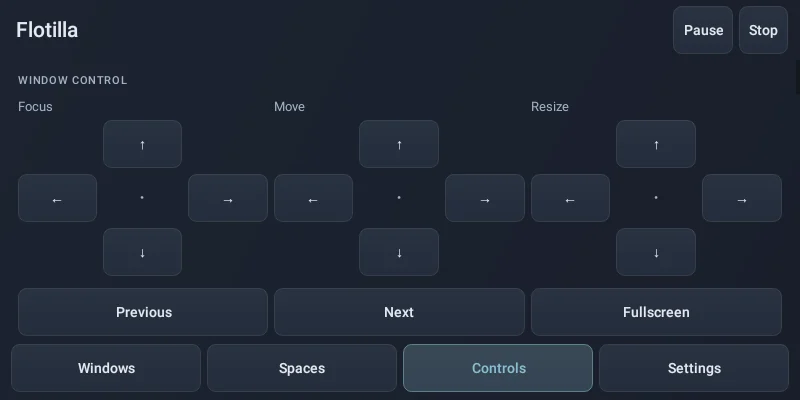
| Ctrl Alt + arrows | Focus in a direction |
| Alt Shift + arrows | Move or swap |
| Ctrl Alt Shift + arrows | Resize |
| Ctrl Alt Space / B | Tiling or floating / balance |
| Ctrl Alt 1…9 | Go to a workspace; with Shift, send the window there |
| Ctrl Alt Enter | Open the switcher |
Cooperating apps handle these keys while they have the keyboard. For keys pressed in other apps, Flotilla offers an optional Android accessibility key filter, disclosed as such; it cannot read window contents, inject gestures, record typed text or keep a key history. Without it, Android gives no ordinary app global keys.
The Omni keyboard can carry twelve keys whose labels and actions come from Flotilla's configuration, and the floating switcher, a home-screen widget and a Quick Settings tile cover the same actions by touch.
Limits
- Only cooperating apps' windows can be managed; ordinary Android apps are out of reach.
- Android may take Meta (Super) shortcuts before any app sees them.
- A launcher's own page swipes cannot be observed through a supported API, so workspaces do not follow them.