com.harryaskham.flotsam · Kotlin
Flotsam
A web browser for Android with fullscreen tabs and up to three floating browser windows. Pages are drawn by the phone's installed Chromium WebView; Flotsam keeps the tabs, bookmarks, cookies and keyboard handling, and Flotilla can place and tile its floating windows next to a terminal or anything else that cooperates.
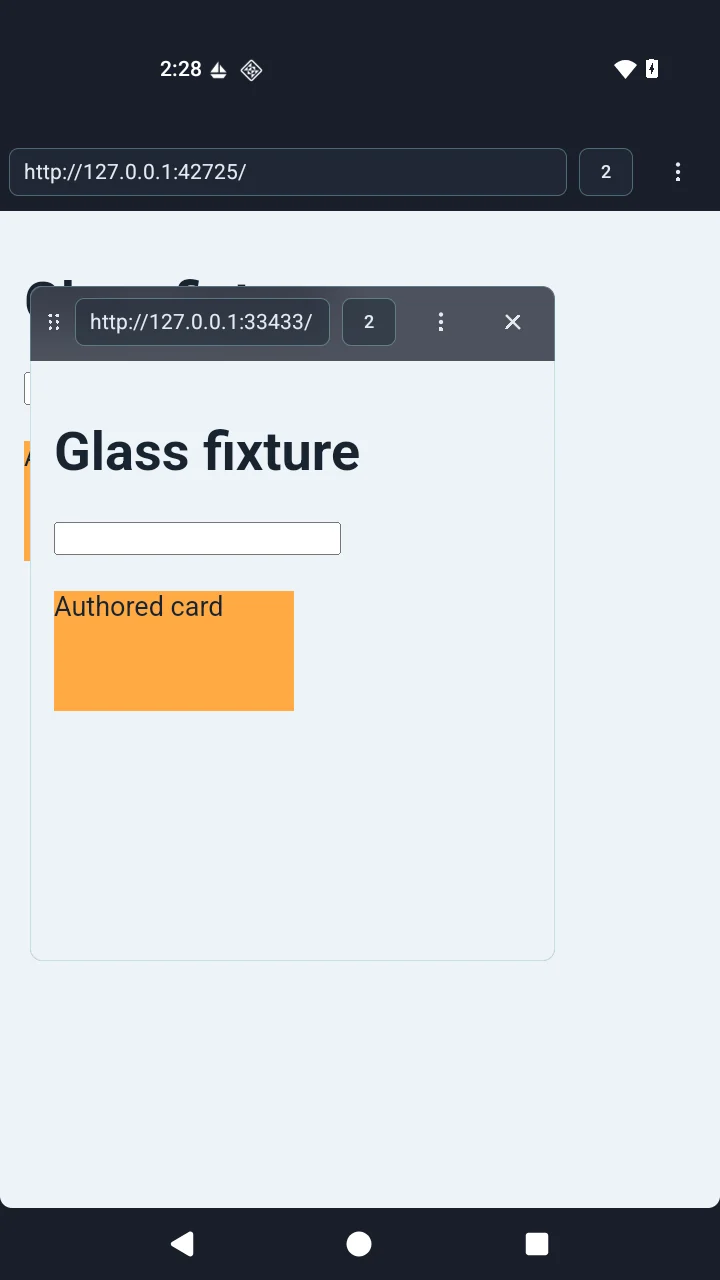
Tabs and floating windows
A floating window has no separate title bar: its two rows of browser controls are its chrome, and you drag it by a dotted handle. It can also open page-first, with the controls hidden behind a pill at the top edge that shows them over the page for a few seconds. Its glass background uses Android's window blur, Samsung's own blur where available, or a plain tint, never a screen capture.
Page zoom changes the site's own viewport, not just the text: at 50 % a page lays out as if the window were twice as wide and tall. Mobile or desktop view and zoom have browser-wide defaults with per-site overrides.
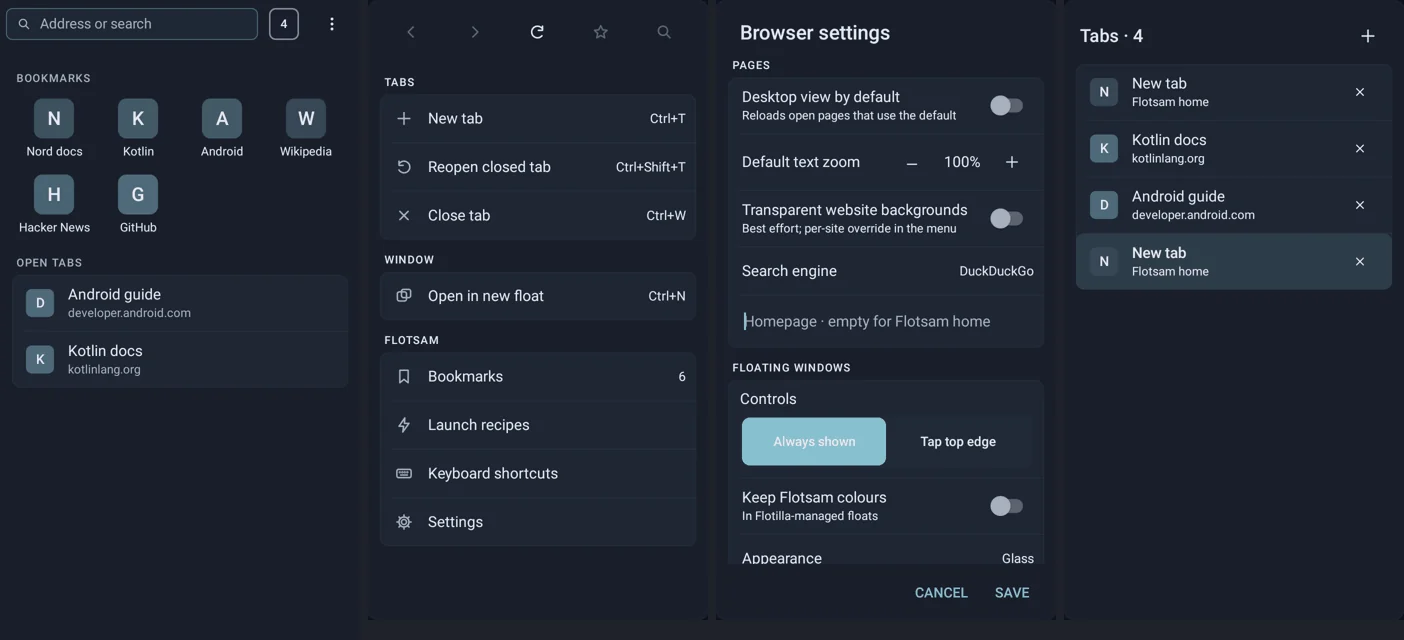
Keyboard
| Keys | Action |
|---|---|
| Ctrl L | Address or search |
| Ctrl T / Ctrl W | New or close tab |
| Ctrl Shift T | Reopen closed tab |
| Ctrl Tab | Next tab |
| Ctrl D | Bookmark the page |
| Ctrl N | New floating window |
| Alt ← / Alt → | Back or forward |
An optional Vim mode adds hjkl scrolling, gg and G, f for link hints, / to find and i to pass keys through. It is a small page navigator rather than a full Vimium: text fields keep their own keys, and unusual pages can override it.
Chrome bookmarks come in through Chrome's exported HTML file, chosen with Android's document picker. The file is parsed and never rendered, folders are kept, and duplicates and unsupported entries are reported.
With Flotilla
With Flotilla chosen in its settings and approved, new floating windows register with it, while the fullscreen browser stays an ordinary Android screen. The browser's controls can take Flotilla's colours; web pages are never recoloured. A saved URL can become a Flotilla launcher entry without Flotilla holding the URL:
What it does not do
- Up to 32 tabs, four windows (three floating), six live pages, 5,000 bookmarks and 32 recipes.
- Cookies and storage are separate from Chrome's; third-party cookies are off. There is no private-browsing mode yet.
- Certificate errors cannot be bypassed; plain HTTP is allowed and labelled.
- Camera, microphone and location requests are refused.
- No passwords are stored; Android's autofill provider fills logins, and a floating window hands the page to the main browser to do it.
- No JavaScript bridge into the app; the Vim mode only touches the page's own document.
- Some sign-in flows, DRM video and other site features may still need a full browser.
- Browser data is private to the app and excluded from backups.