com.harryaskham.omni · Java · GPL-3.0
Omni
An Android keyboard for writing code and using terminals on a phone. It is a fork of Unexpected Keyboard, which puts symbols, modifiers and arrows within one swipe of the letters, and adds a floating keyboard that can be moved, resized and split across two screens, layouts loaded from files, and keys that control the suite's window managers.
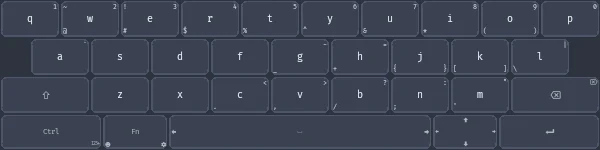
Keys from the original
latn_qwerty_us.xml.The base comes from Unexpected Keyboard: every key can carry up to eight extra characters, reached by swiping towards an edge or corner, so a full programming keyboard with Ctrl, Alt, Esc, Tab, function keys and arrows fits in the space of an ordinary one. Layouts are XML files. Omni keeps that format and is released under the same GPL-3.0 licence.
Floating keyboard
Omni installs two input methods, docked and floating, switched with Android's keyboard picker or a key. The floating keyboard is a window that apps flow underneath instead of shrinking for. It can be dragged, resized and snapped to an edge or the centre, and remembers its position separately for portrait and landscape.
- Tap-through: tapping a gap disables the keyboard and passes touches to the app below until a small button brings it back.
- Persistent mode keeps it on screen with no text field focused, so its keys can drive Android itself.
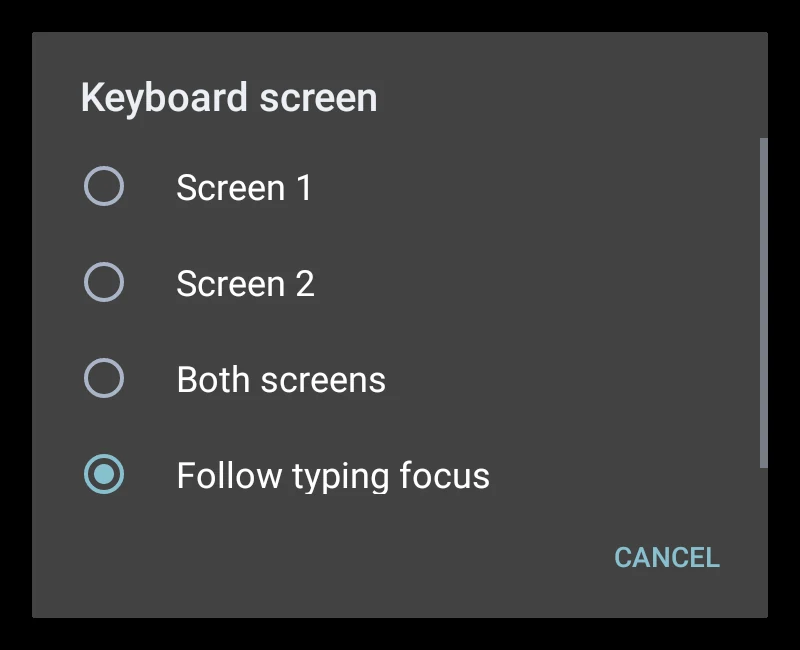
- Two screens: on dual-screen and folding phones it can sit on either screen, both, or follow whichever has the focused field.
- Blur behind the keys uses Samsung's native blur by default, with an optional Android backend.
Layouts and actions
Custom XML layouts load from the phone's storage, can be refreshed, replaced by name and sorted. They pair with a Nix module that generates them inside Nix-on-Droid, so layouts live in the same configuration as the shell. Keys can carry actions as well as characters:
| Key value | Does |
|---|---|
switch_to_layout_<name> | Switch straight to a named layout |
toggle_floating | Switch between docked and floating |
snap_top, center_both, … | Snap the floating keyboard to an edge or centre it |
flotilla_1 … flotilla_12 | Run an action configured in Flotilla |
flotilla_shortcuts | Hand hardware shortcuts to Flotilla, or take them back |
wm_focus_left, wm_hide_all, … | Send a command to Sandbox's Overlay WM |
With the other apps
NOD Term's terminals can attach to the floating keyboard in five places, and Omni's Term key focuses or hides the attached terminal. Neither link carries typed text: what you type always reaches the focused app through Android's ordinary input connection.
Limits
- Docked and floating are separate input methods, so switching between them goes through Android's keyboard switcher or the toggle key.
- A Wear OS version of the keyboard is being built in the same project but is not part of the Play release yet.
- Blur depends on the phone; the Android backend uses extra windows and costs more to draw.