com.harryaskham.x11droid · Kotlin · C
X11 Droid
Runs X servers for programs from Nix-on-Droid and shows each program as its own Android floating window, or a whole X desktop such as i3 fullscreen. Android touch, keyboard and clipboard reach the X programs, and their sound plays through PulseServer on the same phone.
Its sibling Waylandroid does the same for Wayland desktops; the two share floating windows, the zero-copy GPU bridge and the remote-control listener.
Launching a program
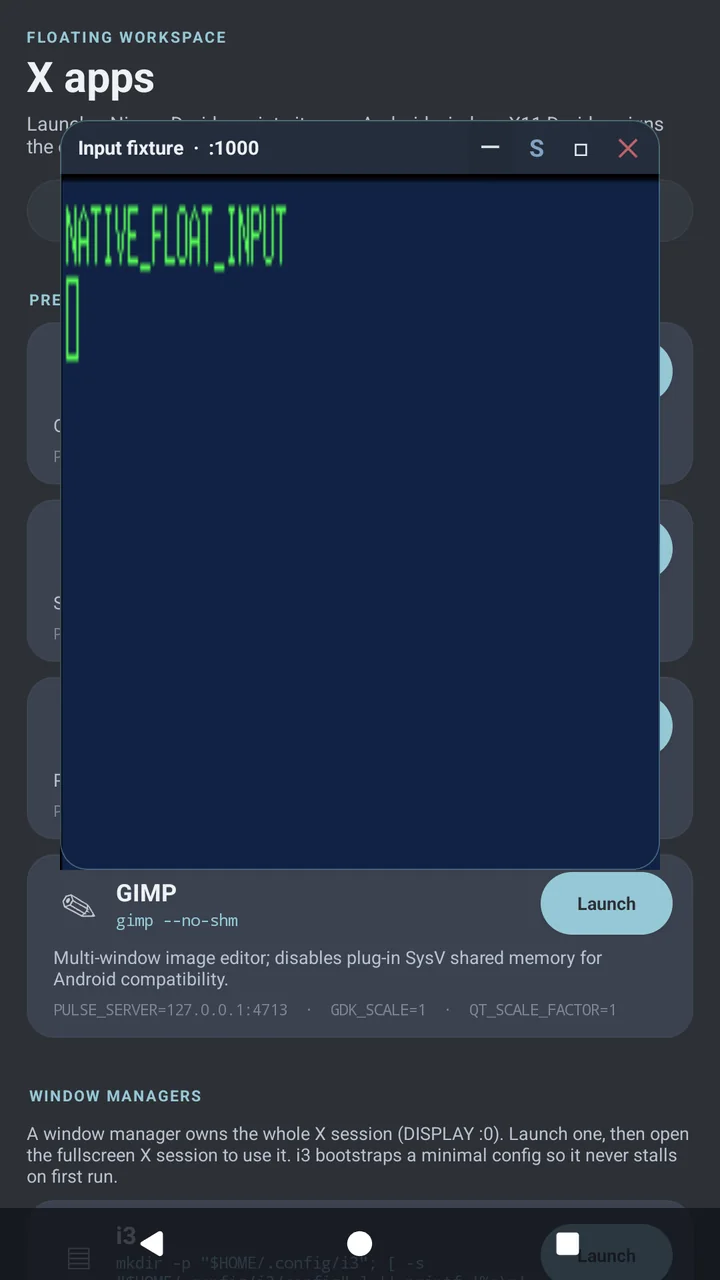
:0.The X apps launcher has presets for xterm, xclock, xeyes and GIMP, a custom command, and window managers such as i3, which gets a minimal configuration on first run so it never stalls. Programs start through nod-exec, a small command server inside Nix-on-Droid, with DISPLAY set to an X server the app manages and PULSE_SERVER=127.0.0.1:4713 set to PulseServer.
A floating window can be dragged, resized, minimised to a pill, docked fullscreen and closed, and it comes back after the app's process is killed or the phone restarts. Resizing either scales the program's existing framebuffer or asks the X screen to adopt the new size; the X font DPI stays at 144 either way, so text does not jump.
The clipboard is bridged both ways with X's CLIPBOARD and PRIMARY selections. Android 10 and later only let an app read the clipboard while it is in front, so copying from Android into X happens while one of X11 Droid's screens is open; copying out of X works from the background.
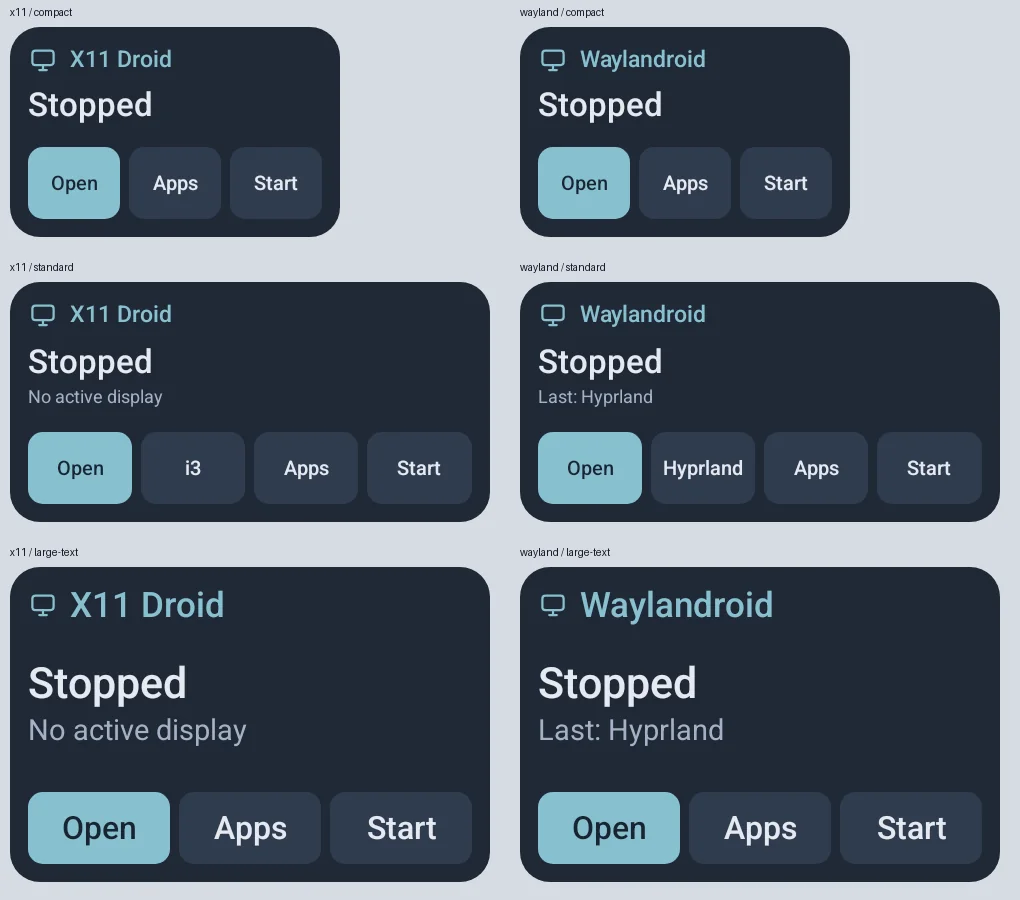
Home-screen widgets, in compact, standard and large-text sizes, show whether the X server and Waylandroid's host are running and start a desktop or open the launcher; a Quick Settings tile toggles the X server.
Getting frames to the screen
By default the app captures each X screen's framebuffer and draws it into the float, which works with every X program and every phone, and the app's live performance status reports it as a CPU-readback transport. On Android 13 and later, a docked screen can instead share its framebuffer with the GPU bridge, removing the readback and upload. The opt-in GPU X server goes further for programs that render with the GPU (through Turnip or zink): it is built on the phone from sources carried in the app, runs DRI3, and hands each program's frames to its float through the same zero-copy bridge as Waylandroid. Turning it on never restarts a running server.
Limits
- The capture path is CPU work for every frame; large or fast-changing windows show it.
- The GPU X server needs Android 13 or later, an Adreno GPU that Turnip supports, and a first build on the phone.
- Programs come from Nix-on-Droid, which must provide the X server and its tools; X11 Droid checks the extensions it needs before launching a desktop program.
- Floating windows need Android's permission to draw over other apps.