com.harryaskham.harbour · Kotlin
Harbour
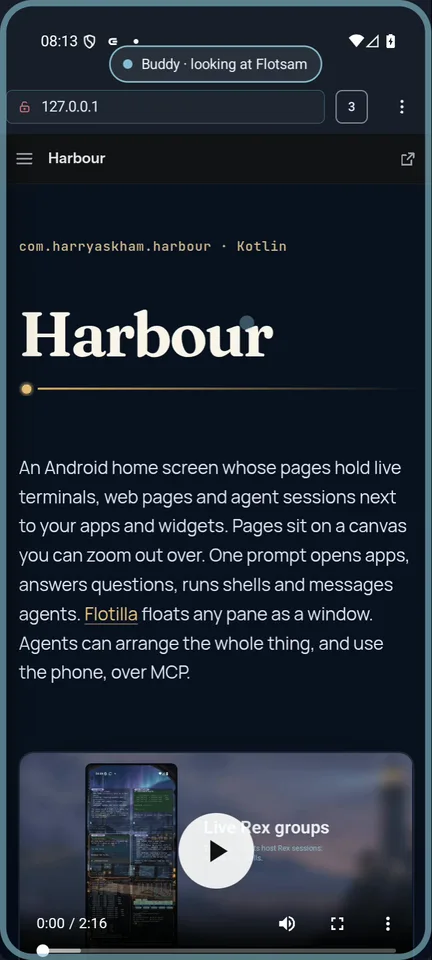
An Android home screen whose pages hold live terminals, web pages and agent sessions next to your apps and widgets. Pages sit on a canvas you can zoom out over. One prompt opens apps, answers questions, runs shells and messages agents. Flotilla floats any pane as a window. Agents can arrange the whole thing, and use the phone, over MCP.
Everything on the page is live
A Harbour page is a free canvas. Besides app icons, folders, a dock and ordinary widgets, it holds live panes: views other apps render straight into the page.
- NOD Term draws terminals.
- Flotsam draws web pages.
- Culture, an AHP client, draws agent sessions.
- The desktop apps draw X11 and Wayland desktops.
Panes sit in frosted glass frames whose colour follows their state: busy, needs you, done or failed. They group into split layouts, and they keep a last picture while their page is off screen.
Any pane can float: three fingers up lift it off the page into a window over other apps, and Dock puts it back exactly where it was. Each page is a Flotilla space, so a float belongs to its page and stays on it, scaled, when you zoom out.
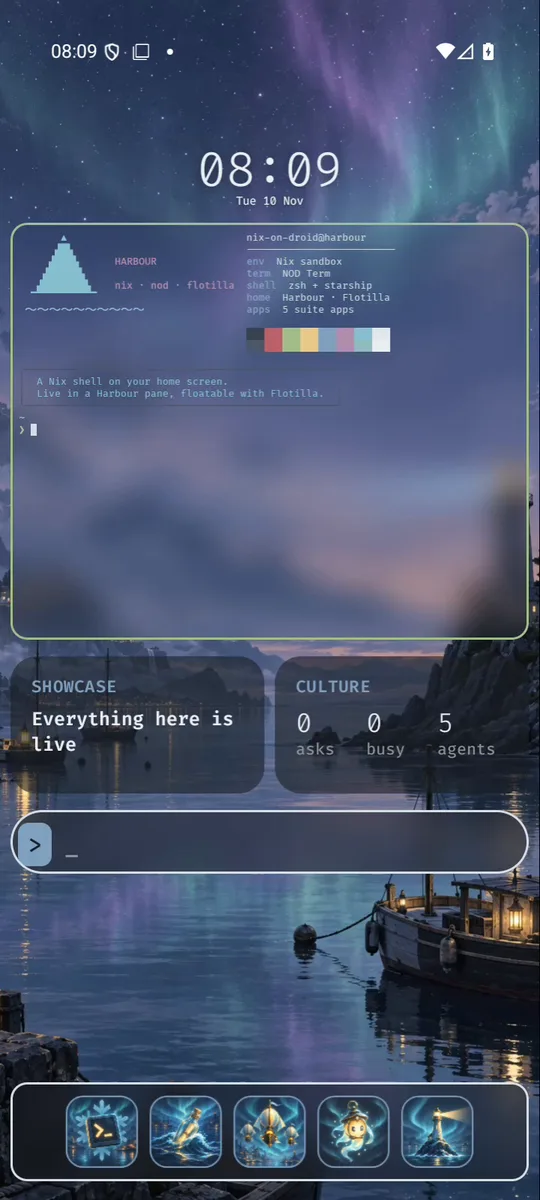
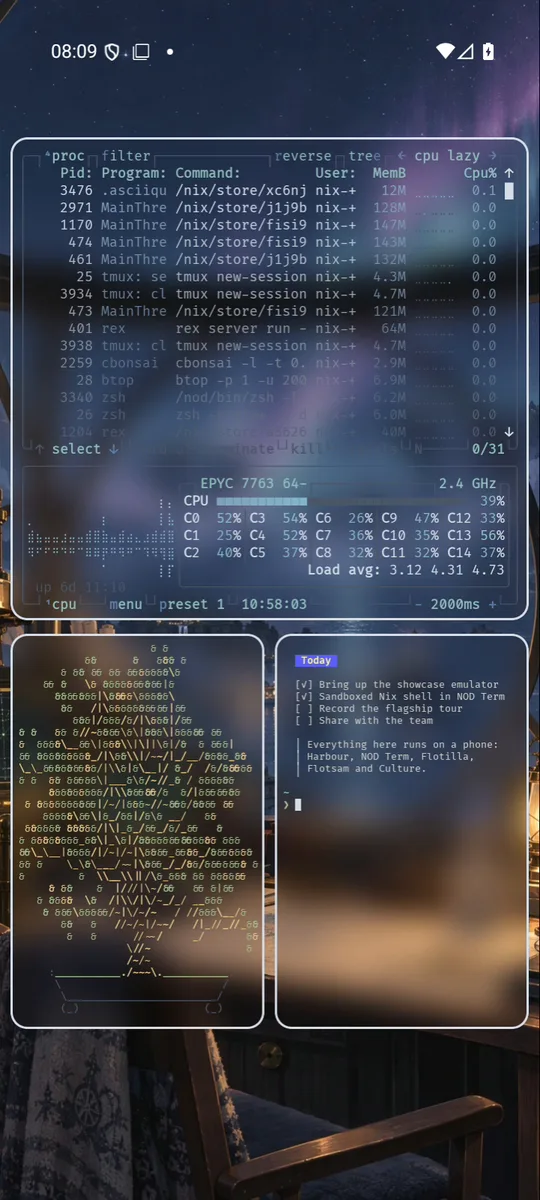
A canvas of pages
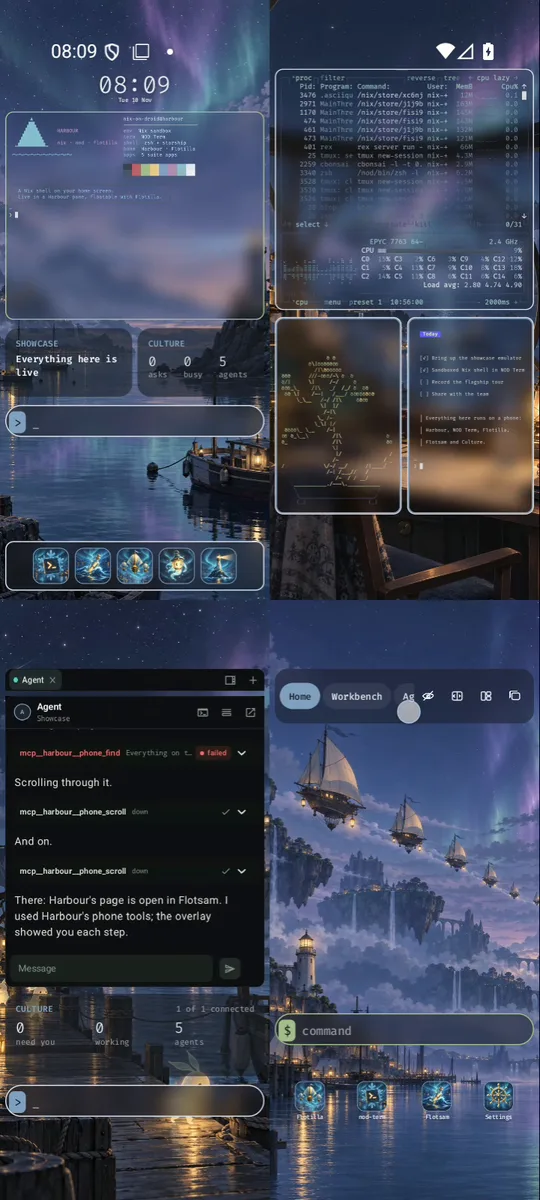
Pages aren't a single strip. Each one has a place on a canvas, so there are rows above and below as well as pages to either side.
Two fingers sideways move to the next page, even over a pane. A pinch on open space zooms out without leaving the home screen. The pages stay usable: you can still tap apps, use widgets and type in panes. One finger pans, a flick moves a whole view, and a double tap on a page lands on it.
Holding R2 on a gamepad zooms out to an overview of the whole canvas. From there you pick a page with the D-pad or a stick, move pages around, or add one above, below or beside.
Each page can have its own background and look, and its own Flotilla space.
On a second screen, pages show side by side.
Agents and shells as Rex groups
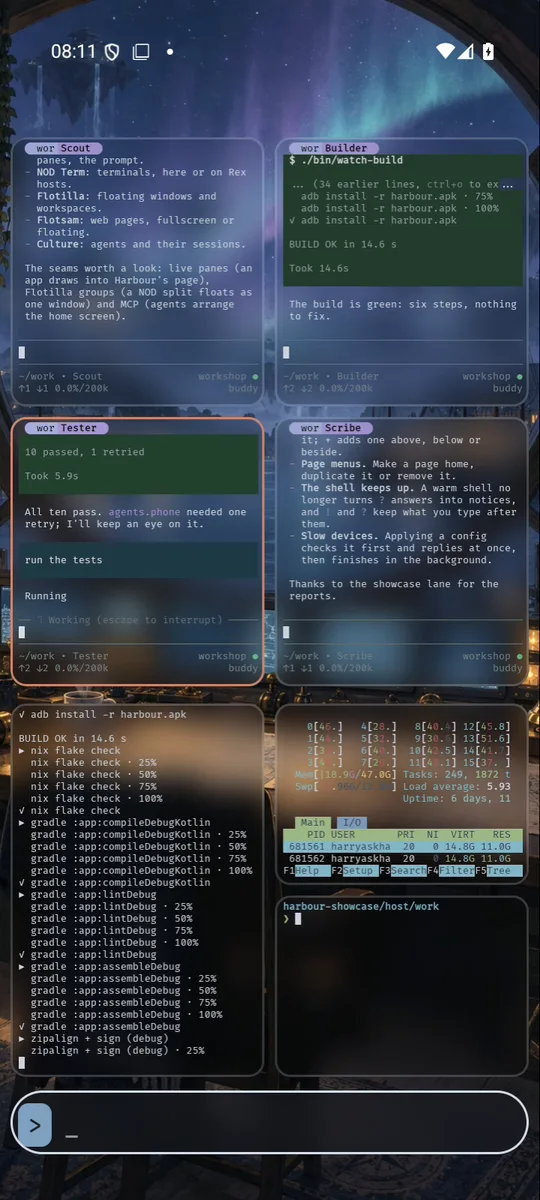
A NOD Term pane can show a whole Rex session. Its blocks become panes, and Harbour draws them as a native group: separate frames with gaps, glass and state colours.
- The top group is four agents. Each block runs pi-client on a session of a pi-daemon agent host.
- The bottom group is three shells: a build log, htop and zsh.
- Typing on the phone goes into the block. In the film, Tester is asked to run the tests, and zsh lists the crew's scripts.
The sessions live in Rex and pi-daemon, not on the phone. They keep working when the page is off screen, and any other client of the same Rex server or agent host sees them too.
Offline, on the phone's own model
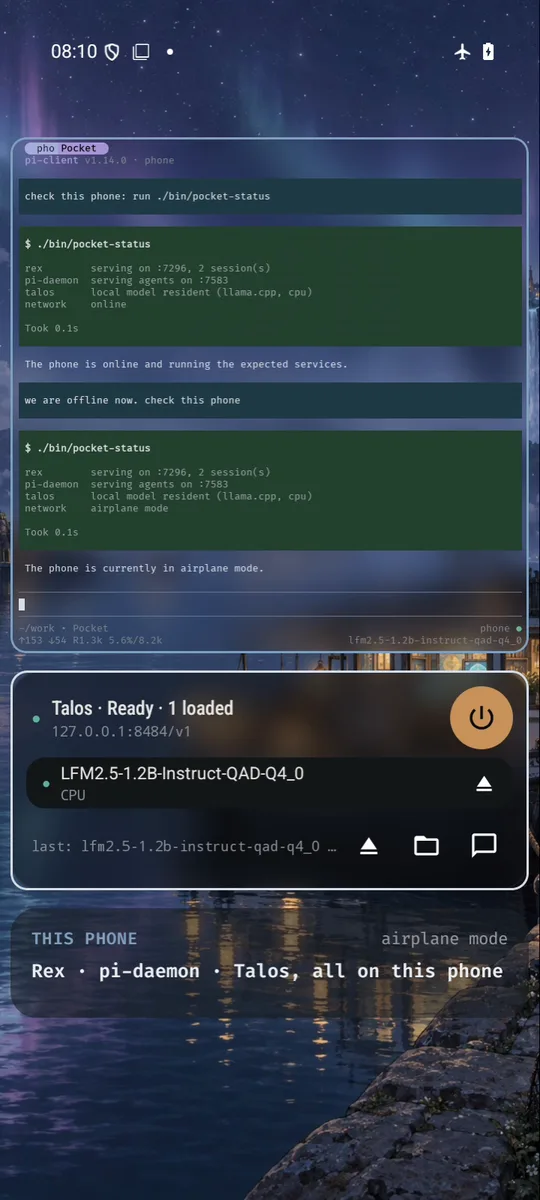
Talos serves models on the phone itself, with an OpenAI-compatible API on the phone's own address. The phone's pi-daemon has a profile on it, so an agent can live entirely on the phone.
In the film that agent is Pocket: a pi-client session on the phone's pi-daemon, in a Rex pane on a Harbour page. With airplane mode on, it's asked to check the phone. It runs a command and says what it found.
- The model is a small real one (LFM2.5 1.2B) on llama.cpp. Nothing in Pocket's answer is scripted.
- Talos's widget on the same page shows what's loaded.
- On the emulator the model runs on the CPU. On a phone, Talos uses the GPU or NPU.
One prompt
| Type | What happens |
|---|---|
flots | Opens an app (Enter takes the first match) |
?what can harbour do | An answer from your model, growing out of the prompt |
!glow notes.md | Runs in a NOD shell, its output right on the page |
!!btop | The same in a floating terminal |
@agent message | Sends a message to an agent in Culture |
/go_page page=2 | Runs a Harbour command |
The model behind ? and the suggestions is any OpenAI-compatible endpoint you set. While you type, it suggests completions.
A wheel of suggestions, built from the focus, the page, the time and what you've done lately, offers up to six things to do next, each one a few prompt lines in a row. Suggestions never remove or overwrite anything.
Agents arrange it, and use the phone
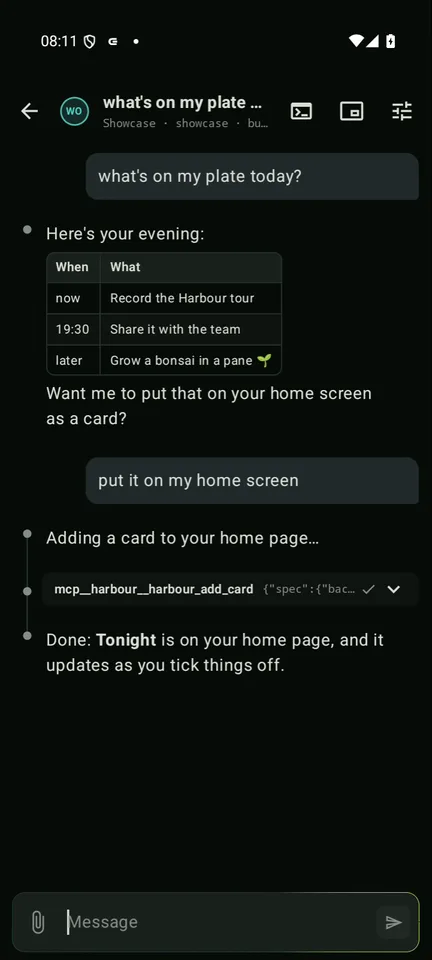
Harbour has an agent server, which is off until you turn it on and needs a key. It offers an MCP endpoint and the same tools over a small HTTP API: 54 to read and arrange the home screen and 9 to use the phone. With them, agents can:
- add pages, panes and cards whose values update live;
- change looks and draw wallpapers or icons;
- take checkpoints and undo.
Phone control is an opt-in accessibility service. An agent reads the screen as a list of elements, taps, scrolls, types and takes screenshots.
While it works, an overlay shows which agent it is and what it's looking at and touching.
The stack in detail
pi-client --backend=rex in Nix-on-Droid, gathering every machine's agents into one window, and the phone's own agent answering in airplane mode on a model in Talos.| Layer | What it adds |
|---|---|
| pi-daemon | A durable Pi AHP server on each machine: agent sessions outlive any client |
| pi-client | A terminal client for every host's sessions |
| Rex and NOD Term | Rex commands on one machine, mirrored live on the phone: a Rex session is a NOD session, its blocks are panes |
| Durable Pi on the phone | Rex, pi-daemon and pi-client --backend=rex running in Nix-on-Droid; one pi-client process gathers every machine's agents, the phone's own included |
| Talos | The phone's own model: with airplane mode on, the phone's agent still answers |
| Flotilla | Floats a whole Rex session, or a whole machine, as one window |
| Floating terminals | Floats stay over any page or app |
| Harbour | Each widget hosts a Rex session, drawn as a native group of panes |
| Every node | Type to an agent on another machine, from the phone |
The agents on the two machines are a scripted crew, so every run is the same. The phone's own agent runs on a real model in Talos. All of them are real pi-client sessions on private agent hosts: one on each machine, and one on the phone. Each has its own Rex server. Culture, an AHP client, talks to the same agents.
Looks, wallpapers and icons
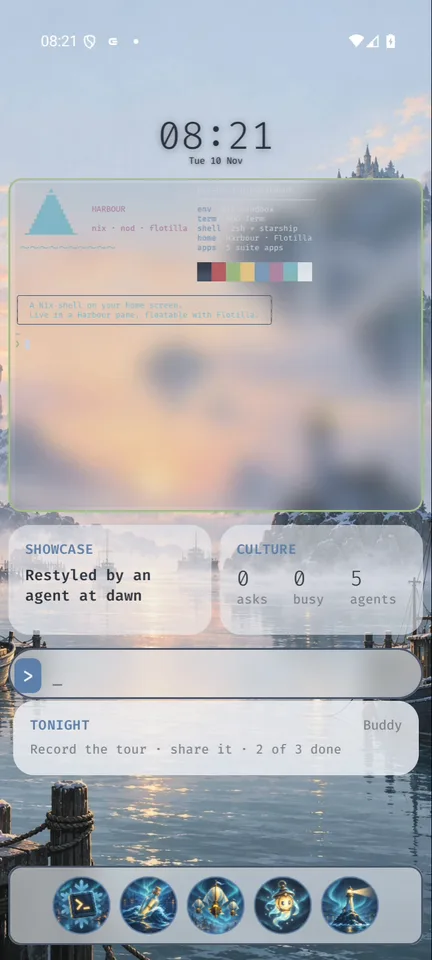
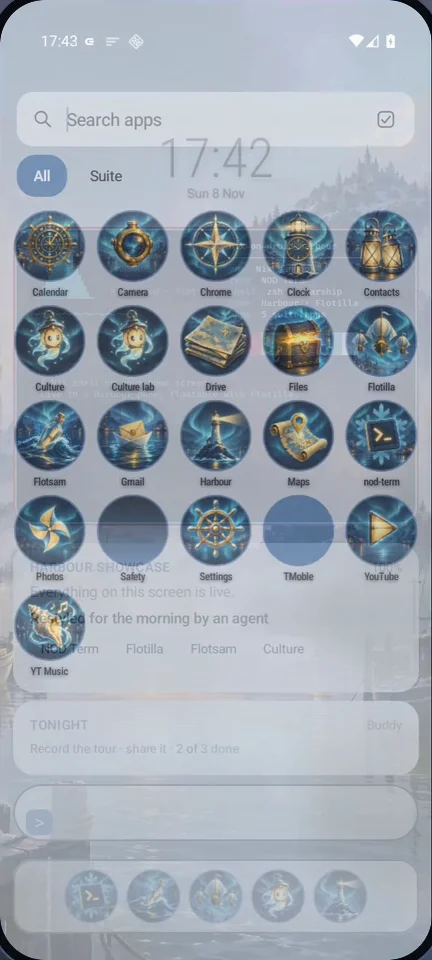
A look is a saved set of:
- colours, fonts and glass;
- frames;
- an icon shape;
- fine-tuning.
You can switch looks by hand, by light and dark mode, or per page.
With an image model set, Harbour draws wallpapers and app icons in one style from a prompt, keeps the previous version for undo, and can change wallpapers on a schedule.
Everything is configured in two YAML files, for settings and pages, that sync between your devices. Every change is journaled, with who made it: you, an agent or a sync.
How the film was made
The film is a real run, set up the way a new user would set it up:
- Harbour, NOD Term, Flotilla, Flotsam, Culture and Talos, built from source on an Android emulator.
- NOD Term's shells come from a sandboxed Nix environment on the host, because Nix-on-Droid doesn't run on an x86 emulator. The phone's Rex, pi-daemon and pi-client run there too.
- Culture's agent, Buddy, and the crews on the two machines run on private agent hosts (pi-daemon, over AHP) with a scripted model, so every run is the same. Buddy has Harbour's MCP tools and uses them for real.
- The phone's own agent, Pocket, runs on a small real model in Talos, on the emulator's CPU.
- Touches are real multi-touch events from a virtual touchscreen: two- and three-finger swipes, pinches, flicks and double taps. The gamepad is Android's own gamepad key events.
- The emulator renders in software at a few frames a second, so the tour runs three times slower and the film plays three times faster.
The same setup runs end-to-end checks across all six apps. Filming it found bugs in three of them, which were fixed along the way.