iOS & Apple Watch
Cacophony ships a native iOS phone app (CacophonyCompanion) and an Apple Watch companion (CacophonyCompanionWatch) under companion/ios/. They target feature parity with the Android phone app and the Wear OS app using native SwiftUI / WatchKit idioms, and share a platform-agnostic Swift kit. The cleanroom rebuild is tracked under epic.
Components
| Path | What it is |
|---|---|
Sources/CacophonyCompanionKit/ | Platform-agnostic Swift library: daemon connection config plus shared value types (DaemonConfig, Bead, Choice, DaemonEnvelope). No SwiftUI/UIKit/WatchKit imports, so it builds under the nixpkgs Swift toolchain alone. Shapes mirror the macOS CacophonyKit. |
Sources/CacophonyCompanionKitSmoke/ | Nix-friendly executable that round-trip-tests the kit value types (XCTest ships only with Xcode, so this is the substitute test surface on nix-only hosts). |
CacophonyCompanion/ | The SwiftUI iOS phone app. |
CacophonyCompanionWatch/ | The Apple Watch app. |
CacophonyComplication/ | Watch complications. |
CacophonyShareExtension/ | Share image/file/url/text into the file cache or as quick-file beads. |
CacophonyWidgets/ | WidgetKit widgets (on-device shipping is operator-gated on App Store / App Group provisioning). |
Two build paths
The host fleet does not always have full Xcode, so there are two intentional entrypoints:
- Agent-verifiable SwiftPM kit (no Xcode). Builds and tests the shared
CacophonyCompanionKitunder the nixpkgs Swift toolchain — works on a macOS host with only the Command Line Tools. This is the lane CI / managed agents use to keep the shared logic green. Run it from the repo root withjust ios-kit-smoke(or./scripts/ios-kit-smoke.sh). The wrapper prefers the host Xcode toolchain on macOS and falls back to the nix Swift toolchain on nix-only hosts (the nix cc-wrapper breaks the Apple multi-target manifest compile, so the wrapper compiles the smoke with host Xcode swift underenv -i). - Xcode / Simulator app build. Generates the Xcode project from the committed XcodeGen
project.ymland builds the SwiftUI app plus the Apple Watch app against a Simulator destination. Requires full Xcode and the iOS/watchOS Simulators, so it cannot run on a Command-Line-Tools-only host. Seecompanion/ios/BUILD-XCODE.md.
The nix Swift toolchain can typecheck only the host macOS triple; there is no iPhoneSimulator SDK outside Xcode, so any real Simulator build, install, UI-drive, and screenshot QA needs Xcode.app on the macOS builder (an operator-privileged, license-gated install — a managed agent must not attempt it via sudo).
Connecting to a daemon
The companion reaches a real caco-daemon three ways:
- Loopback / LAN HTTP — cleartext to
host:portwith a bearer token (the localhost-only path; the only one that works without a provisioned cert). - Remote cluster mTLS — HTTPS to the cluster listener on
cluster_port(default12100), authenticated with a client cert provisioned through the mobile bootstrap flow. The device pulls cert material from the PKI authority (/v1/cert/pulloperator-issued, or/v1/bootstrap/joinwith a CSR), stores CA + cert + key in the Keychain (device-bound, no iCloud-Keychain migration), and pins server trust to the configured CA.AppleCSRGeneratoruses CryptoKit P-256 keygen plus hand-rolled PKCS#10 DER; the private key never leaves the process. - Embedded in-process daemon — the iPhone can run its own control-plane daemon in-process via the
caco-embed-iosRust staticlib FFI (cross-compiled to arm64 iOS,serve_localon loopback with bearer auth and gracefulembedded_mode_unavailabledegradation), so the app works without a paired or remote daemon.
Feature surface
The iPhone app matches Android, web, TUI and macOS:
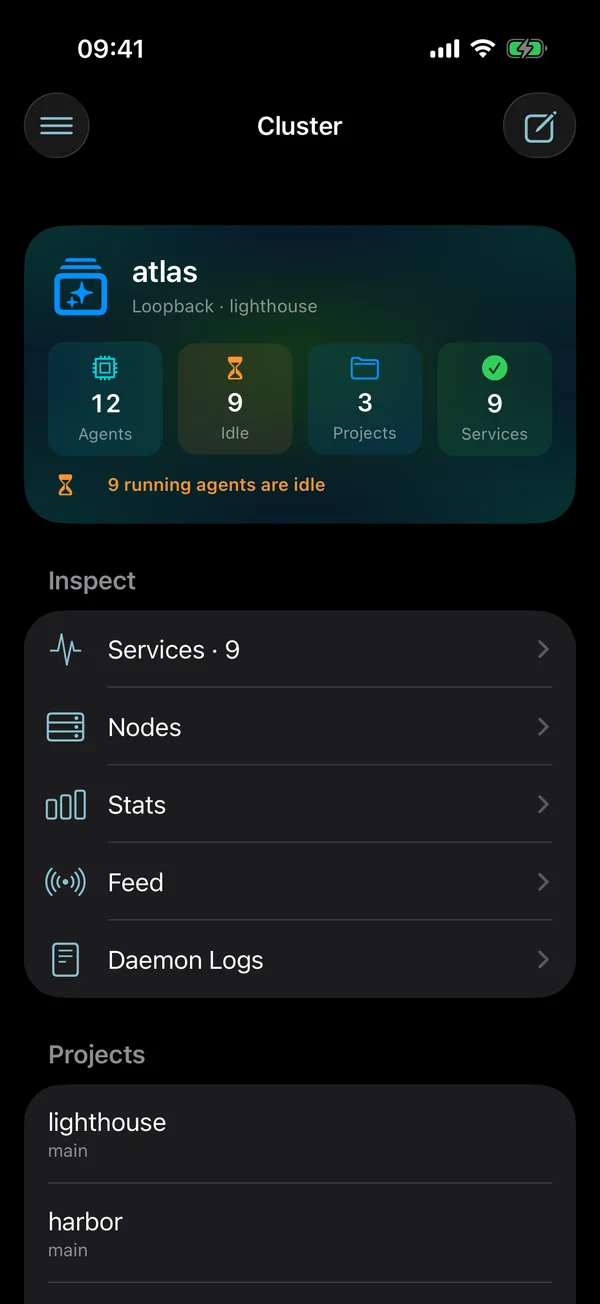
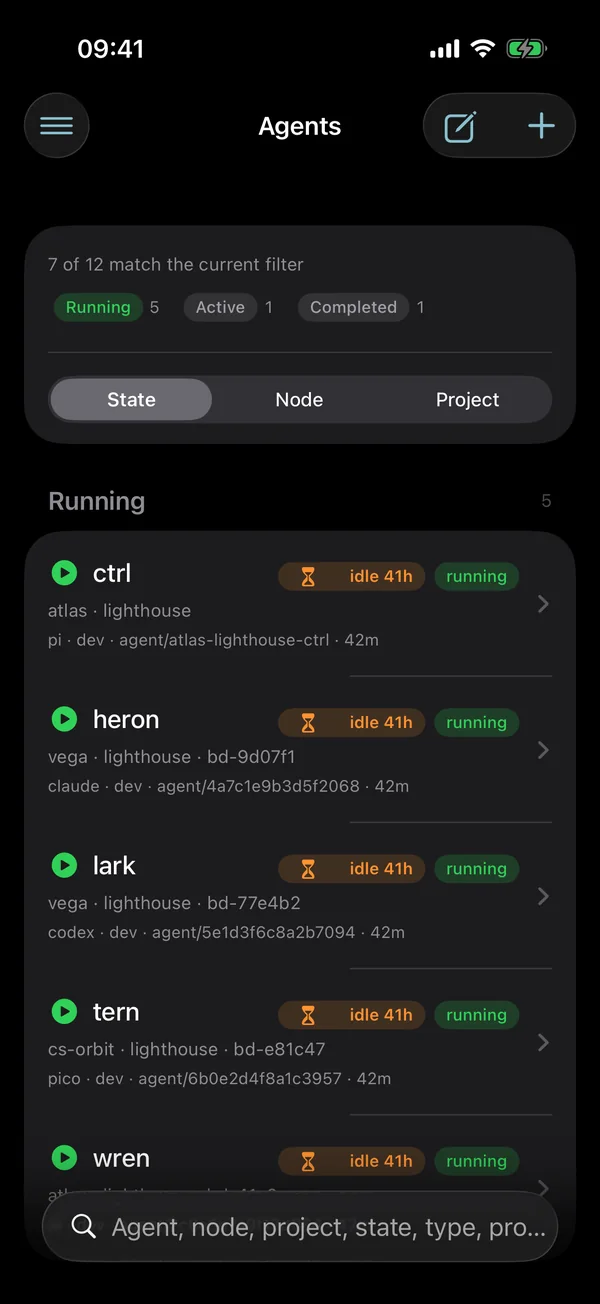
- Read: overview, agents, status, nodes, feed, and a fleet stats screen (compute and storage, per-node load, token use by project, bead throughput) with Swift Charts.
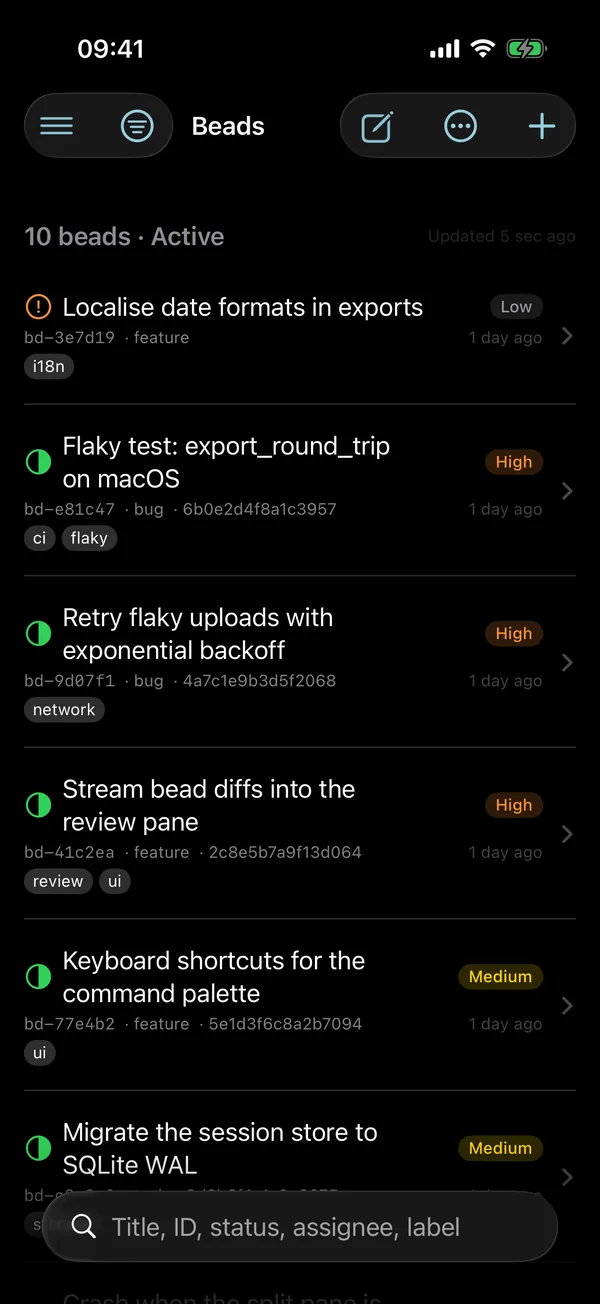
- Work: bead list and detail with offline-first create and edit; suggestions with a WidgetKit run button; file-cache downloads; actions, choice resolution and TTS controls.
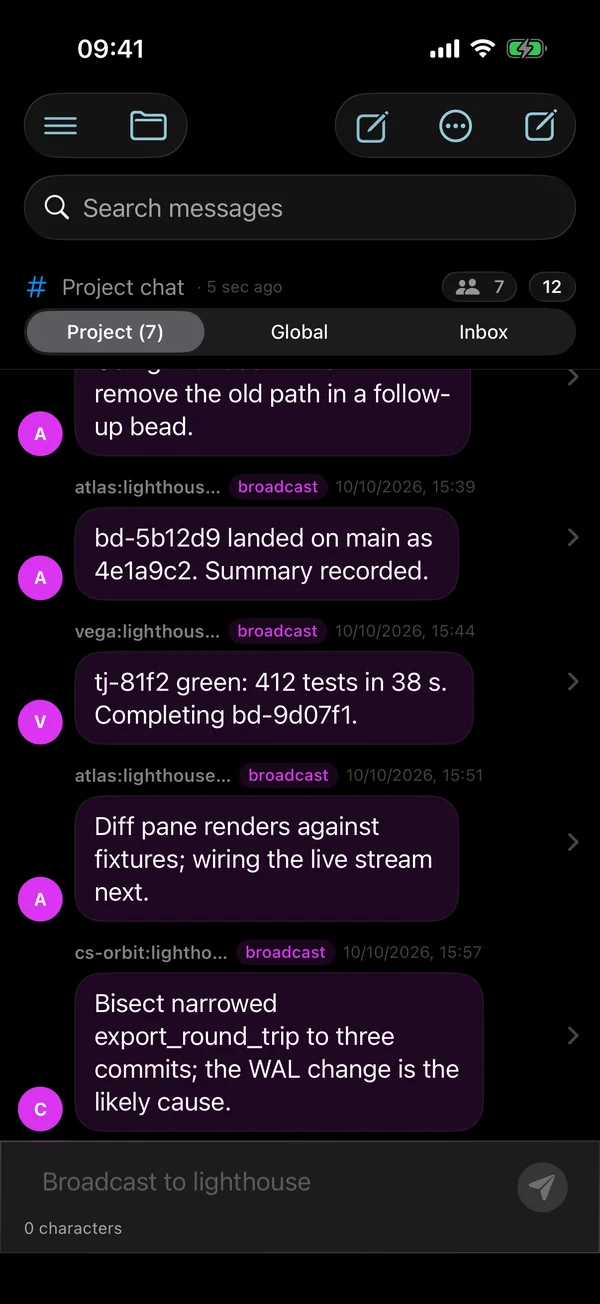
- Talk: project and global chat, node-scoped broadcast, and the operator inbox with sections, filters, inline choices and replies. Long messages expand in place, and a message's context menu can fork a Pico session from that point.
- Everywhere: searchable lists, a share extension and a transcription tools hub.
Responses decode defensively: a malformed or missing list from the daemon shows as empty rather than blanking the screen.
Apple Watch
The watch app is a glanceable, Dynamic-Type-tolerant surface (42+ views) built to the WATCH-LAYOUT.md contract: List / NavigationStack / Section over absolute geometry, one title plus one compact meta line per row, short badges (3, 2!, P1) that never rely on color alone, and watch-native controls (Picker, Button, NavigationLink) since Menu is unavailable on watchOS. It runs in two connection modes: Relay via iPhone is the safe default and Direct Wi-Fi is explicit, with mode switches preserving stored direct credentials. Disconnection wording is specific: Phone disconnected when the phone is unreachable in Relay mode, Phone's daemon disconnected when the phone is reachable but its daemon link is not, and cached/stale state with age in Direct mode. The watch can resolve choices, run actions and crons (direct and relay), and refresh complications from live app-group data. An ActivityKit Live Activity also surfaces the active agent's live status in the watchOS Smart Stack (with Dynamic Island support), keeping the current agent glanceable without opening the app.
Distribution
App builds are signed with SOPS-encrypted Apple signing material (secrets/apple-signing.sops.yaml via scripts/with-signing-secret.sh) and ship through the TestFlight / App Store track. Widgets and other on-device extensions depend on operator-provisioned App Store and App Group entitlements. The agent-verifiable kit smoke (just ios-kit-smoke) is the no-Xcode green-keeping check for the shared logic.