macOS development
This page summarizes macOS-specific Cacophony development guidance. Prefer the Nix and Cargo paths used by CI, and keep heavyweight native frontend builds off shared macOS agents unless the operator explicitly authorizes a one-off local run.
The Nix development shell carries the managed runtime tools expected by agents, including tmux-cli for terminal driving and playwright-cli for lightweight browser observation. The flake-distributed caco wrapper carries only the mandatory startup subset (for example tmux, tmux-cli, git, and jq); browser, image, YAML, and legacy network helpers such as playwright-cli, rembg, yq, and nettools stay on-demand so optional dependency realization cannot block daemon or persistent-agent startup.
Herdr is the default persistent terminal host for newly created managed shell agents and is included in the Nix runtime closure. Select agents.runtime.multiplexer: tmux for the compatibility backend and tmux integration-test lane. Native and SSH attachment uses the owning daemon’s connect command; a viewing machine does not need the remote host’s multiplexer installed. Existing agents retain their recorded backend on resume.
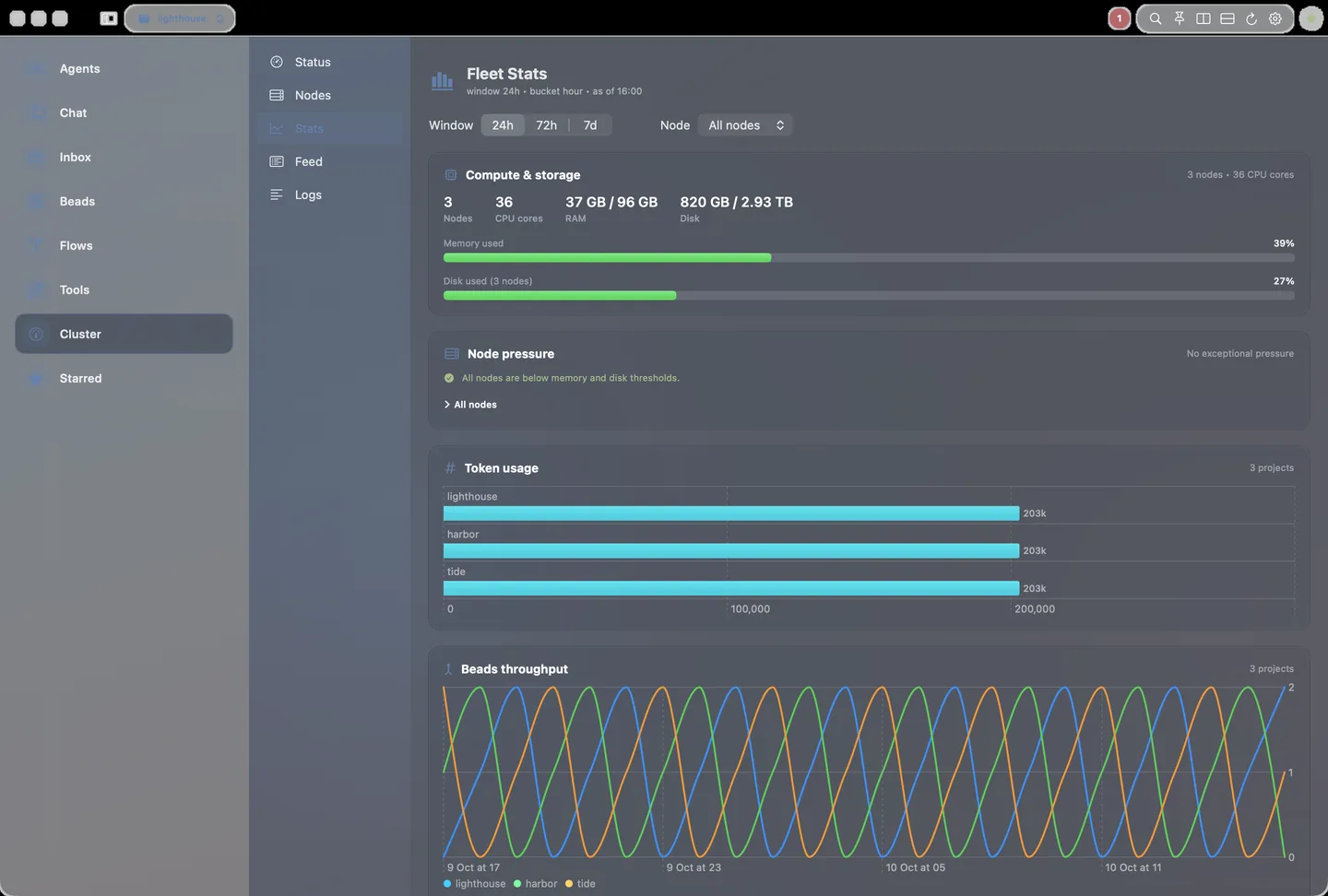
The native macOS Stats pane consumes the unified fleet aggregate and shows token usage by project with the existing input/output/cache totals plus cached-versus-fresh input and output counters.
Supported hosts
| Architecture | Status | Notes |
|---|
aarch64-darwin | First-class | Apple Silicon; primary maintained macOS path. |
x86_64-darwin | First-class build | Intel Macs; flake supports the system, runtime is less heavily exercised. |
Common commands
# Rust workspace
nix develop
cargo test-small
cargo build -p caco

# Shared macOS workers: validate without heavy local Swift/Nix builds.
# This runs source-only window-chrome/message-copy/Ghostty-prototype smoke,
# provenance, layout lint, parse-only Swift syntax, and a
# view-compile guard (real swift build of the SwiftUI app target, no bundle)
# locally — all source-only (macOS CI is self-hosted; no cloud build).
just macos-app-validate

# Individual lightweight checks are also available.
just macos-app-window-chrome-smoke
just macos-app-agent-lifecycle-smoke
just macos-app-beads-quick-ops-smoke
just macos-app-quick-bead-results-smoke
just macos-app-quick-bead-minimal-smoke
just macos-app-message-copy-smoke
just macos-app-ghostty-prototype-smoke
just macos-app-provenance
just macos-app-swift-syntax
# (parse-only; resolves the installed Xcode toolchain before any slow Nix Swift
#  fallback). For a one-file change, parse just that file instead of all sources:
#   ./scripts/macos-app-swift-syntax.sh companion/macos/Sources/Cacophony/Views/RootView.swift
just macos-app-view-compile

# Designated builder path, then refresh stable Test and Canary apps.
just macos-app-builder-refresh
just macos-app-builder-refresh-existing

# Agent-managed isolated test app launch that bypasses Keychain prompts and reuses one path.
# A full install also refreshes Cacophony Canary.app as the latest-build target.
just macos-app-test-install

# Fast relaunch without reinstalling the stable test bundle.
just macos-app-test-relaunch

# Hot-swap a freshly built executable into the existing test bundle.
just macos-app-test-hot-swap result/bin/Cacophony

# Launch or inspect the sibling latest-build Cacophony Canary.app target.
just macos-app-canary-install
just macos-app-canary-paths

# Print resolved test app/socket/keychain paths.
just macos-app-test-paths

# Back-compat alias for the same Cacophony Test.app path.
just macos-app-qa-launch

# Manual/tag-gated UI acceptance screenshot harness.
just macos-app-ui-acceptance

# Personal/developer Macs can run the full local smoke suite.
just macos-app-test

# If the installed app exposes the local command socket, prefer semantic
# pane focus over low-resolution sidebar clicks for visual QA.
scripts/macos-app-focus-pane.sh --list
scripts/macos-app-focus-pane.sh --test status
scripts/macos-app-focus-pane.sh --canary status
scripts/macos-app-focus-pane.sh --test admin
CacophonyKitTests covers shared value types, while CacophonyNativeTests covers native application lifecycle behavior, including draft-session races and termination flushes against injected temporary directories rather than operator state. See macOS message draft durability and macOS scratchpad editing for storage and recovery limits.
Read reuse, shared state and freshness labels, dense chat, keyboard navigation, the bead board and opt-in native glass are documented in the macOS UX sweep, including the read-only review gallery.
Workspace split sizing is ratio-owned: nested insertion changes only the target rectangle, and surviving leaves retain their mounted view identity. AppKit dividers support pointer and arrow-key resizing, accessibility adjustment and double-click balancing; only deliberate resize actions persist proportions. See stable nested workspace sizing for the layout, local focus, Undo and Test-only inspection contracts.
Workspace launch recovery runs once from the ready scene bridge; reopening restores an existing minimized workspace instead of adding a duplicate. Placement and frame persistence target the native workspace role, not whichever Settings or menu window is key. See workspace launch and reopen recovery for lifecycle and validation limits.
For Stable refreshes, pin CACO_MACOS_SIGN_IDENTITY and select CACO_MACOS_SIGN_MODE=development for a local certificate build or developer-id for a distribution candidate. The helper refuses running Stable or silent ad-hoc fallback, verifies staging before replacement, and retains rollback. See nonblocking Keychain approval and signing for explicit approval, credential failure handling and the limits of signing versus notarization.
Audio and TTS
A green daemon and an outcome=played trace don't prove you heard anything. Check with caco tts daemon status, caco tts io output show, caco tts io output set --mode local-device and caco tts trace.
- Mute: plain
caco tts mute affects only this node and persists across restarts until caco tts unmute. Use --all for the whole mesh or @node for selected nodes.
- Scoped mute:
caco tts mute with --node, --project, --role, --profile, --surface, --name or --agent writes runtime policy to $CACOPHONY_DIR/tts-daemon/audio-policy.json; add --persist-config only when the rule belongs in config.
- Explaining skips:
caco tts trace and caco tts status --explain <agent> name the real source agent; node-token is only the authentication fallback.
- Remote PulseAudio: keep it on a trusted LAN, VPN or SSH tunnel; never expose PulseAudio TCP publicly.
When hardware-level evidence is needed, run caco tts audibility probe --project cacophony --json. The probe records a short baseline and post-speak microphone sample, reports amplitude statistics only, deletes audio by default, and returns audibility=unverifiable when microphone permission, input selection, or acoustic coupling prevents proof.
For STT, use caco audio capabilities --json, caco stt doctor --json, then a file fixture via caco audio transcribe --file. See Transcription and speech-to-text for the cross-platform workflow.
macOS app good-state screenshots
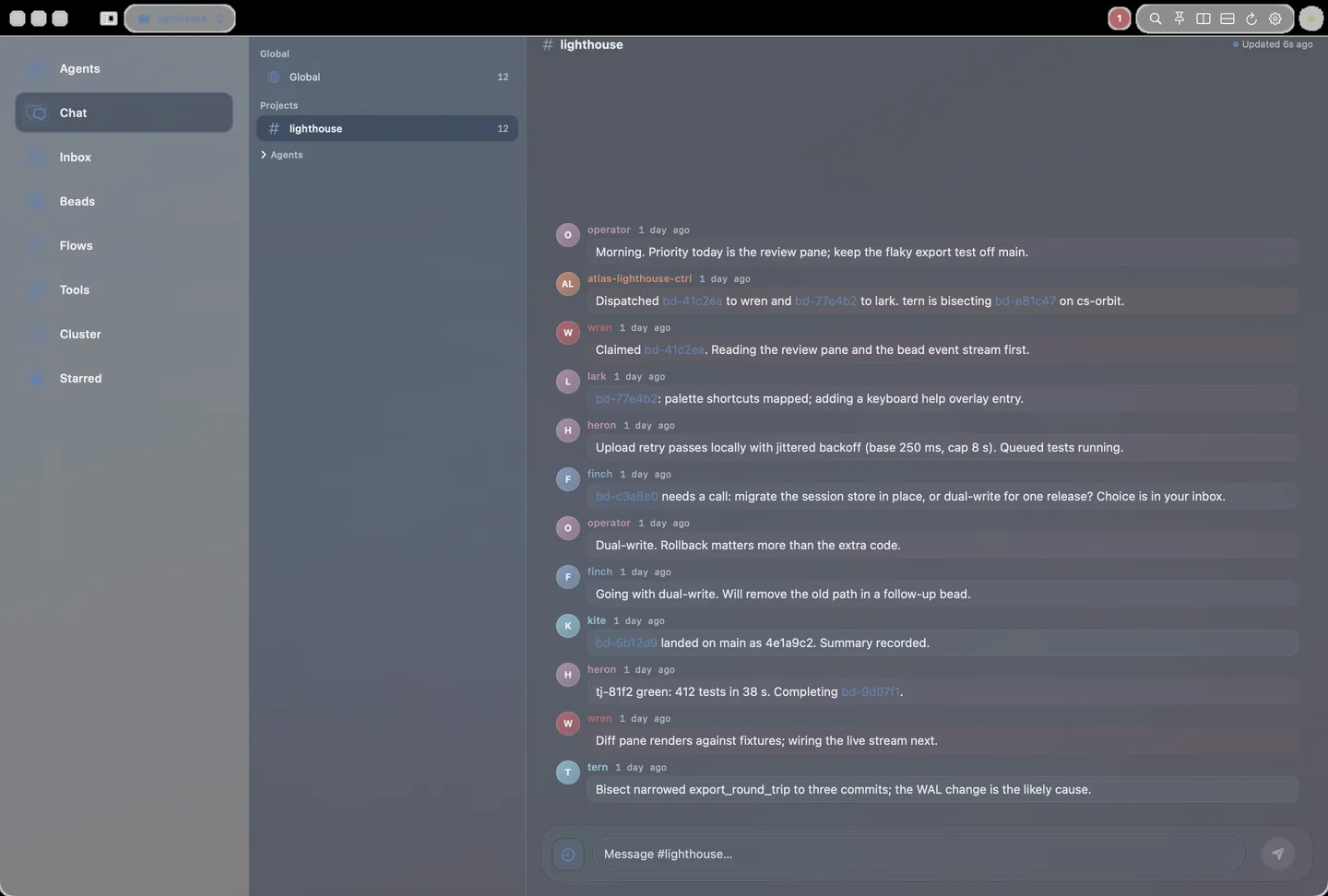
Public app screenshots must use the invented site demo fleet, never a real daemon recording. Reject offline, timeout, decode-error or stale-provenance banners. The capture below renders the current native Chat pane against the committed synthetic corpus.
OUT=$(mktemp -d /tmp/caco-site-macos.XXXXXX)
scripts/macos-ux-gallery.sh replay "$OUT" scripts/site-screenshots/macos-corpus
# Equivalent site hook: scripts/site-screenshots/capture-macos.sh "$OUT"
scripts/site-screenshots/run.sh export.py "$OUT"
Run on macOS with Xcode and screen-recording permission for the test runner's terminal. The gallery captures only its own exact offscreen window through WindowServer composition, including layer-backed Chat content; it never captures a display or falls back to the desktop. The legacy single-window compositor must be available; capture fails closed otherwise.
Replay never reads a daemon token or forwards requests, and copies the corpus to a disposable directory so logs remain outside source.
The test refuses terminal launches and asserts no child processes after every render; the request audit fails on missing synthetic routes or upstream traffic.
Config text, audio playback, streams and attachment routes remain intentionally refused.
Raw PNGs and request/spawn logs go to OUT; export refreshes macOS WebP images in docs/images/site/.
See the site capture guide.
caco-macos operating loop
The caco-macos loop focuses on native desktop QA, Tendril evidence, profile updates, and operator-surface documentation. It skips operator-action beads unless directly assigned, searches existing beads/messages before filing duplicate broken-on-main work, and coordinates when another worker already owns the failure. It also maintains small macOS-host operational helpers such as the ms-mac-gsa-tailscale-watch cron + gsa-tailscale-watch--ms-mac action, which detect when Microsoft Global Secure Access is enabled while the tailnet is unreachable and fire a snoozable, read-and-notify-only alert (see section 5.4 of the macOS development guide); resolving the VPN conflict itself stays an operator action.
Visual QA should drive the isolated Cacophony Test.app via semantic focus commands such as scripts/macos-app-focus-pane.sh --test status, use Canary only for explicit latest-build checks, and avoid production /Applications/Cacophony.app unless the operator asks. During daemon restart, network, or canonical-checkout health windows, stay read-only: poll first-party status surfaces, preserve exact evidence, and do not run restart/up/recovery, broad cleanup, or destructive git reset without assignment. Validation stays foreground or queued through caco test run --wait; heavyweight local Swift/Nix builds stay off shared macOS hosts unless the operator designates this host as the builder. cargo clean is appropriate only when idle and asked for disk relief.
Companion and simulator work
Do not overload shared macOS hosts with Android emulator, AVD, QEMU, or qemu-system-aarch64 work. Use the configured remote Android builder and placeholder remote checkout values in public examples; keep real fleet paths in private config. Local Android emulator validation on macOS requires an explicit one-off operator approval.
Keyboard shortcuts
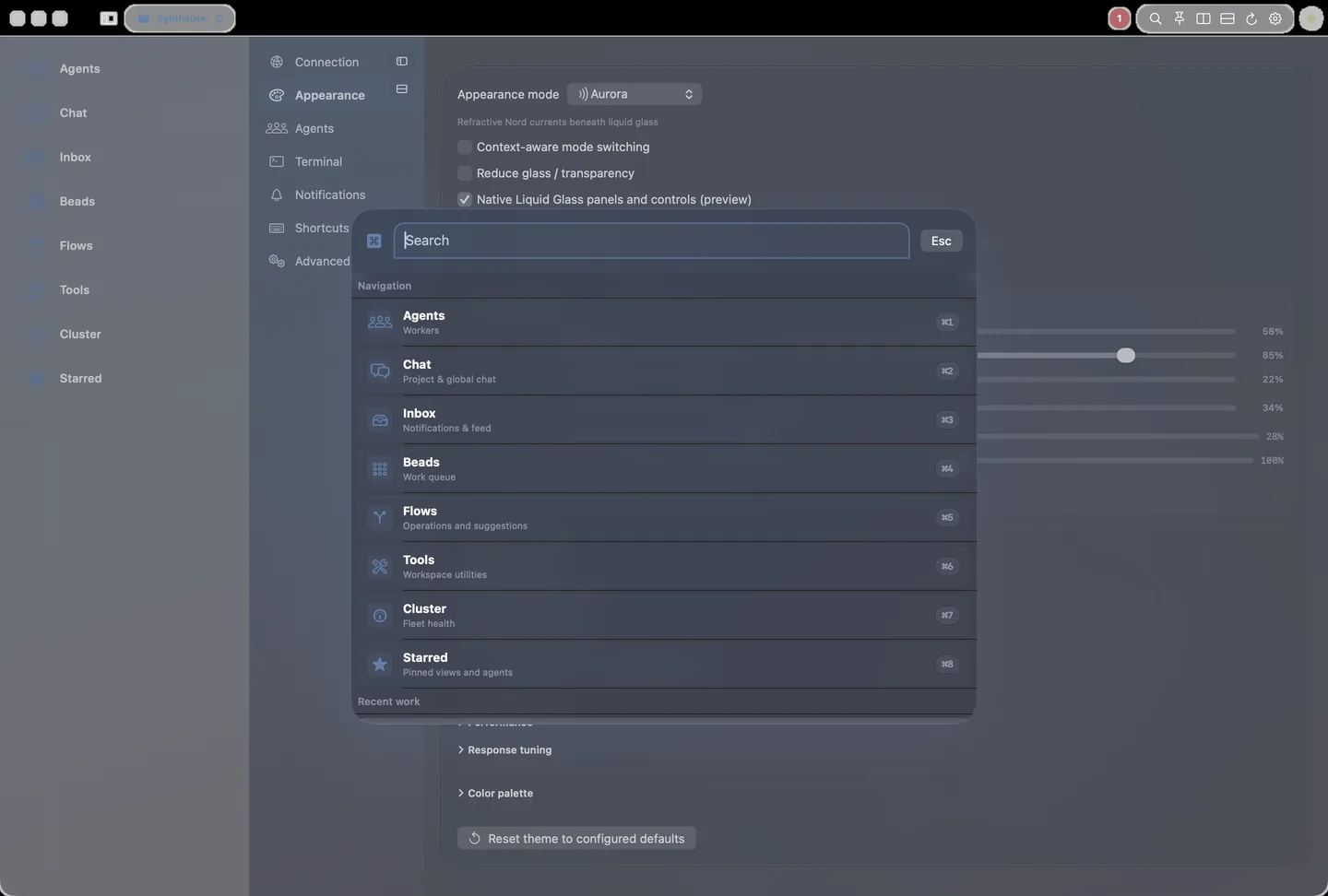
An AppKit key monitor handles ⌘0–⌘9 pane jumps, b quick bead capture (outside text input) and ⌘, Settings, so shortcuts work even when focus is inside pane content.
Opening a pane from the sidebar, palette or command socket shows a brief Opened <pane>; ⌘-digit jumps don't. Banners are otherwise reserved for command outcomes and errors.
Escape closes, in order, the command palette, the Quick-file sheet, then any visible banner.
Command palette and pane navigation
The app's design contracts, checked by CacophonyKitSmoke and the source-only smokes:
- Command palette: ⌘K / ⇧⌘C opens one dimmed overlay, dismissed by Escape or a backdrop click. Rows show an icon and title; subtitles and projects stay searchable. “Quick-file bead” is the palette counterpart to b.
- Pane navigation and offline: toolbar, More-menu and sidebar feedback; minimal sidebar rows; daemon discovery. Offline, every refresh control routes through one retry path that uses the same credentials as startup, only the current attempt can clear its progress, and an inline connection card isn't duplicated by banners.
- Connection: a bounded handshake (
GET /api/v1/node, falling back to /api/v1/ui/snapshot), then SSE plus polling, with each pane fetching its own data. Production Retry uses the saved Keychain profile; local-token connection is QA-only.
- Scratchpads: selection by ID, full contents loaded before editing, local draft recovery and protection against late reads. A preview is never writable and an unconfirmed save is never retried automatically.
- Diagnostics: Logs/Perf, text and a labelled
Severity: menu filter the view; Copy and Share export exactly the visible rows.
- Agent lifecycle: one shared
AgentLifecycleStyle for labels, colours and icons across every state from queued to error; the raw daemon state appears only when it differs from the friendly label.
- Agent attach, beads and quick bead: the shared Terminal launcher, the Beads quick-op card and copy actions, and the collapsed quick-bead context.
- Chat and message copy: the compact Messages timeline and inline composer, and per-bubble copy actions that include sender, time, kind, target and body.
- Ghostty prototype: the experimental terminal target and adapter stay out of the production app.
Test and Canary bundles
Production launch uses the saved Keychain profile through bounded noninteractive access. Missing, denied or timed-out access surfaces a notice rather than falling back to a local token; interactive approval remains explicit. Reading an approved profile does not rewrite it. A newer connection or disconnect supersedes delayed saved-profile reads, SSH readiness results and startup plans. See connection-intent ownership for the validation boundary and remaining asynchronous-state limits.
QA/test mode bypasses production Keychain use and reads ~/.cacophony/tokens/node.token without saving it to the production Keychain.
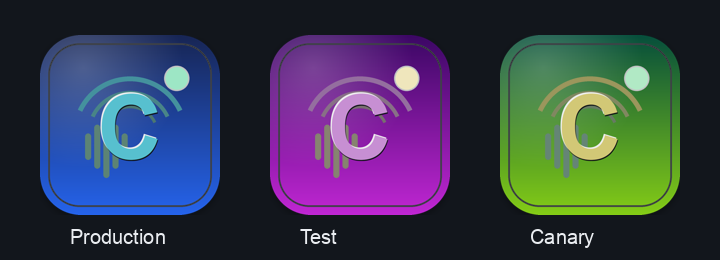
It defaults the durable app root to ~/.cacophony/macos-qa, uses com.cacophony.macos.test plus /tmp/cacophony-macos-test.sock, and launches the stable Cacophony Test.app copy.
Use CACO_MACOS_TEST_APP_PATH for a custom Test bundle path; the older CACO_MACOS_TEST_APP path input remains a compatibility fallback and is otherwise reserved for the launched app runtime flag.
Canary mode uses com.cacophony.macos.canary plus /tmp/cacophony-macos-canary.sock for the replaceable latest-build app while leaving production /Applications/Cacophony.app untouched.
CACO_MACOS_QA_ROOT remains the explicit override for alternate durable roots.
Set CACO_MACOS_QA_DISPLAY to part of a display name (for example Sidecar) to run visual QA on a spare display.
The Test app places its own window there at launch, and window-screen <name> on the Test socket moves it later; placement is Test-only and never addresses the production window, which AppleScript process lookup can resolve to by mistake.
Iteration and troubleshooting
Native release discovery is independent of CLI and installed-app versions. The desktop tag lane is opt-in via CACO_RELEASE_ENABLE_MACOS_DESKTOP=true; the companion build gate does not publish assets. Preserve the updater’s downgrade refusal when the installed app is newer than the downloadable ZIP.
For an operator-coordinated missing-asset backfill after the workflow change lands, use gh workflow run release.yml --repo harryaskham/cacophony --ref main -f tag=vX.Y.Z -F macos_app_only=true, replacing vX.Y.Z with the selected existing tag.
This packages that tag’s source, skips CLI build/publication, serializes with the Darwin builder, and refuses pre-existing Cacophony/Pico assets.
Do not run a second publisher.
Inspect the published Cacophony-macOS.json version, signing identity, notarization, and ZIP/DMG SHA-256 values and qualify the downloaded bundle separately.
Packaging never authorizes installation, replacement, or service restart.
| Command | What it does |
|---|
just macos-app-builder-refresh | Builds once on the approved macOS builder and stages Stable, Test and Canary into /Applications. -existing reuses a current result/ app. |
just macos-app-test-install | Refreshes the Test app and its Canary sibling. |
just macos-app-test-relaunch | Relaunches the installed Test bundle without rebuilding. |
just macos-app-test-hot-swap result/bin/Cacophony | Replaces only the executable (and Canary's, when present). |
just macos-app-package | Builds the DMG, detaching stale /Volumes/Cacophony* mounts and retrying bounded hdiutil failures. |
just macos-app-validate | Includes the source-only just macos-app-layout-lint for SwiftUI layout, row identity, jargon and smoke sandbox-safety regressions. |
macOS CI is self-hosted; there is no GitHub-hosted cloud build. In tag releases, Linux CLI assets publish without waiting for macOS packaging, the desktop app lane is opt-in via CACO_RELEASE_ENABLE_MACOS_DESKTOP=true (CACO_RELEASE_ENABLE_MACOS is the native Darwin CLI lane), and update-helper notifications are opt-in via CACO_RELEASE_NOTIFY_HELPER=true. Missing ZIP, DMG or JSON metadata is reported, not hidden.
What the native panes cover:
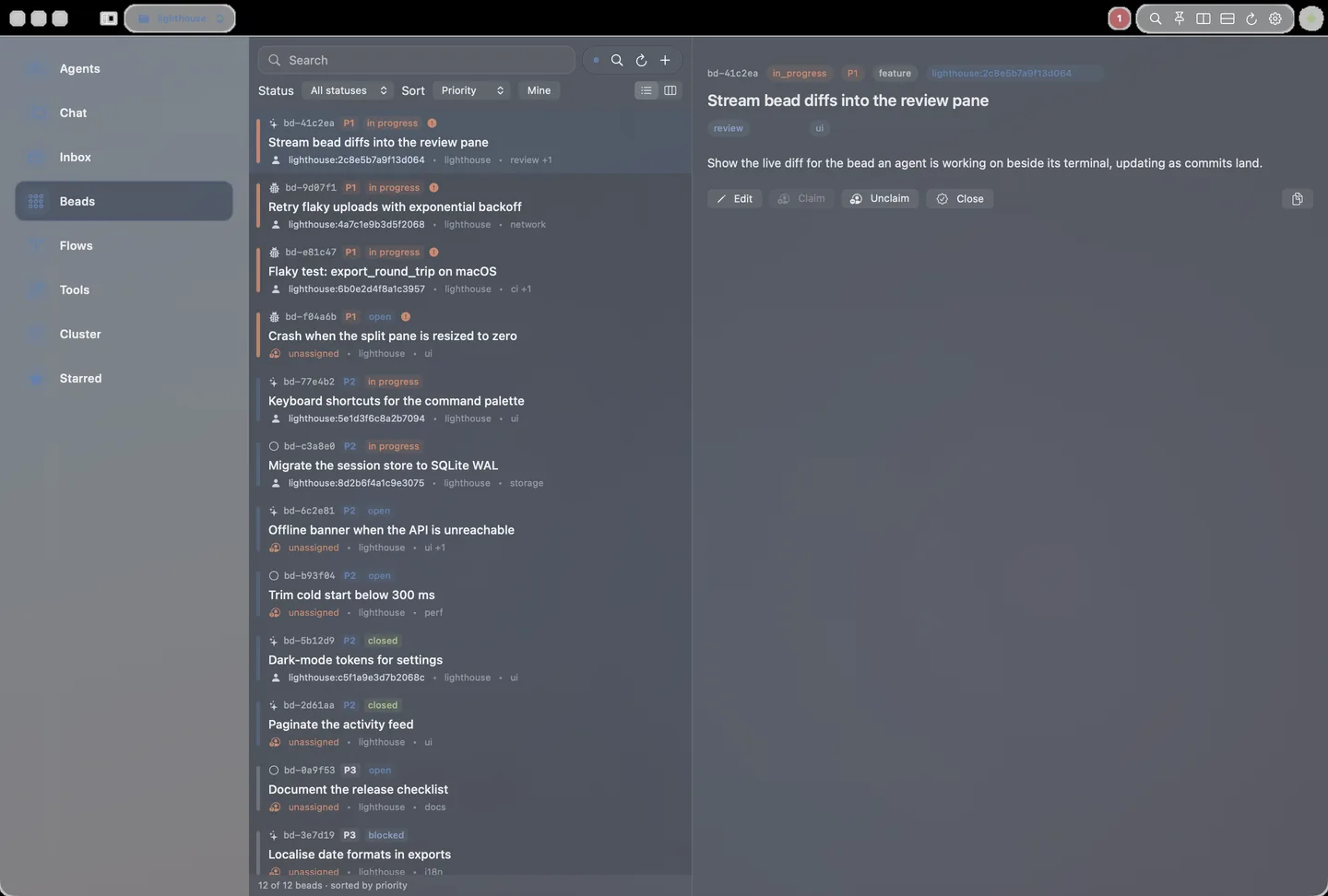
- Agents: the selected project's agents (with an All projects toggle) and whether the list is fleet-latest, client-local or cached. Detail is terminal-first: embedded SwiftTerm or Ghostty attach, status, diff, log, heartbeat, nudge, pause/resume and guarded stop/complete/discard, with a copyable
caco agent attach --id … fallback. Open Terminal uses AppleScript and falls back to copying the command.
- Beads: dispatch remembers node, profile, model and provider defaults and hands spawned workers to Agents. A Quick CLI card copies
caco bd show, claim, unclaim and close --note, matching the native close button's ordinary authorized closeout.
- Lenses: read-only task views over the same daemon state (attachments, active work, chat, freshness, files, links, summaries, heartbeat attention) that change nothing until you open the owning pane.
- Files, Links, Summaries and Nodes: the project file cache (with a 64 KiB inline text preview),
caco link records, recorded session summaries, and node health with services and per-project agents.
- Messages: reply-context chips and project/global participant filters. Nodes can send confirmed node-scoped project messages. Operator Controls change global or per-project runtime modes after confirmation.
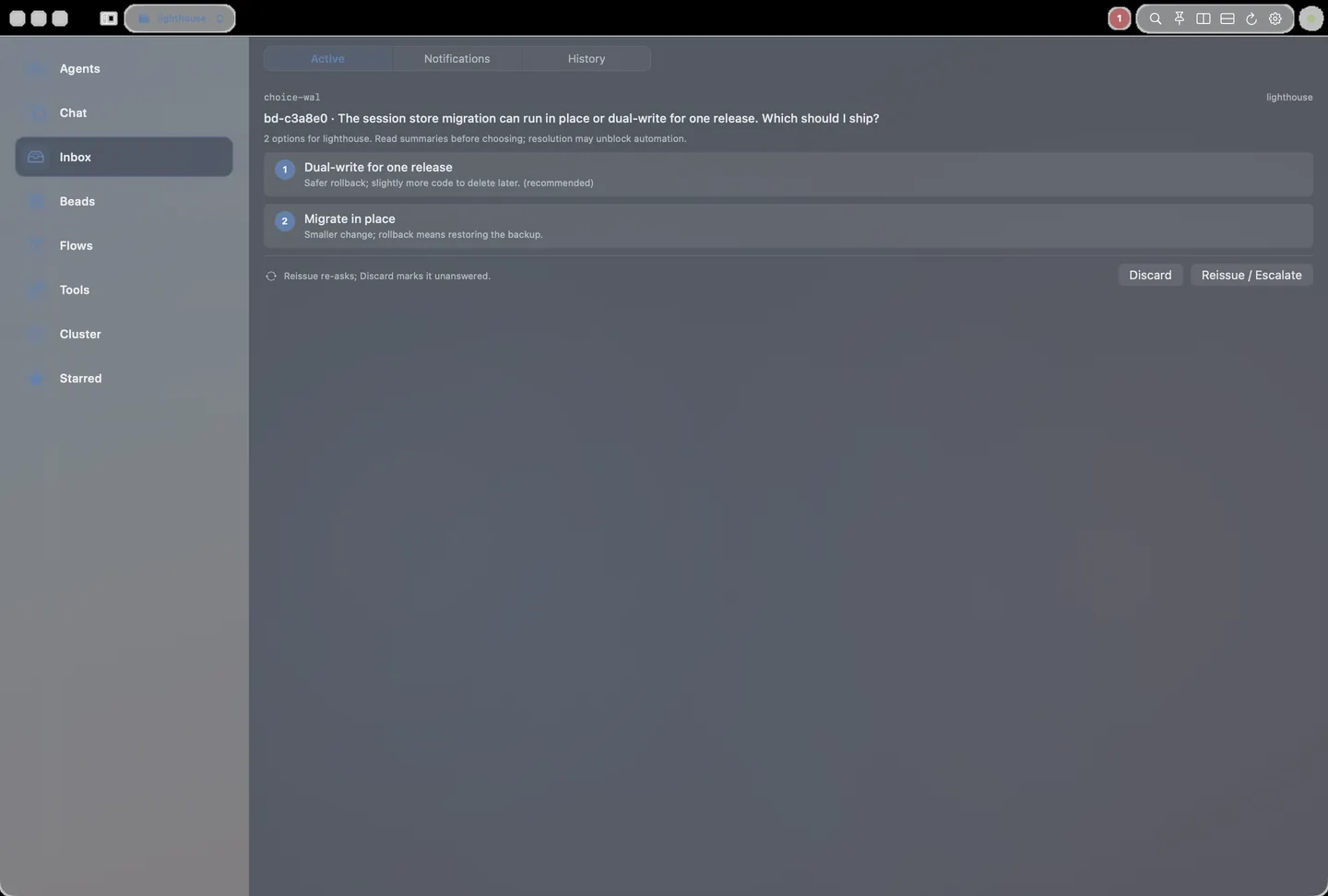
- Everywhere: pending operator choices show as a banner above the panes and as native notifications; Status marks counts as live, cached, daemon-local or quiet when a refresh fails; one failing source degrades only its own section.
Settings holds agent-launch and Agent Terminal defaults (⌘,). QA, Test and Canary bundles never write to the production Keychain. Provenance checks report an orphaned socket when a Test or Canary socket exists without its app bundle.
If sidebar clicks seem stuck on Status, check bundle provenance and the NavigationLink/tap-fallback smoke before treating it as a product bug.