Companion apps for the operator loop
The same agents, beads, chat, choices, summaries, logs and release controls, on your phone and your wrist.
Two families: iPhone + Apple Watch, and Android + Wear OS (shipped through Play internal testing). The watch apps are not remotes for a single button; they handle choices, the inbox, project drill-downs, agent and bead actions, complications and voice input.
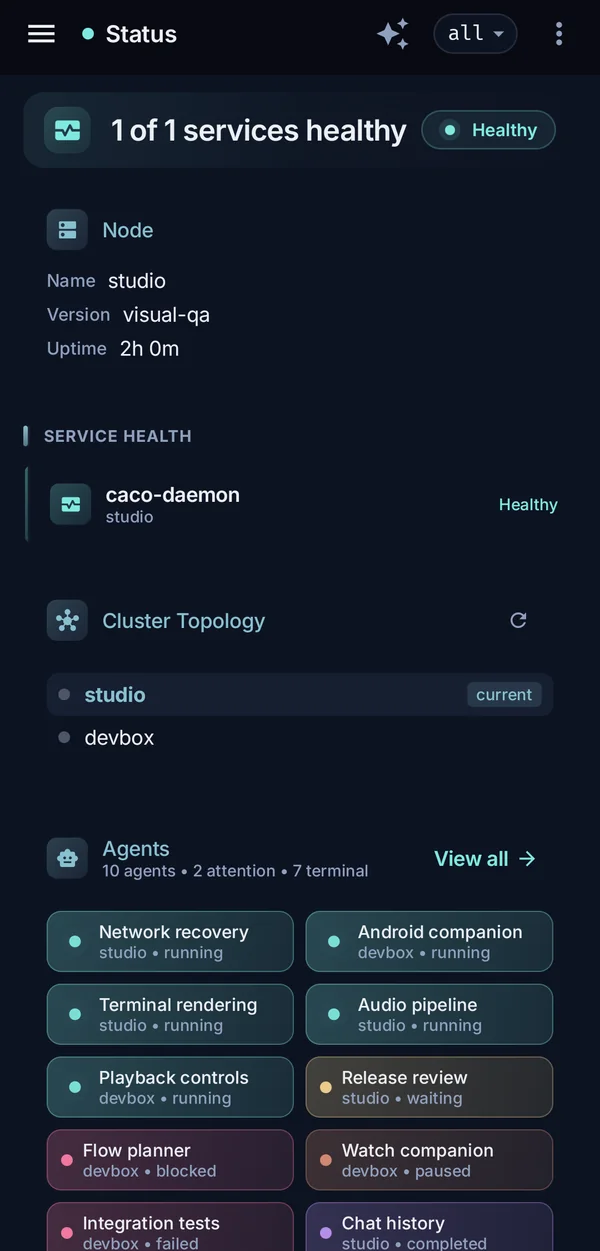
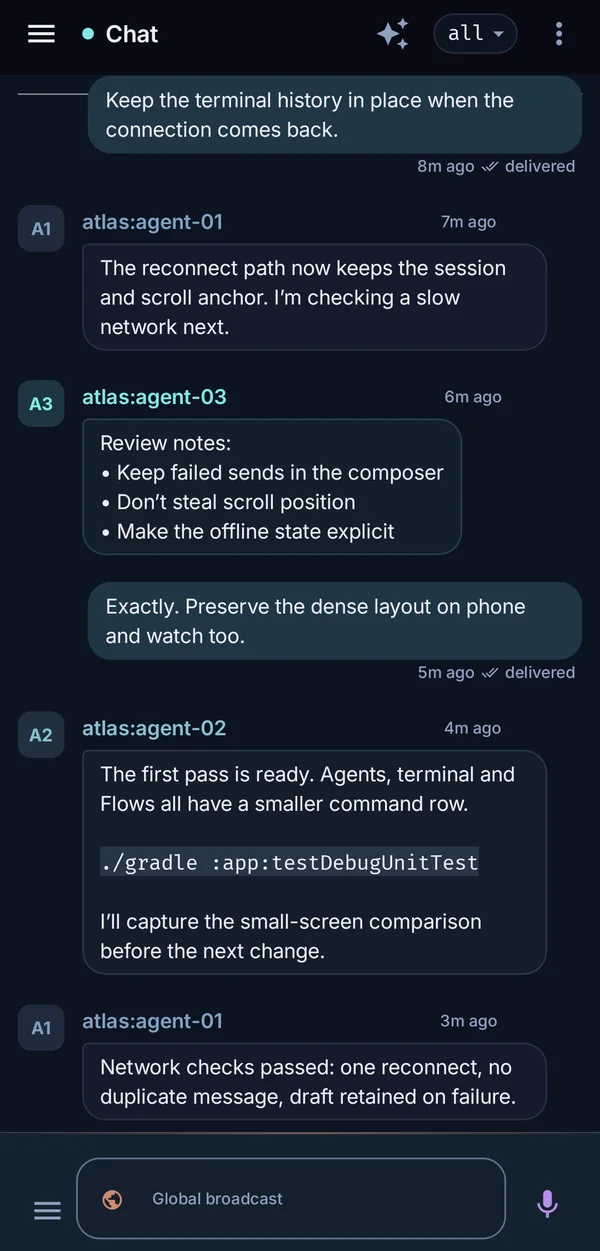
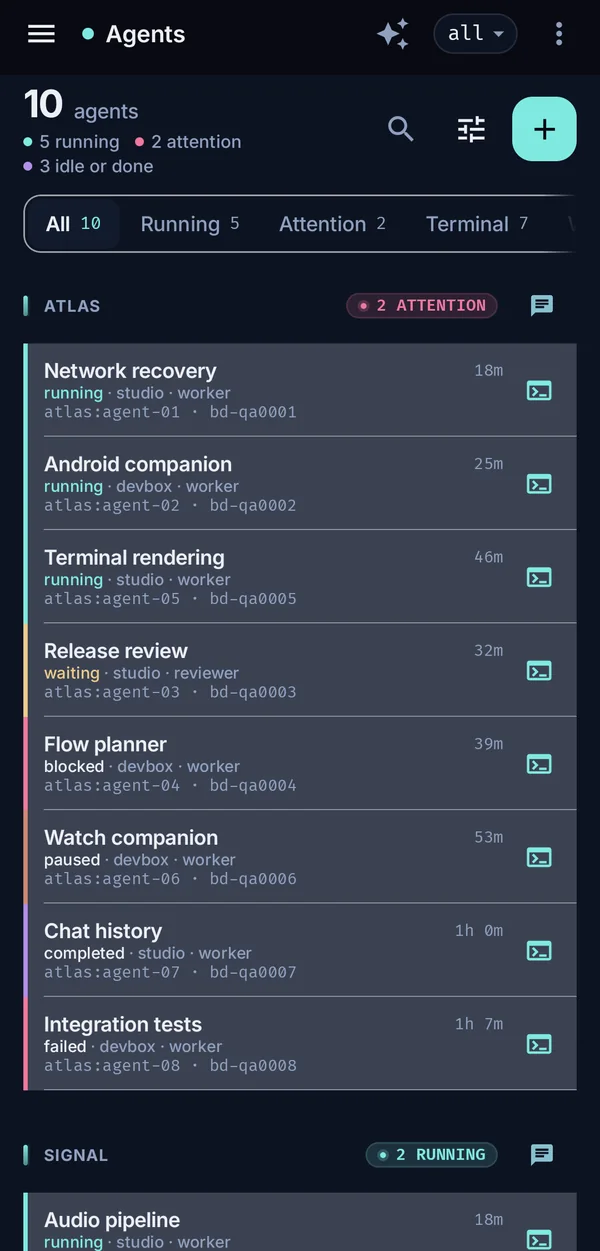
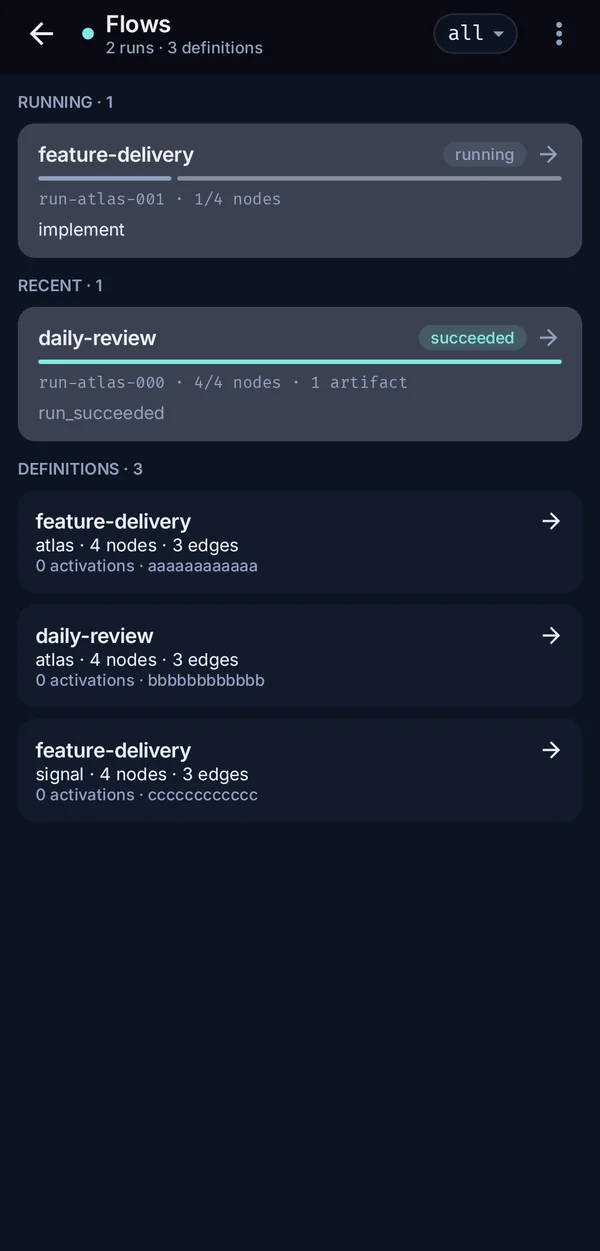
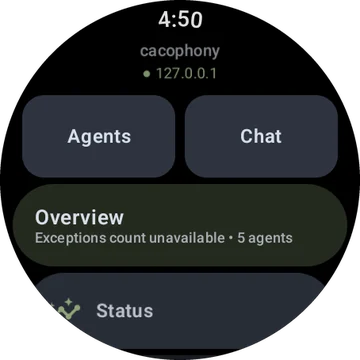
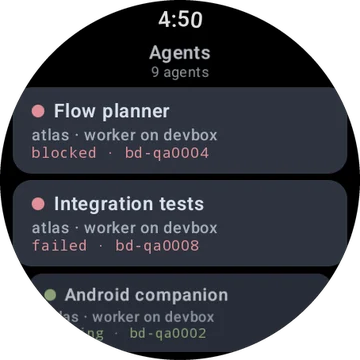
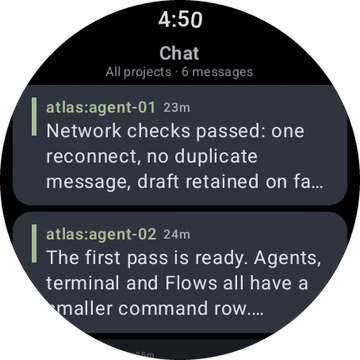
The four apps
iPhone
SwiftUI app at parity with Android, web and the TUI. Adds Live Activities and the Dynamic Island, Siri / App Intents, a share extension, widgets (pending App Store provisioning), SSH tunnels with on-device keys, and an embedded in-process daemon. Source: companion/ios.
Apple Watch
Relays through the paired iPhone by default, with direct Wi-Fi setup in progress. Interactive choices and chat in the Smart Stack, DM quick-reply, Pico chat input and complications.
Android
Kotlin / Compose. Status, chat, agents, beads and every other surface; live agent terminals; group chat; SSH tunnels with multi-port forwarding; and an embedded daemon mode. Source: companion/android.
Wear OS
Talks to the daemon directly or with a profile imported from the phone. Project menus, voice compose, agent and bead actions, tiles, six complications, and a full-screen agent terminal over SSH.
Install and update path
Android companion + Wear OS builds
APK assets are attached to project releases.
The live Android lane publishes the phone and Wear apps as separate Play apps on internal-testing tracks: com.cacophony.companion to internal, and com.cacophony.companion.wear to wear:internal. Wear version codes use a dedicated +1,000,000 lane so the two apps cannot collide.
Install the phone companion first, then install the Wear app from the paired phone+wear Play internal-testing flow or your usual Wear OS install path. The legacy APK lookup remains useful for local QA and release assets, but the smooth operator update path is the Play internal-testing rollout.
Need help choosing between Play testing tracks, internal app sharing, and a private F-Droid repo? See the Android distribution comparison.
companion/android/scripts/release-to-play.sh builds both app bundles, verifies the signing certificate, uploads the phone AAB to internal, uploads the watch AAB to wear:internal, and commits the Play edit with rollout status by default.
Android installation checklist
- Join the private Play internal-testing track for the phone app and the Wear app.
- Install or update the phone companion from Play first.
- Install or update the Wear app from the paired watch flow, Play on-device, or a deliberate ADB QA install.
- Open phone Settings → Watch App, tap Send to watch, then use watch Settings → Import from phone if the watch has not imported the profile automatically.
- If the watch looks stale after a token or endpoint rotation, use phone Reset watch sync state and watch Refresh complications.
For a fast daemon connection, an Android caco://connect deep link opens the phone companion straight into a one-command daemon connect instead of entering the endpoint and token in connection settings by hand.
Private Home/Work travel zones
The Android phone companion can classify the operator as Home, Work, in transit, or unknown. This feature is off by default. Enabling it and setting Home or Work is an explicit foreground action that requests location permission and a fresh device fix.
- Revoke Home / Revoke Work deletes that encrypted zone and immediately checks the remaining coarse state.
- Delete all travel data removes the ciphertext and Keystore key, disables reporting, and attempts one final
unknownreport. - Re-enrollment is required when Android reports that secure storage was reset or invalidated; there is no plaintext recovery or backup fallback.
- Unavailable permission or signal leaves the zone unchanged and reports
unknownrather than guessing.
See the canonical Android private travel guide for registration, radius, check-now, revoke, delete, and re-enrollment details.
Architecture
Three tiers, with no changes to the daemon.
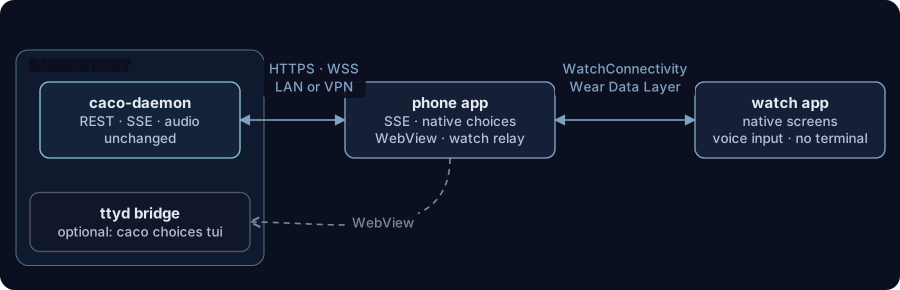
- Daemon host: the existing REST API, SSE stream and audio endpoints. An optional ttyd bridge exposes
caco choices tuiover WebSocket for the phone's WebView. - Phone app: an SSE subscriber with a native choices list, the ttyd WebView and the watch relay; spawn-agent and quick-file dialogs, widgets and agent detail share one Compose chrome.
- Watch app: a structured-data client. A grouped Home menu leads to native screens for status, inbox, chat, choices, beads, agents, nodes, projects, files, logs, releases and more, each with drill-downs and watch-side actions; the crown or rotary input navigates choices, and it can probe a daemon directly as well as through the phone.
ttyd Bridge Setup
The ttyd bridge is optional but enables the full caco choices tui experience in a phone WebView.
Prerequisites
Install ttyd from a package manager you trust:
# macOS
brew install ttyd

# NixOS / nix-env
nix-env -iA nixpkgs.ttyd

# Debian/Ubuntu
sudo apt install ttyd
Avoid copy/pasting unpinned source builds that install directly into system paths for routine setup. If you must build ttyd yourself, pin a release tag or commit and verify the upstream release before installing.
Quick Start
# Start the ttyd bridge (uses the convenience command)
caco choices serve-ttyd

# Custom local-only port
caco choices serve-ttyd --port 8080 --bind 127.0.0.1

# Read-only mode (recommended unless you need phone input)
caco choices serve-ttyd --writable false
CLI Reference
| Flag | Default | Description |
|---|---|---|
--port | 7682 | Port for the ttyd HTTP/WebSocket server |
--bind | 127.0.0.1 | Bind address. Keep loopback unless the bridge is behind trusted TLS/auth on a private network. |
--writable | true | Allow terminal input from the WebView. Prefer --writable false for read-only monitoring. |
The ttyd bridge is stateless — all choice state lives in the daemon. Restart freely without data loss.
Manual ttyd Setup
Alternatively, run ttyd directly:
ttyd --port 7682 --interface 127.0.0.1 caco choices tuiPhone App
Platforms
- iOS — Swift/SwiftUI, requires iOS 17+
- Android — Kotlin/Compose, requires Android 13+ (API 33)
gradle binary; the repository does not check in ./gradlew. For focused unit-test validation, prefer the lightweight nix develop .#android-validation --command bash -c 'cd companion/android && gradle :app:testDebugUnitTest --tests ...' shell so queued jobs avoid emulator/F-Droid dependencies. Use the full nix develop .#android --command bash -c 'cd companion/android && gradle :app:assembleDebug' shell for APK builds, screenshot/emulator QA, and release work. Avoid bash -lc in queued Android jobs because a login shell can reset the Nix dev-shell PATH. From companion/android, nix develop .#android --command ... and the shorter nix develop . --command ... select the full shell.
Features
| Feature | Description |
|---|---|
| Choices first | Active choices resolve with a tap or a voice reply. Pending choices outrank routine inbox items: a red badge and an urgent banner stay up until every choice is answered. |
| Inbox | Choices, messages, broadcasts and speech in tabs, with swipe to archive. |
| Status and fleet | Node telemetry, service health, cluster topology, and agents grouped by project with lifecycle filters and actions: stop, pause, resume, restart, nudge and spawn. |
| Beads | Board rows sorted by priority and recency, status filters, detail and edit (including moving a bead to another project), and Take / Release / Start agent actions. |
| Chat | Project, group and global chat with direct, broadcast and speak modes, voice input, per-agent channel focus, threaded replies, and visible pending/sent state. |
| Agent sessions | Live agent terminals (Termux renderer on Android) and structured Pico sessions; dormant on-demand agents offer an explicit Wake & send. |
| Feed and timeline | Newest-first activity with the same filters as caco-web. |
| Everything else | Plans, summaries, nodes, files, links, releases, logs, actions, the merge queue and settings, in list/detail panes that split side by side on wide screens. |
| Notifications | Channels for choices, messages, alerts and speech, with inline reply, choice actions, quiet hours and per-channel toggles. |
| Live state | Hydrates from the UI snapshot, then follows the SSE stream; the last good snapshot renders immediately on a cold start or while reconnecting. |
| Apple extras | Live Activity and Dynamic Island for choices and chat, Siri / App Intents shortcuts, a share extension for filing beads, and widgets. |
| Connectivity | QR connect, self-managed SSH tunnels with on-device keys, and an embedded in-process daemon mode. |
| Themes | Nord and E-ink palettes in light and dark, an OLED true-black option, and AA contrast throughout. |
| Storage | Bearer tokens live in the Keychain (iOS) or EncryptedSharedPreferences (Android); Android app data is excluded from backups. |
Connection Setup
- Open the companion app on your phone
- Go to Settings
- Enter the daemon host, port (default
11100, the daemon API rather than caco-web's 11180 or ttyd's 7680/7681) and bearer token, or scan a connection QR code - Tap Connect
Connection QR codes carry {"host":…,"port":11100,"token":…} as JSON or as a caco://connect?host=…&port=…&token=… URL; both apps accept either.
The bearer token at $CACOPHONY_DIR/tokens/node.token grants broad local daemon access. Enter it only on devices you trust, keep it out of screenshots and shared notes, and rotate it if the phone is lost. Narrower companion-scoped tokens are not available yet.
Network Requirements
The phone must be on the same network (LAN or VPN) as the daemon host. The daemon is not exposed to the internet.
Watch App
Platforms
- watchOS — SwiftUI, requires watchOS 10+
- Wear OS — Compose for Wear, requires Wear OS 4+
Features
| Feature | Description |
|---|---|
| Choices | The current choice with crown or rotary navigation; tap an option to resolve it, or dictate a freeform reply. |
| Glanceable screens | Compact views of status, activity, inbox, chat, agents, beads, projects, the merge queue, logs, crons, releases and more, fetched directly from the daemon. |
| Alerts | Haptics on a new choice, with actionable buttons. |
| Complications and tiles | A pending-choice count on the watch face; a Wear OS tile shows the question and its first two options for inline answers. |
| Live Activity | watchOS Smart Stack for interactive choices, chat streams and DM quick-reply. |
| Terminals | Wear OS can open a full-screen live agent terminal over an SSH port forward, with keyboard or dictation input. |
Interaction
- Digital crown (watchOS) / Rotary input (Wear OS) — Scroll through options with haptic clicks
- Tap — Select the highlighted option, brief confirmation animation
- Voice reply — For freeform choices, dictate via on-device speech recognition
- Notification actions — Resolve directly from the notification without opening the app
Connectivity
The Apple Watch now has two explicit connection modes:
Relay via iPhone (default): Watch ←→ Phone ←→ Daemon
Direct Wi-Fi (in progress): Watch ←→ Daemon
- Relay via iPhone remains the safe default. Existing Choices, Inbox, Agents, Beads, Feed, Status, voice, and nudge surfaces continue to use WatchConnectivity unless a direct-mode slice has explicitly moved that call path.
- Direct Wi-Fi is visible in the watch Connection Mode screen, Status, About, and Home. The watch can store direct host/port plus bearer-token credentials in local storage/Keychain, and the iPhone can hand off a saved local bearer-token connection to the watch. Direct mTLS/cert-pull, direct daemon networking, and direct action parity are separate tracked slices.
- Security — direct bearer tokens are saved in the watch Keychain and are not displayed after save. Future certificate material must follow the same Keychain/non-plaintext rule.
Offline and stale-state behavior
- Phone disconnected — Relay mode shows a phone-disconnected indicator and keeps restored cached state visible where available.
- Phone reachable, daemon disconnected — Relay replies include daemon connectivity metadata so watch empty-states can distinguish "Phone's daemon disconnected" from genuinely empty lists.
- Direct cached state — Direct mode surfaces cached/restored state with cache age on Home and Choices. The direct-mode validation harness includes mock scenarios for relay populated, phone disconnected, daemon disconnected, direct shell populated, and direct cached/offline shell.
- Limitations today — direct bearer-token setup and iPhone handoff exist, but full direct Choices/Inbox/Agents/Beads/Feed networking, mTLS/cert-pull, and direct watch-to-agent actions land through their own beads. Do not treat Direct mode as production-complete until those slices are merged and validated.
Daemon API Surface
The companion app consumes these existing endpoints (no daemon changes required):
| Endpoint | Method | Purpose |
|---|---|---|
/api/v1/choices | GET | List active choices |
/api/v1/choices/list | GET | List choices with status filter |
/api/v1/choices/{id} | GET | Get single choice by ID |
/api/v1/choices/resolve | POST | Resolve a choice |
/api/v1/ui/stream | GET | SSE event stream (agents, beads, feed, choices, services) |
/api/v1/ui/snapshot | GET | Initial state snapshot for Android AppStateStore; Android caches the last parseable response locally and no longer performs eager all-endpoint pull-sync after connect |
/api/v1/operator-inbox | GET | Operator inbox messages |
/api/v1/feed | GET | Paginated event feed |
/api/v1/agents/{id}/stop | POST | Stop an agent |
/api/v1/agents/{id}/pause | POST | Pause an agent |
/api/v1/agents/{id}/resume | POST | Resume an agent |
/api/v1/agents/{id}/restart | POST | Restart an agent |
/api/v1/agents/{id}/nudge | POST | Send a message to an agent |
/api/v1/nodes | GET | List cluster nodes (status dashboard) |
/api/v1/actions | GET | List project actions |
/api/v1/actions/{name}/run | POST | Execute a project action |
/api/v1/messages/chat | GET | Global chat history |
/api/v1/projects/{p}/messages/chat | GET | Project chat history |
/api/v1/projects/{p}/messages/send | POST | Send direct message |
/api/v1/messages/broadcast | POST | Broadcast message |
/api/v1/projects/{p}/messages/speak | POST | Speak via TTS |
Project Structure
companion/
├── ios/
│   ├── CacophonyCompanion/          # Phone app (SwiftUI)
│   │   └── Sources/
│   │       ├── App/                 # App entry point
│   │       ├── Connection/          # Daemon SSE + REST client
│   │       ├── Choices/             # Choices data model + views
│   │       ├── WebView/             # ttyd WKWebView surface
│   │       └── WatchRelay/          # WatchConnectivity bridge
│   └── CacophonyCompanionWatch/     # Watch app (SwiftUI)
│       └── Sources/
│           ├── App/                 # Watch app + state manager
│           ├── Views/               # Choices + idle views
│           ├── Notifications/       # Actionable notifications
│           └── Complications/       # Complication widget
└── android/
    ├── app/                         # Phone app (Kotlin/Compose)
    │   └── src/
    │       ├── main/java/.../
    │       │   ├── connection/      # SSE + REST client (ConnectionManager)
    │       │   ├── choices/         # Choices data model (ChoicesStore)
    │       │   ├── notifications/   # Android notification channels + builders
    │       │   ├── relay/           # Wear Data Layer bridge (WearRelay)
    │       │   ├── state/           # SSE-driven app state (AppStateStore, Models)
    │       │   └── ui/
    │       │       ├── actions/     # Actions list + execution screen
    │       │       ├── agents/      # Agents fleet list + detail screen
    │       │       ├── beads/       # Beads list + detail screens
    │       │       ├── chat/        # Chat surface with send mode selector
    │       │       ├── choices/     # Choices screen
    │       │       ├── inbox/       # Tabbed inbox (Choices/Messages/Broadcasts/Speech/All)
    │       │       ├── settings/    # Connection + notification settings
    │       │       ├── status/      # Node telemetry + service health dashboard
    │       │       └── theme/       # Nord theme (Compose)
    │       └── test/java/.../       # Unit + E2E tests
    │           ├── ActionsScreenTest
    │           ├── AgentsScreenTest
    │           ├── AppStateStoreTest
    │           ├── ChatScreenTest
    │           ├── DaemonApiE2eTest
    │           ├── FullAppTest
    │           ├── NotificationManagerTest
    │           ├── StatusScreenTest
    │           └── TestDaemonServer
    ├── scripts/
    │   └── test-against-daemon.sh   # Live daemon integration test runner
    └── wearable/                    # Watch app (Compose for Wear)
        └── src/main/java/.../
            ├── choices/             # Watch choices view
            └── tiles/               # Wear OS tile layout
Security
- Bearer token stored in phone's secure storage only (Keychain / EncryptedSharedPreferences)
- Token never transmitted to or stored on the watch
- All daemon communication over LAN/VPN (not exposed to internet)
- Watch delegates all authenticated requests through the phone